Woslxn
Finding my way
-
Joined
-
Last visited
Everything posted by Woslxn
-
I pulled up the striker bar a couple of mm. to ensure microswitch operated every time. Intermittent tailgate open alarms no longer occur
-
Previous owner, or maybe dealer, had cut the wire a few inches from the latch microswitch.
-
I'm thinking of upgrading from version 6270 to version 6276. Does anyone know what Columbus features are updated and if it is worth doing. Thanks in advance
-
Pab567, Thank you for your help. Unit fully functional again. The simultaneous press of setup, eject and mic. was crucial in my case to put the unit into software update mode.
-
Thank you for your post
-
Hi My unit is 3T0035686L HW 26 SW 6270 Unit has HDD Is 6276 correct disc? Columbus stuck in swl initialisation loop 2014 Mk2 facelift Superb l&k trim. Thanks for any advice
-
Hi I'm new to the forum and a first time Skoda owner of a 2014 Mk2 facelift Superb estate. L and K trim. Columbus stuck in "SWL Installation in progress" loop. Columbus 3T0035686L HW H26 SW 6270 I've no idea how to proceed except to try reloading SW6270 firmware, which I've tried unsuccessfuly to find. Any advice would be gratefully received. Thanks in advance Roland
-
I've read all the threads but am still wondering why my Columbus is running sw 6270 but has a hard drive. Previous comments suggest that sw 6270 is only installed on solid state drive units. The only update seems to be 6276. Is that correct?
-
ABS reluctor ring on wheel hub failed, maybe?
-
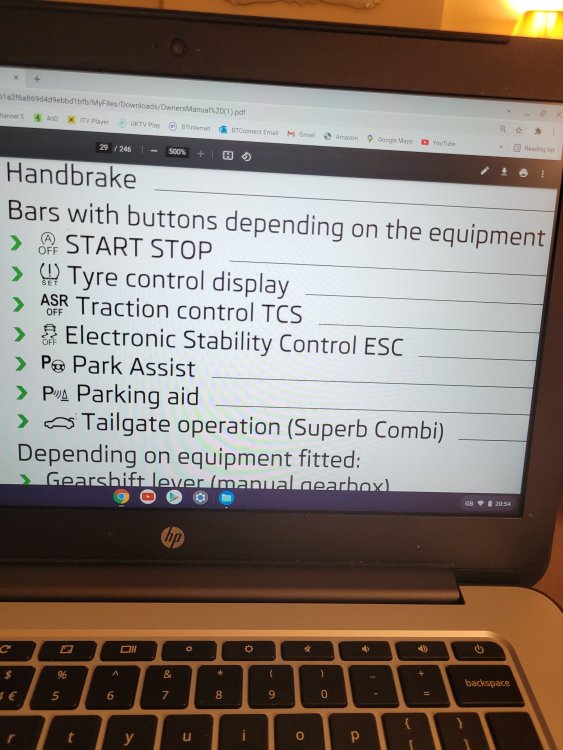
2 buttons for the same function?
-
Thanks for your swift response which helps. Still don't understand why manual shows 2 buttons 🤔
-
I The car has no ASR off button, only an ESC off button. Manual shows both. Is this normal? Newbie to these options so any clarifications would be helpul Thanks
-
-
Hello. New Skoda owner. Looking forward to using the forum