Perb_bug
Finding my way
-
Joined
-
Last visited
Everything posted by Perb_bug
-
I used AI to help capture the data, so there may be some errors! MASTER LIST – POI KOMPATIBILNI VARIANT ID 🚗 ŠKODA – Amundsen (NAV) Variant ID Brand Region Firmware Platform HW POI -------------------------------------------------------------------------------- 17206 Skoda EU MST2_EU_SK_ZR ZR Technisat YES 37206 Skoda EU MST2_EU_SK_ZR ZR Technisat YES 47203 Skoda EU MST2_EU_SK_ZR ZR Technisat YES 17254 Skoda EU MST2_EU_SK_ZR ZR Delphi YES 37212 Skoda NAR MST2_NAR_SK_ZR ZR Delphi YES 37214 Skoda RoW MST2_ROW_SK_ZR ZR Mixed YES 🚗 VOLKSWAGEN – Discover Media (NAV) Variant ID Brand Region Firmware Platform HW POI -------------------------------------------------------------------------------- 17210 VW EU MST2_EU_VW_ZR ZR Technisat YES 17216 VW EU MST2_EU_VW_ZR ZR Technisat YES 47213 VW RoW MST2_ROW_VW_ZR ZR Technisat YES 17245 VW EU MST2_EU_VW_ZR ZR Delphi YES 17250 VW EU MST2_EU_VW_PQ PQ Delphi YES 17268 VW NAR MST2_NAR_VW_ZR ZR Delphi YES 17270 VW RoW MST2_ROW_VW_ZR ZR Delphi YES 🚗 SEAT – Navi System Variant ID Brand Region Firmware Platform HW POI -------------------------------------------------------------------------------- 17212 Seat EU MST2_EU_SE_ZR ZR Technisat YES 47215 Seat RoW MST2_ROW_SE_ZR ZR Technisat YES 17247 Seat EU MST2_EU_SE_ZR ZR Delphi YES 🌍 EXPORT / OSTALO (NAV) Variant ID Brand Region Firmware Platform POI -------------------------------------------------------------------------------- 47208 Seat RoW MST2_ROW_SE_ZR ZR YES 17223 VW JP MST2_RoA_VW_PQ PQ YES
-
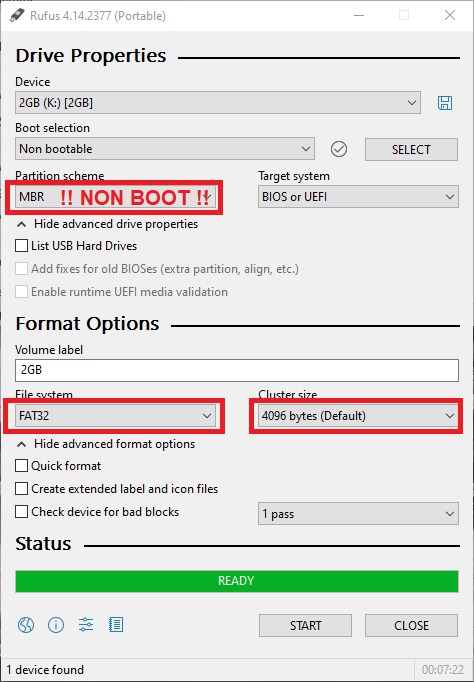
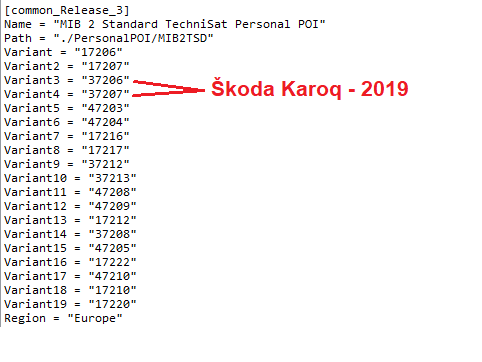
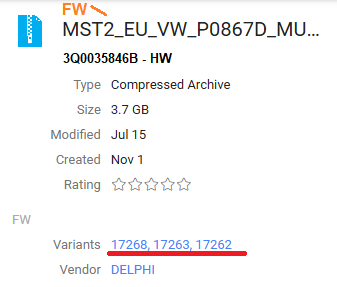
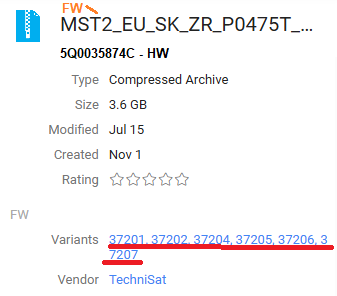
I found out why we have problems detecting or loading Speed Cam POI points: 1. The USB media or SD-CARD is not prepared correctly. In my experience and also in the official instructions it is written that it must be a FAT32 partition and 4096 cluster size and must NOT contain any BOOT records!! 2. The problem with an unrecognized database is that the created database does not support the device in your vehicle. The file "metainfo2.txt" contains 5-digit codes that describe device support or Firmware version support. In the case of an unsupported code, the database will not be recognized or installed. VW T-ROC ŠKODA KAROQ I also found another POI database SpeedCam which supports many more vehicles, but I don't know if bigade1 agrees with the post.
-
VAG CodingKaroq (NU) - Activate reversing camera (retrofit) - VAG C...Purpose: To activate the rearview camera after installation (retrofit camera Low or High). Procedure: 1 – Engine off, ignition off, connect your official VAG-COM VCDS cable to the computer, then plug
-
I used the instructions from Skoda Octavia, I think for the MK3 version: https://www.youtube.com/watch?v=nS0rKMOjO-U MQB - chassis
-
FYI,... this version doesn't work on my Škoda Karoq
-
Would it be possible to add support for other Vag-group devices as well?
-
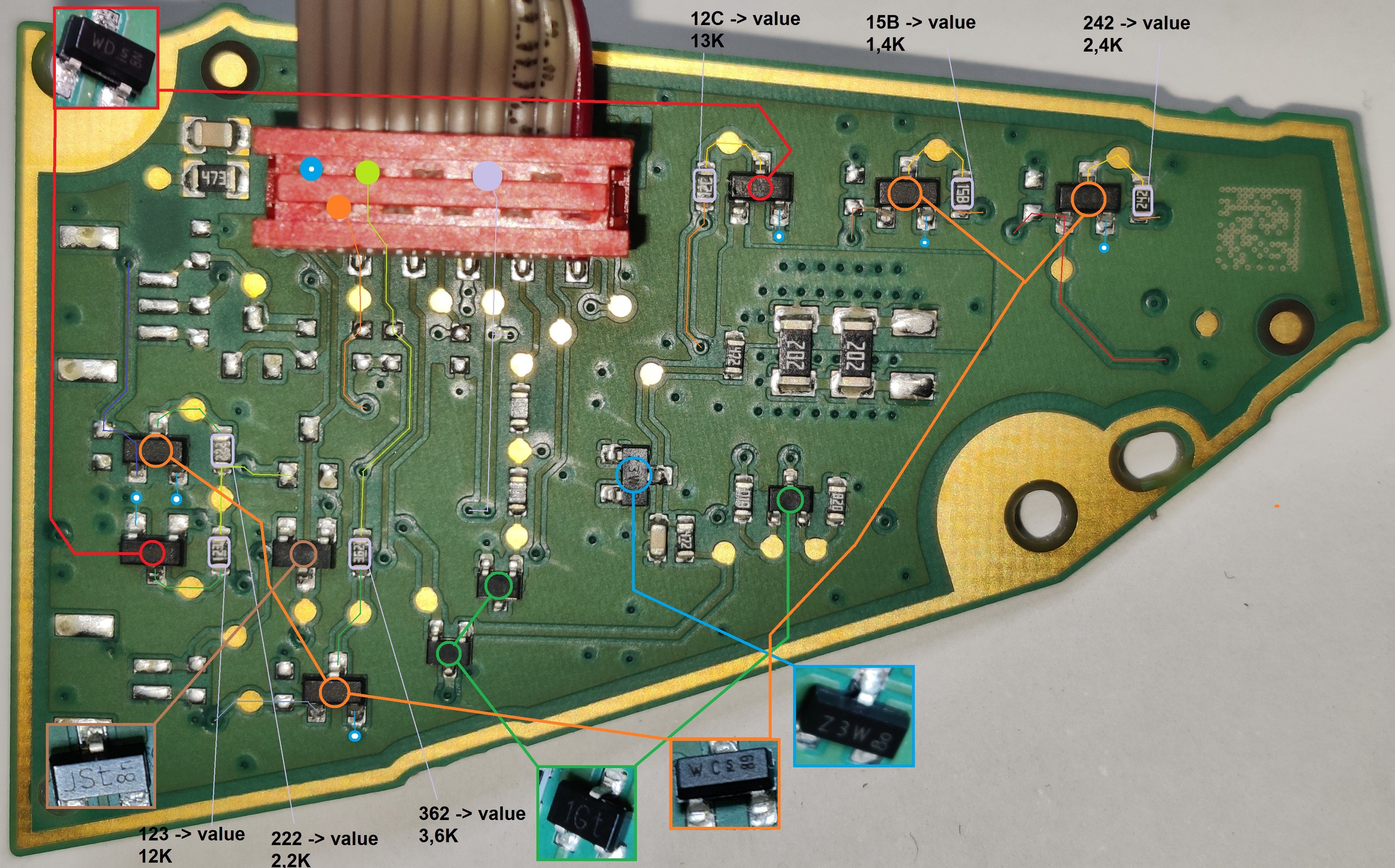
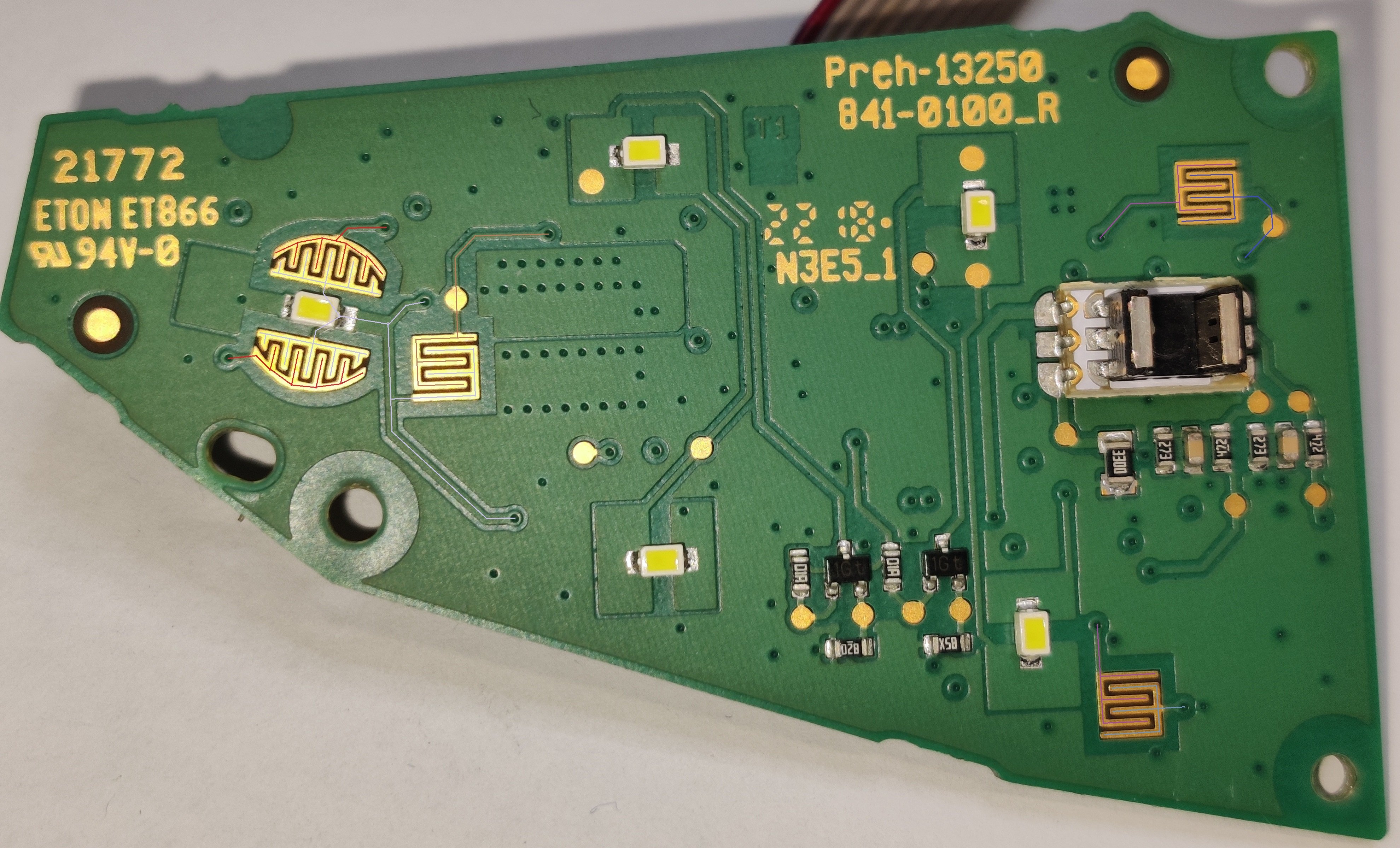
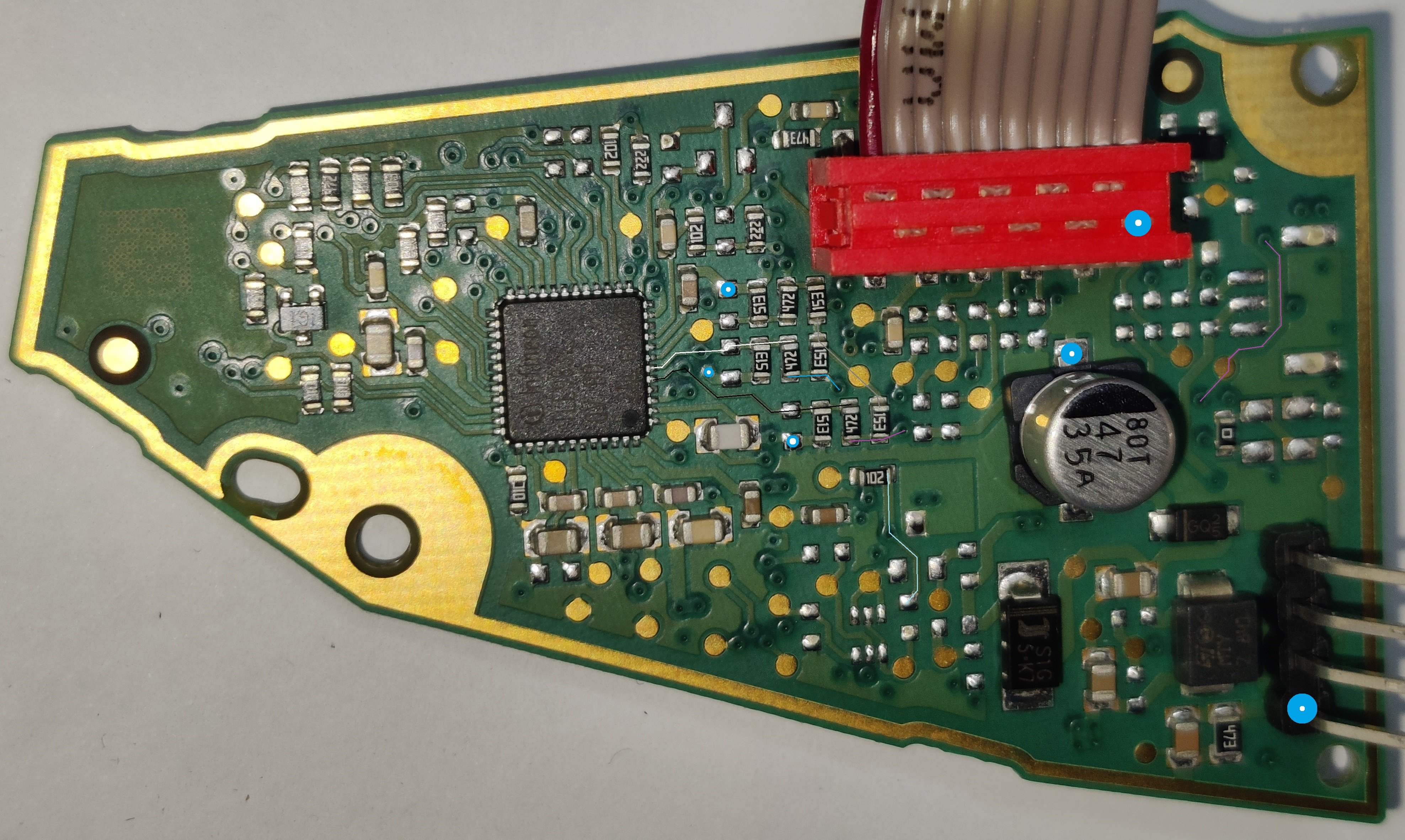
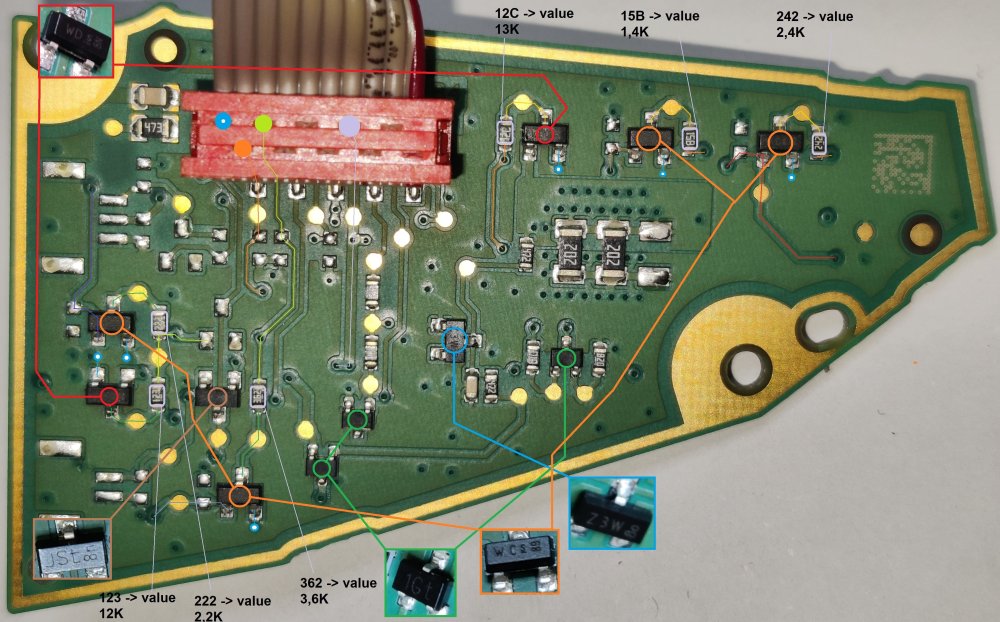
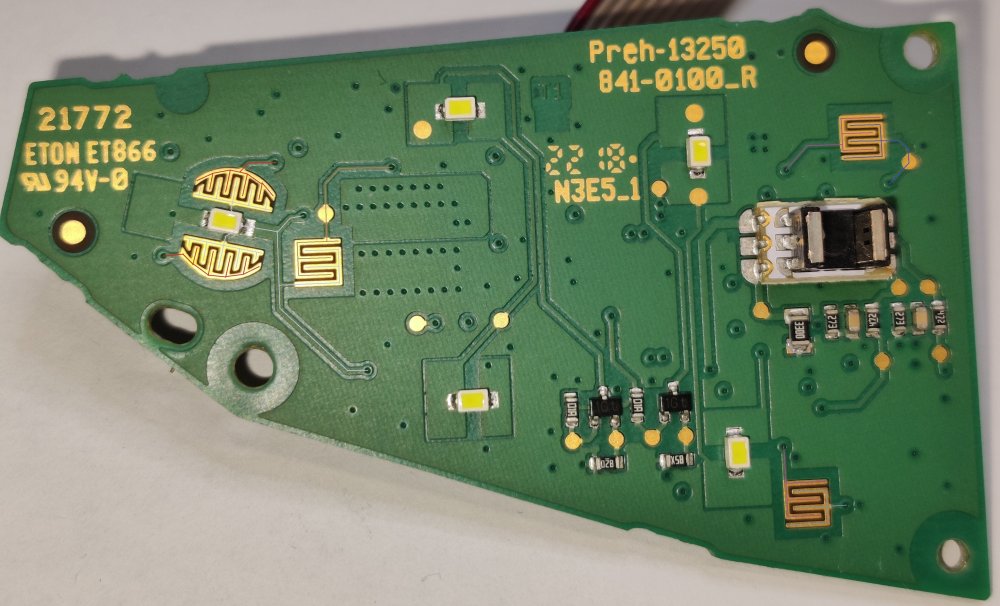
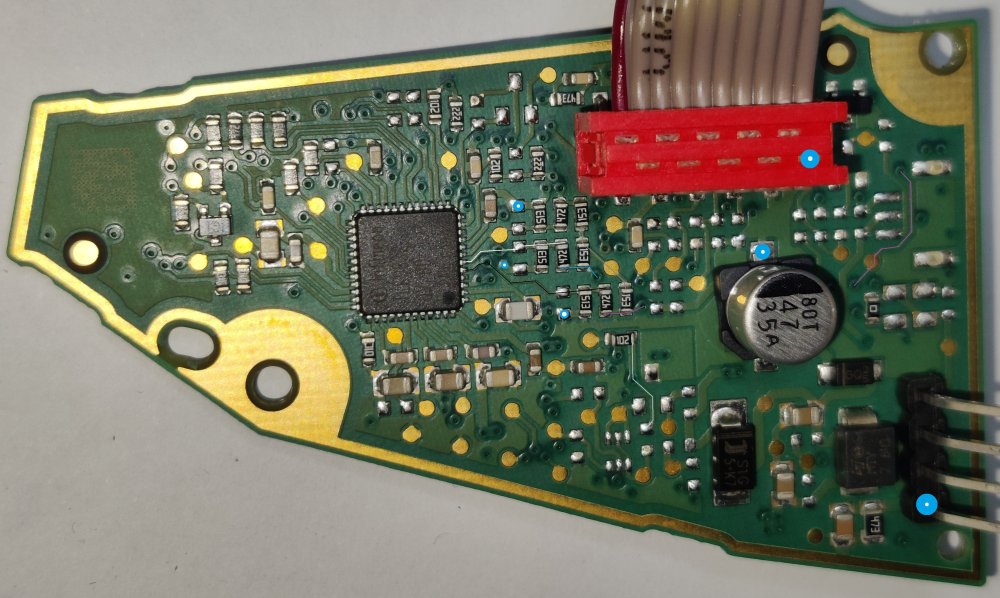
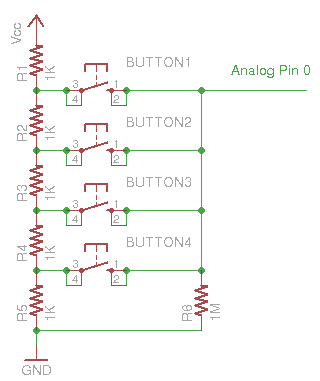
As I understand it, there are three types of button connections to microcontrollers: - direct (1:1 each input pin has its own button) - analog (several buttons can be connected to the same analog input, the detection of the activated button is in voltage, such as 3V....) - network (this method is usually used with more than 8 buttons, this is how computer keyboards are also made) When determining the connection for the steering wheel buttons on the printed circuit board of the keyboard type: 3V0 919 719E, I found that an analog connection of buttons is used, which are supposed to be two-channel. This assumes that microcontrollers could have more buttons programmed, the actual operation and use is hardware-dependent. If we wanted to confirm this, we would have to solder a potentiometer instead of a resistor behind the button, with which we could set any resistance, which would consequently change the input voltage. With the help of VCDS software, we could determine the function of the button.... In case of using a newer version of the steering wheel buttons: 5E3 919 719E, it would be necessary to check whether the circuit is made in the same way. I assume that this could change the operation of an individual button that does not work for us, we could probably change an unused button for new functions, such as using a phone call. More about the analog operation of the buttons on the Github page: https://github.com/mickey9801/MultiButtons
-
I'm not sure at this point but I'm guessing :)
-
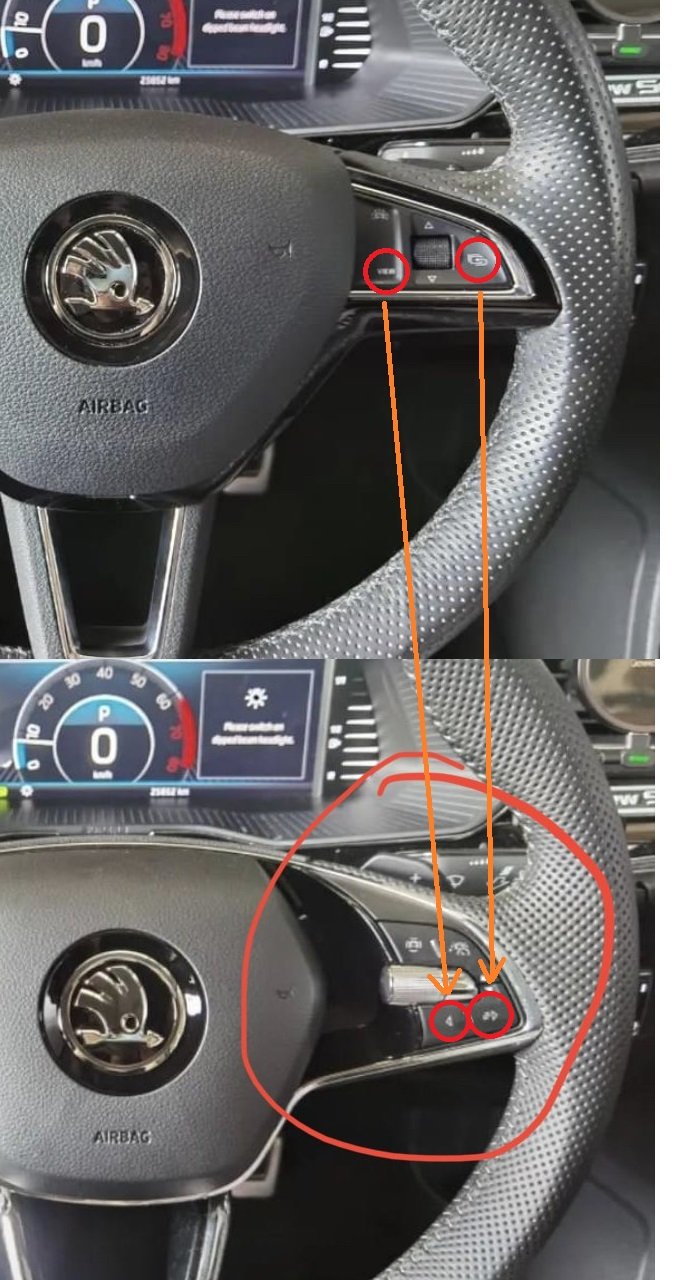
I could use these two keys that don't work right now...
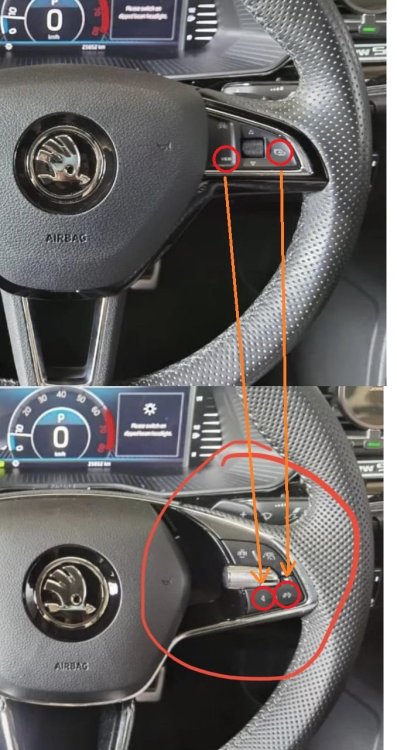
-
I'm not sure, I think it would be possible to adapt the newer key set for type: 5E3 919 719, so that the keys work the same as the older or original version: 3V0 919 719E. For more information, I would need as accurate as possible pictures of the printed circuit board of the keyboards of type: 3V0 919 719 5E3 919 719 5E3 919 719E
-
Which sensor exactly? Information about the type of ventilation would be very helpful, single or 2 zone? If I succeed, I will try to play around a bit with the elm327 adapter and free applications.... I promise nothing.
-
I think the reason for the cold air in the car cabin is the "AC" being turned on. When the "AUTO" mode is turned on, the "AC" is also automatically turned on, which is supposed to remove moisture from the air conditioner's cooler while it is operating. The resulting side effect is cooler air, while when the "AC" mode is turned off, warmer air is blown out.
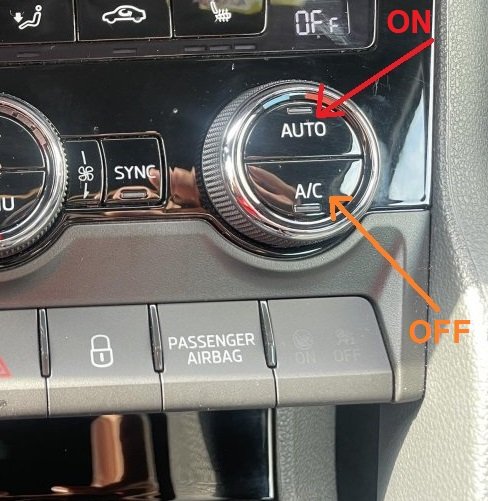
-
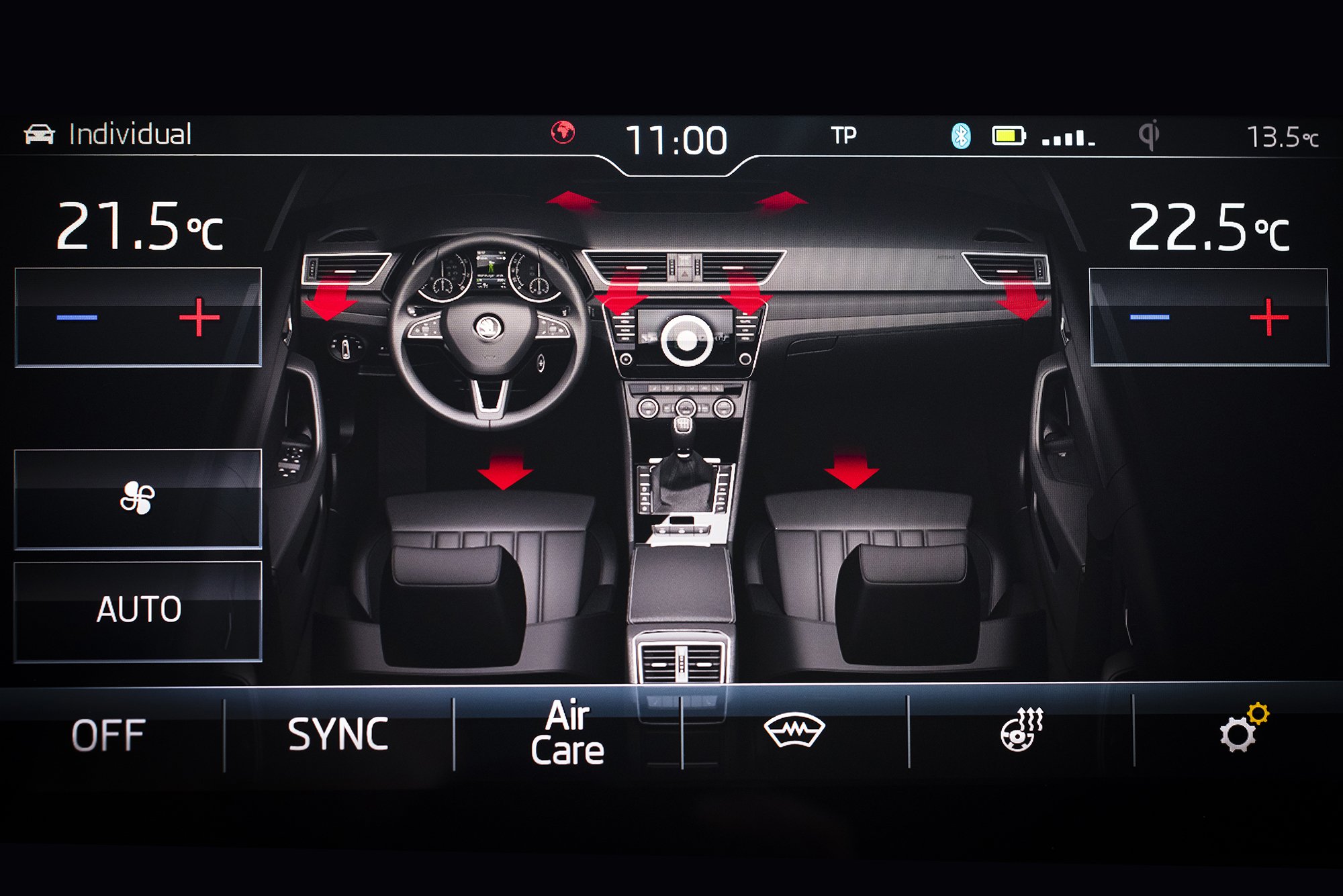
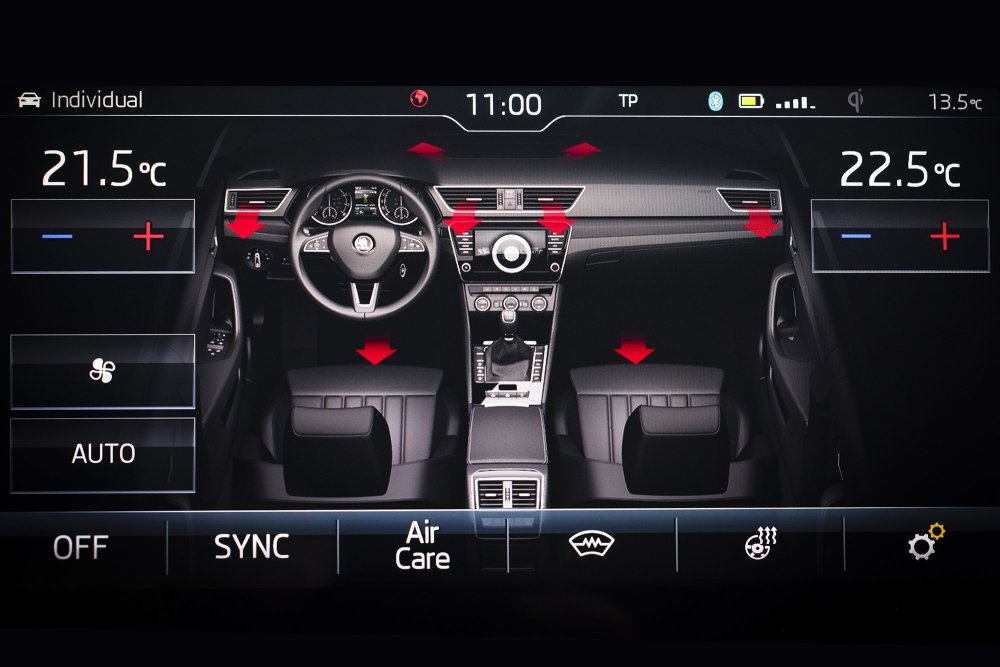
I checked a little, as far as I know, these red or blue arrows change color depending on whether heating or cooling is set. In automatic mode, when the temperature is reached, cooler air could be gradually blown into the car cabin. In any case, at current outside temperatures of about 5°C, when the heating is set to max, cold air should not blow and vice versa. More than that without direct access to the car and checking or testing the sensors and flaps, I don't know how else I could help.
-
Something is not clear to me, karoq 2018 uses an older type of steering wheel, karoq 2020 uses a newer type of steering wheel. Is the problem in the module type (different letters) or just the coding?
-
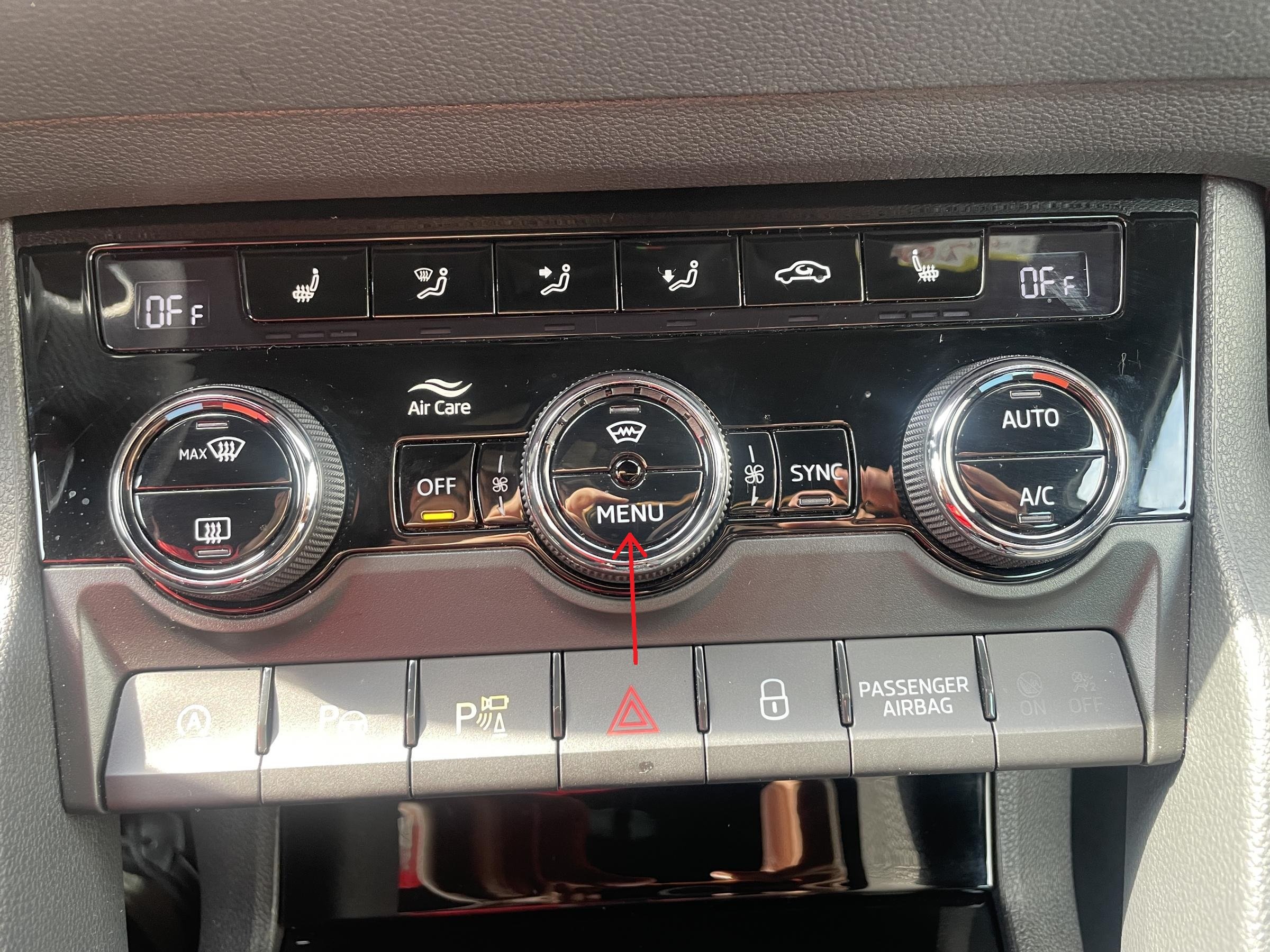
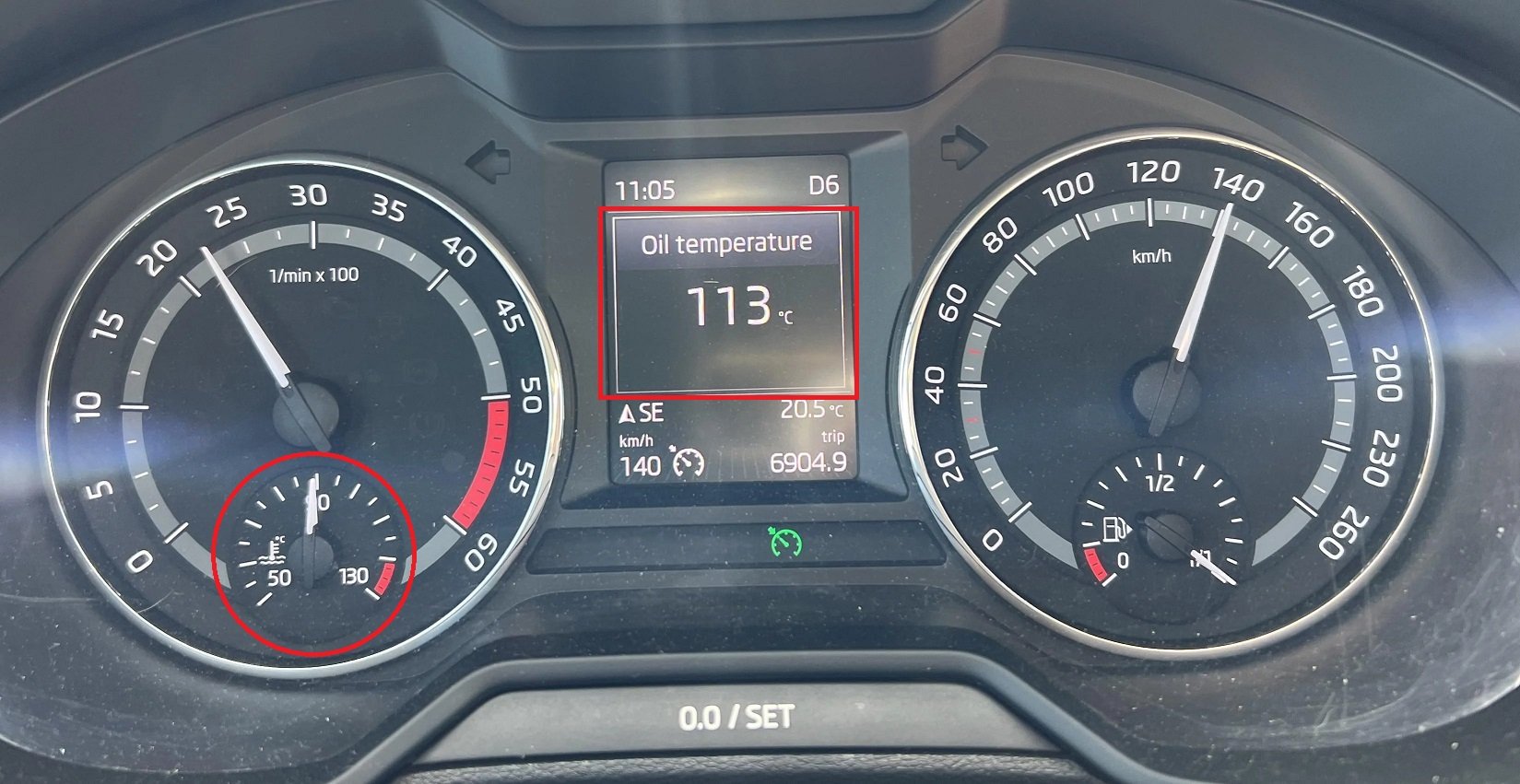
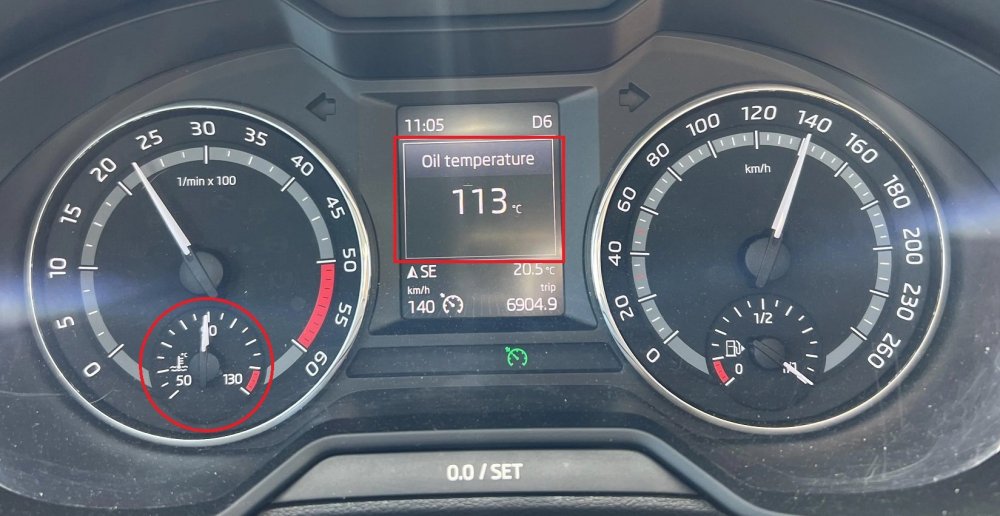
For comparison, the 1.5 tsi engine somehow warms up to a working temperature of about 90°C at an outside temperature of about 5°C at about 5km. The engine oil warms up later, reaching a temperature above 50°C is reached between about 10km, after about 25km the oil warms up to close to 90°C. This data can be seen on the Instruments cluster: The next step could be to somehow check the inlet and outlet temperatures of the coolant from the car cabin, in the case of hot pipes, the causes could be in the cabin. Then only the causes in the cabin remain, such as sensors, the other is the engine flaps for temperature regulation, control electronics,.... A long time ago I had an experience with the cabin temperature regulation, it worked once, the other time it didn't, with the air conditioning on it started blowing hot, when heating it started blowing cold at some point which would mean a breath of fresh air, hot or cooled. When connecting the vcds diagnostics, I found an error for the flap motor in the car's cabin. For anything more specific, better diagnostics would be needed, sensor temperatures, values and positions of the flap motors,... Certain sensors are also visible in the climate menu on Information Electr., which can be accessed by clicking on "menu" on the climate module. Some basic diagnostic steps can be done using these menus. This picture shows the connections that heat the cabin, if everything is ok one should be hot, the other slightly cooled. The hose connection should be located around the turbine.
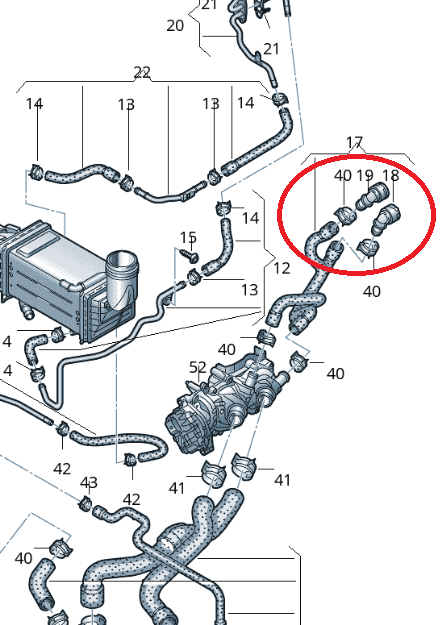
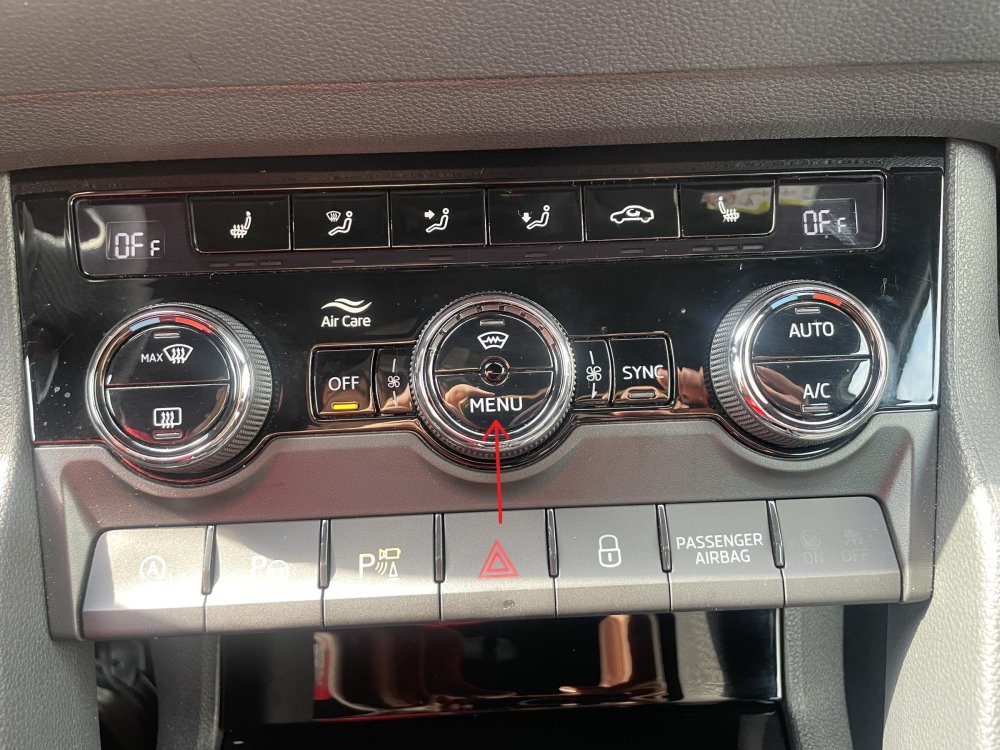
-
Where and how can we import the radar map. Regarding the voice, I had in mind instead of English directions or driving instructions in other languages,... like with normal navigation. Could I solve this by creating an account like MyŠkoda and updating the radio/navigation via wifi/internet?
- 30 replies
-
- amundsden
- discover media
- maps
- mib2
-
Tagged with:
-
This is more focused information, but it's still not enough for anything more detailed..... I think it will be necessary to check the essentials! 1. Does the engine have enough coolant. (engine problems) 2. Does the engine heat up and in what time (yes - no, normal - very slowly, engine problem, coolant pump or engine thermostat valve problem) 3. When adjusting the car's cabin temperature, do you feel transitions between hot and cold settings. (probably problems with the hot-cold flap control motor, could be something else) 4. Are there any errors present, check ???????? This video might help: https://www.youtube.com/watch?v=oezrEvFqS1w
-
I'm curious if we can see and update the locations of stationary radars through the navigation map update, and I'm also curious if it's possible to add voice control for navigation?
- 30 replies
-
- amundsden
- discover media
- maps
- mib2
-
Tagged with:
-
Cairus, did you manage to code the newer steering wheel buttons or do you need an additional module that remaps the buttons? Can you describe more details for the adaptation and coding of the steering wheel buttons?
-
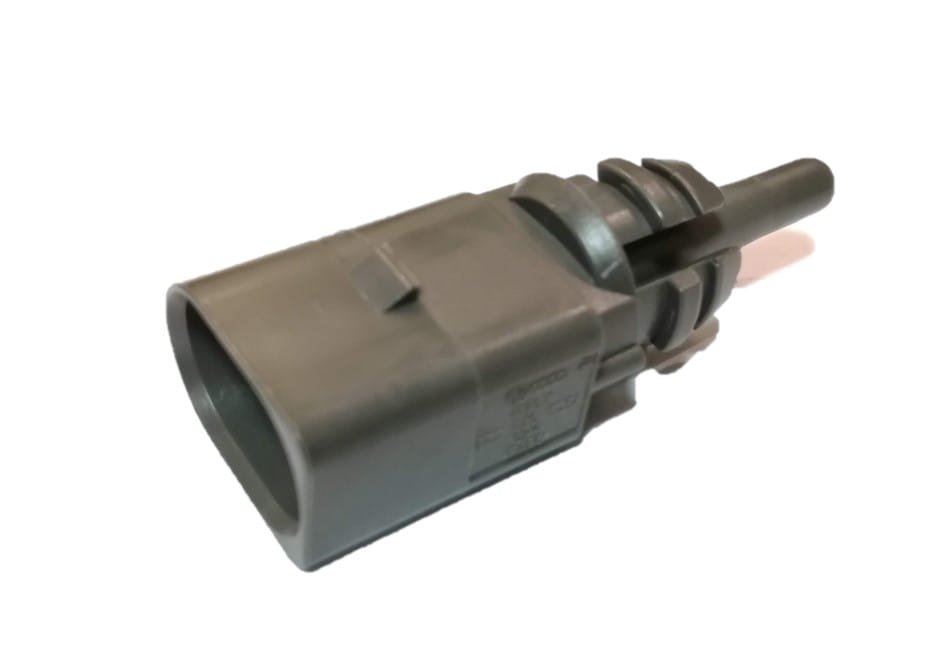
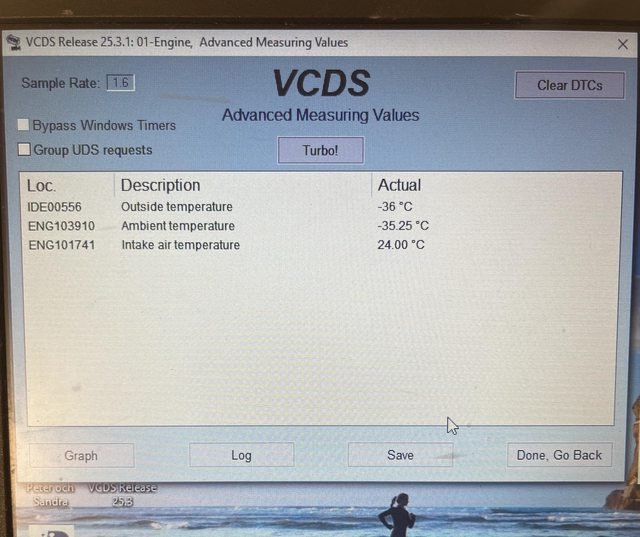
834 / 5,000 Which sensor do you have in mind when you call it "above vehicle". I assume you mean the ambient temperature sensor/thermostat located in the front bumper. If the sensor in question is not connected, it displays this error: 21605 - Sensor for Ambient Air Temperature (G17) P0070 00 [00100111] - Malfunction This is what the external sensor looks like: The data should be located in: Proceed as follows: 1 – Engine off, ignition off, connect your cable to the computer then connect the other end to the diagnostic socket of your vehicle. 2 – Switch on the ignition then launch the VCDS program. Go to: 3 – Click on “select" on Select Control Module menu. 4 – Click on “01 – Engine”. 5 – Click on “Adv. Meas. Values”. 6 – Select and tick the parameters that should display the outside temperature: IDE00556 - Outside temperature ENG103910 - Ambient temperature
-
The on/off option on the radio is helpful when we need to quickly check or code something on the car. If you don't want your lights to drain your battery too quickly or too much, this is a good solution and a quick solution....
-
Maybe this page will help, I recommend activating both options. Turning on the taillights in auto mode: VAG CodingKaroq (NU) - Activate daytime running lights (DRL) only i...Purpose: to activate daytime running lights (DRL) only when the headlight control knob is in the auto position. Proceed : 1 – Engine off, ignition off, connect your official VAG-COM VCDS cable to t... Possibility to turn off the DRL lights via the CAR menu: VAG CodingKaroq (NU) - Activate/deactivate daytime running lights (...Purpose: to activate/deactivate daytime running lights (DRL) from the CAR menu. ATTENTION to your country’s regulations and technical inspection for daytime running lights! However, if you’re codin...
-
I forgot to add the "Technical Service Bulletin" that I found on the internet. MC-10198703-0001.pdf
-
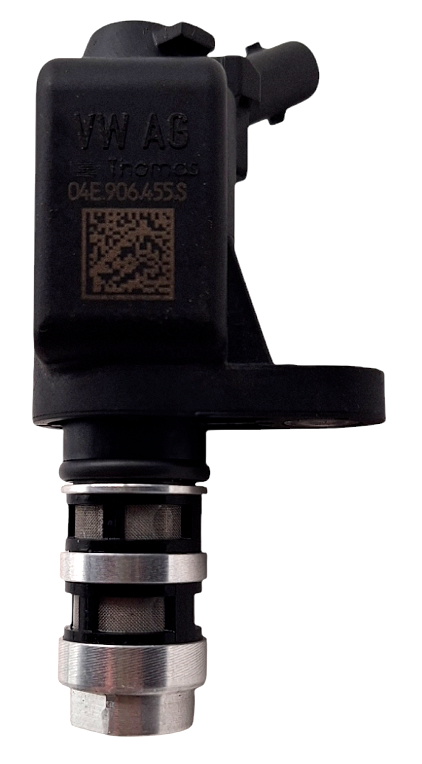
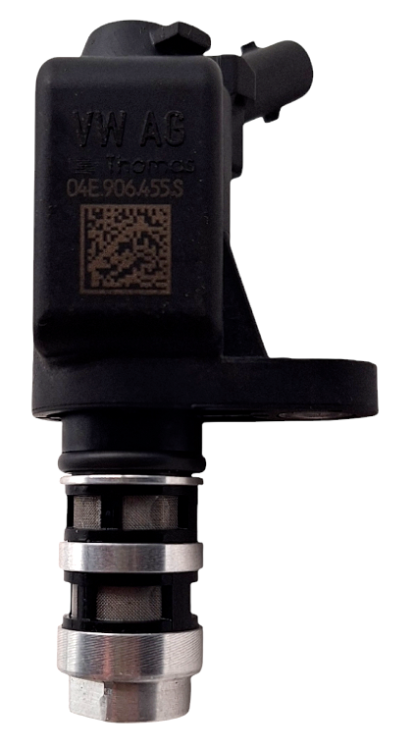
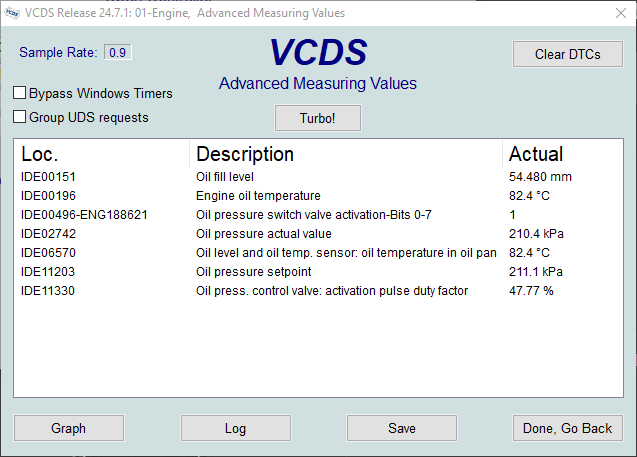
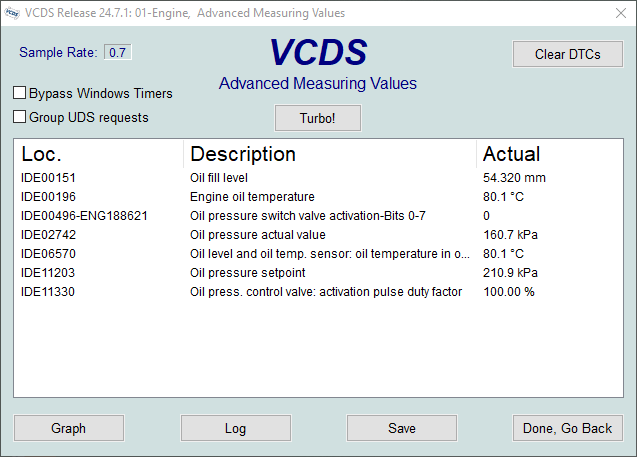
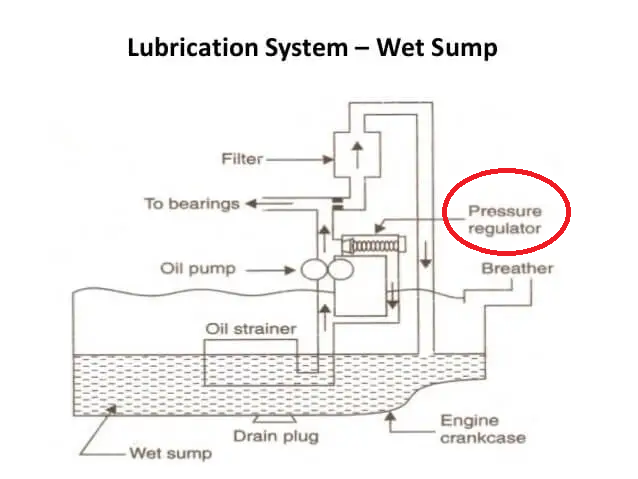
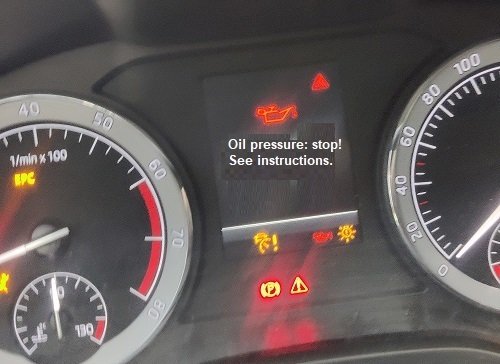
Some time ago I was repairing a damaged 2019 Skoda Karoq with a 1.5 TSI engine, DADA and an installed "04E906455S" valve. The engine module reported the error "21729 - Engine Oil Pressure - P15AA 00 [01100101] - Lower Limit not Reached". In my case, the warning on the Instruments cluster appeared when the oil temperature exceeded 82°C. I browsed many forums on the Internet, which helped me a little, fortunately I found this document, with the help of this document I found out that the engine oil pressure should be around 1.5 Bar. Here is a picture of the valve: Using the VCDS program and interface, I checked the following data: IDE00196 Engine oil temperature IDE00496-ENG188621 Oil pressure switch valve activation-Bits 0-7 IDE02742 Oil pressure actual value IDE11203 Oil pressure setpoint IDE11330 Oil pressure control valve: activation pulse duty factor Here is the engine oil pressure data before the valve replacement: Here is the engine oil pressure data after the valve replacement: Using this data, I found the following, the damaged valve was stuck and remained in the open position, due to low pressure, the electronics are increasingly closing the valve, which is controlled using PWM modulation, the valve closing value is shown by the parameter "IDE11330". Since the engine oil pressure is not reached, the mechanical switch with the parameter "IDE00496-ENG188621" shows the value "0". The engine oil pressure is shown by the parameter IDE02742, the setpoint value of the required pressure is shown by the parameter IDE11203, if the oil pressure drops below the value of 160kPa, a message is generated on the Instruments cluster, which is visible in the picture. Here is a picture of the instrument cluster: I found an explanation of how engine lubrication works on the internet, the valve is used in the system as a safety oil pressure relief valve, in case of LOW oil PRESSURE the valve must CLOSE, in case of EXCESSED oil PRESSURE the valve must OPEN. The mentioned valve is controlled electronically using PWM modulation, thus we can ensure a constant optimal lubricating oil pressure during engine operation, regardless of temperature, oil viscosity and engine speed. Before using this technology, a classic or hydraulic pressure regulation system was used, based on a spring and an anchor which moves and releases pressure at a specific pressure. The solution is simpler, but this classic solution has a flaw, the working pressure can still change when the speed increases or decreases, over the years the spring settles. Here is a rough sketch and explanation of the parts of the engine's lubricating oil system control: As far as I know, such problems and errors can occur for several reasons, these are: - valve failure or damage, - valve or filter mesh clogging on the valve, - excessive oil leakage into other parts of the engine (the cause of the error is not in the valve) - poor pressure or flow of the engine oil pump (the cause of the error is not in the valve) I must warn you, the same valve is used for variable valves, in case of clogging of one of the valves, it is recommended to check both! To help you identify the components on your engine, you can use this page (use a web page translator for easier understanding): https://vwts.ru/articles/engine/engine-1-5-tsi-dada.html
-
The rough data of the car is: Škoda octavia MK4, year of manufacture 2021, Diesel 2.0, 150hp, dsg gearbox, year of manufacture 2021.