TomerB2025
Finding my way
-
Joined
-
Last visited
-
no no.. i wish it was, but no.
-
My car has the kumho tyres 16 Inch and they are good!
-
my 4.5 Octavia in the cheapest trim (in Israel called "Selection") i have the 1.5 MHEV with DSG7. and its very quiet. i can drive at 130 KMH and still hear music in low volume and even speak to someone in the car without yelling. before the Skoda, i had Hyundai Elantra Hybrid 2022. and it was so noisy. i was just counting the seconds to get rid of her :)
-
on the mk.4.5 (the facelift since the end of 2024) this option is available only for higher trim levels.
-
-
-
Hey, i have same problem with GPS goes crazy, the dealer in Israel updated the version to 1989, but still have some issue with the GPS.. i have been told that the SOS module needs to be replaced.. so they will take my car in January, and i will update here if it fixes the problem.
-
i have the 2025 FL 1.5 Mhev, and the dealer told me its normal, its due to the switch to the electrical motor for charging. and the clicking is when it changes the levels of the regenerative braking. but would like to hear maybe from other people as well..
-
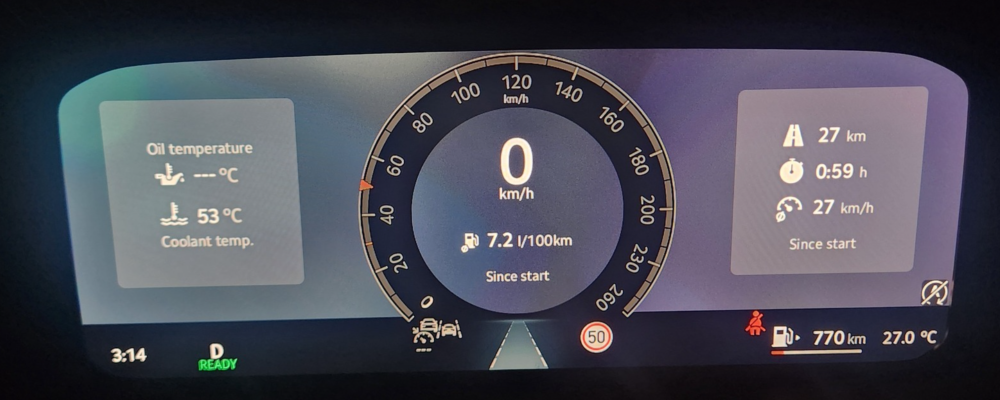
i have lots of problems using waze or Gmaps and spotify with android auto (Galaxy s25 ultra) in my Octavia 2025 FL SEL.. i was told by the dealer, its known issue, and to fix it, they need either update the version of the infotainment, or replace the GPS controller in the car, or replace the SOS module. because in my car, there is also this virtual cluster: and there no option to answer phone calls.. and they have recall on that..
-
i have the same issue.. when using android auto, waze thinks im 2 kilometers away from the road i am in. (and its only when the phone connected to AA, without it, works perfect) also, when i have these GPS problems, the Road sign reading system also goes to fault.. (sorry for my bad english..) my is Octavia 1.5 mHev 2025 FL
-
no. In Israel we don't get the cars with built in navigation system, at least not for VW group cars..
-
i have the 2025 FL, (not the VRs),and when my phone connected to android auto, Waze thinks i am 1 kilometer away from the road i am driving. its glitching all the time, same with Gmaps. (when phone is not connected everything is perfect (on my phone)) tried using different devices like Iphone, or different android, same issues.. waiting for my visit in at the dealer..
-
Up
-
Hey all i know there are lots of topic about that already, but since i am newish to the forum and with Skoda in general, please forgive me.. so, i have lots and lots of problems using the navigation with Andorid auto, the GPS goes crazy, i tried lots of stuff, including disabling on my Galaxy s25 Ultra location access to the andorid auto, which didn't help. (tried using waze and maps.. lots of problems with location) i have read in multiple places that updating the software on the infotainment might help solving the issue. as of today, this is the version i have: Release version: MEI3G2_EUSK37W_P1660J Software version: 0166 (just to mention, in my car i don't have update OVA since its leased and in Israel not all cars are allowed for OVA updates) can someone maybe share some info if you had any problems with navigating using the AA? and also, how can i update the version of the system? Thanks for all.
-
yep, its the "Selection" Trim 2025..