TimoB
Finding my way
-
Joined
-
Last visited
-
@blackh0le On the photo's it is better than in real life, however I still have no reason to complain 😉
-
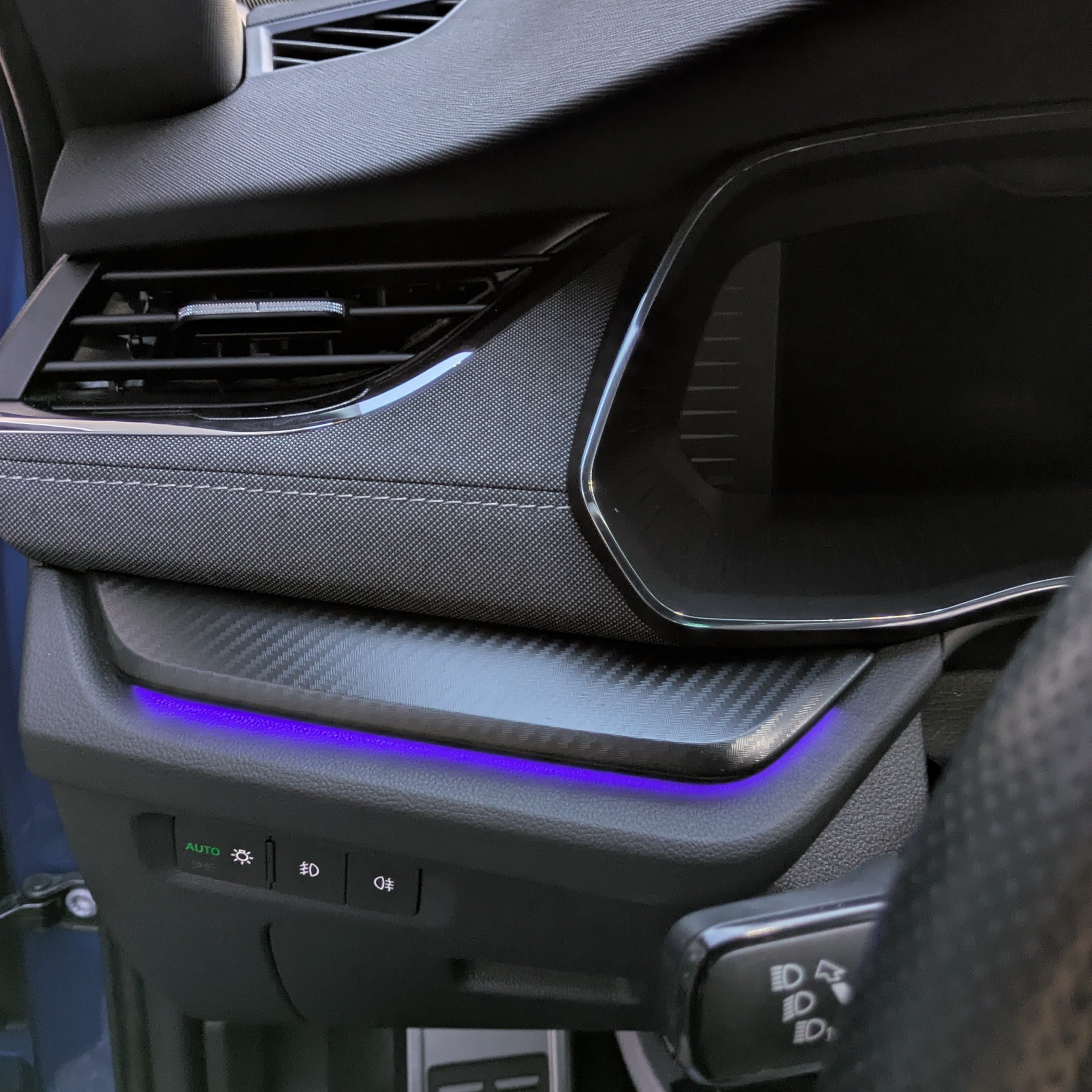
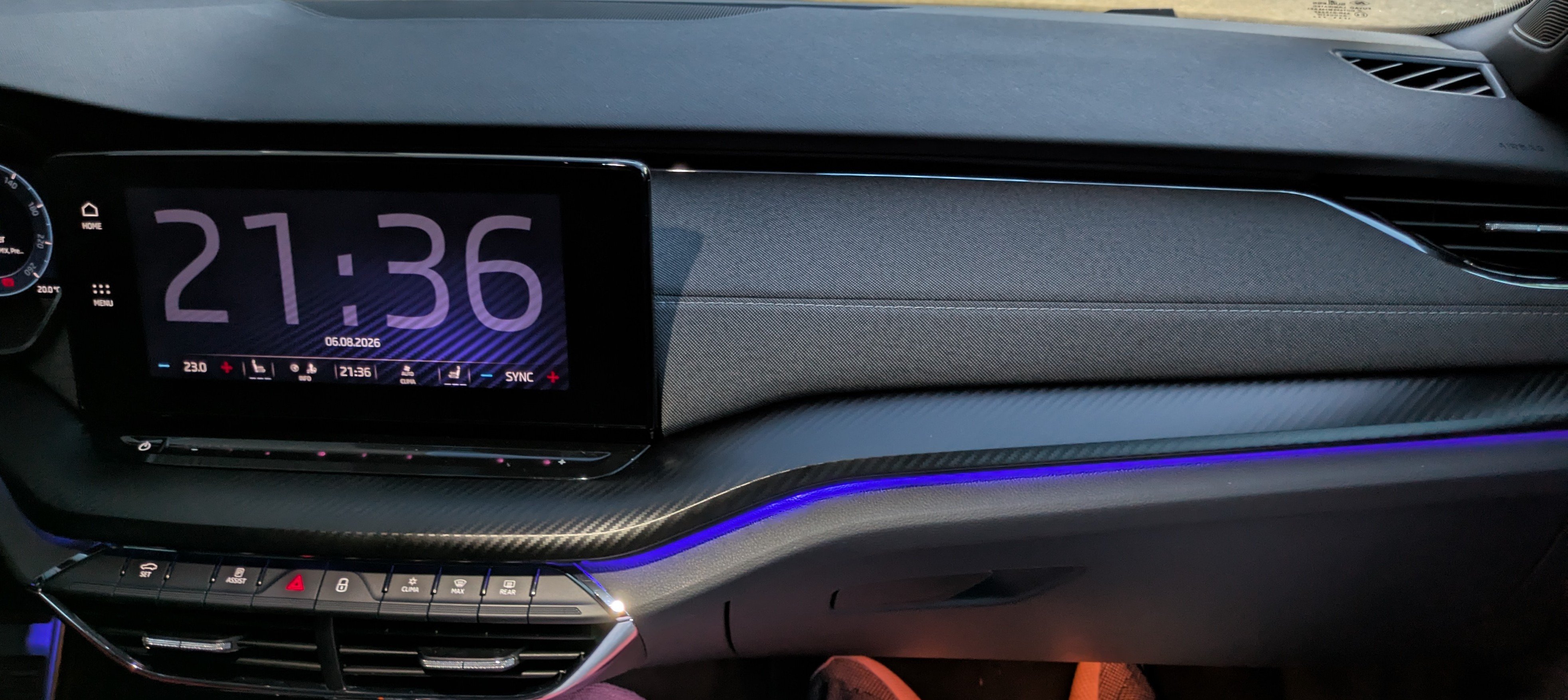
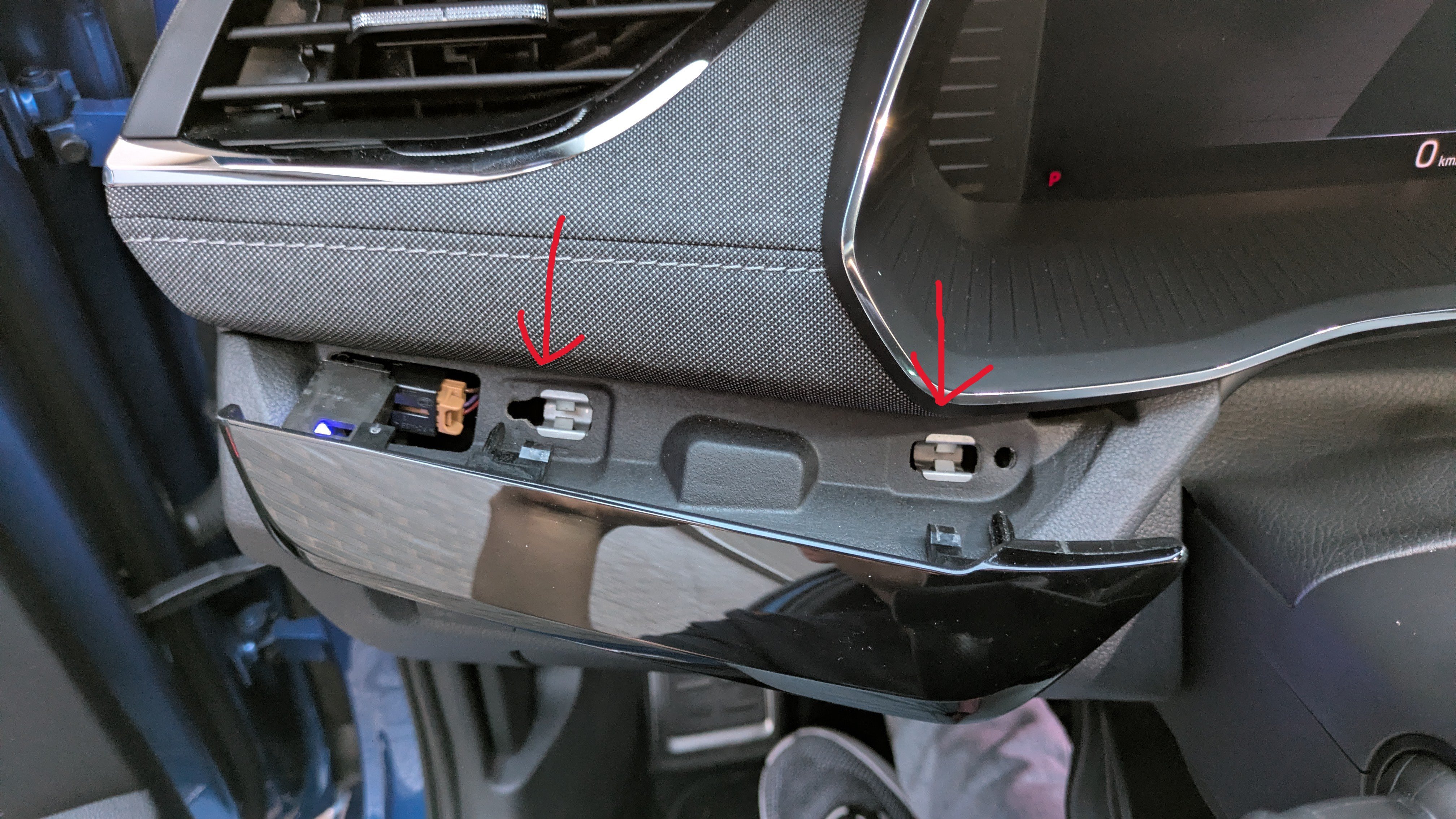
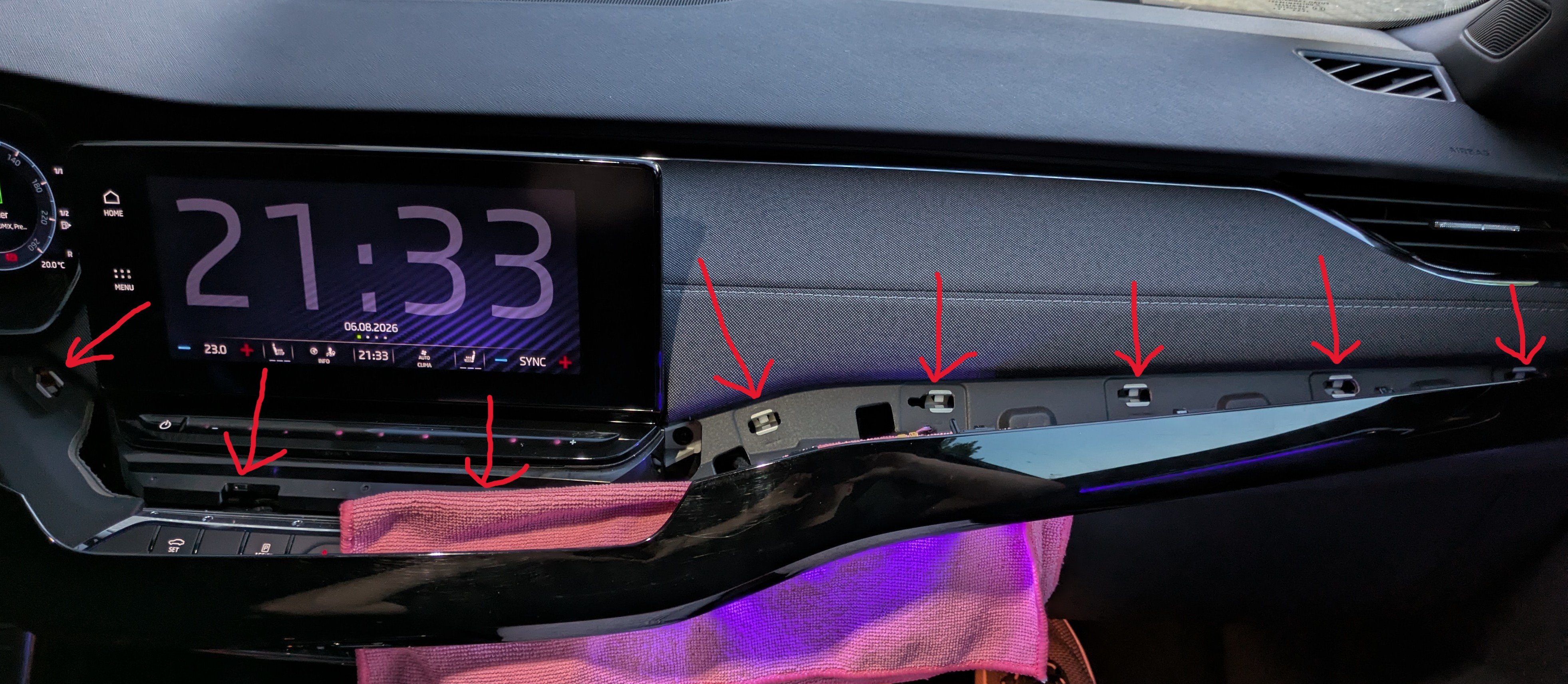
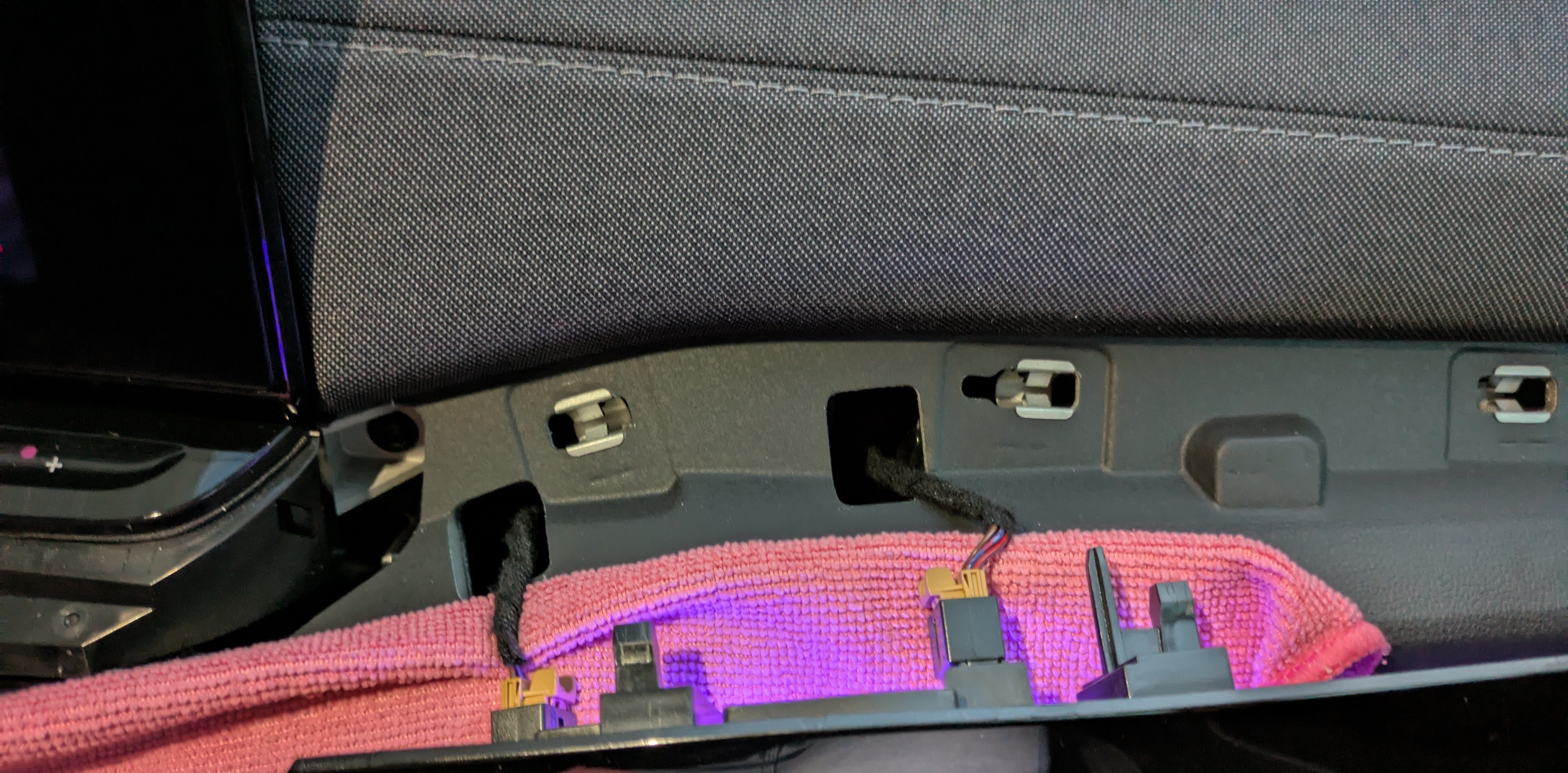
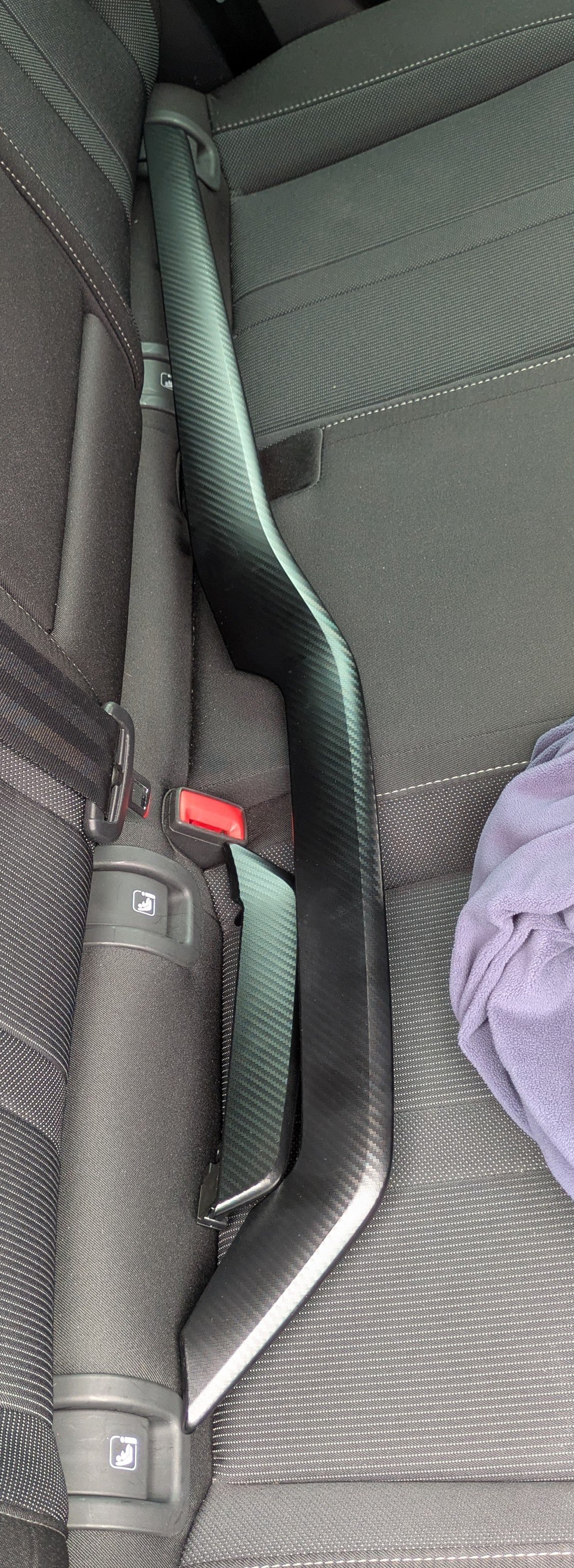
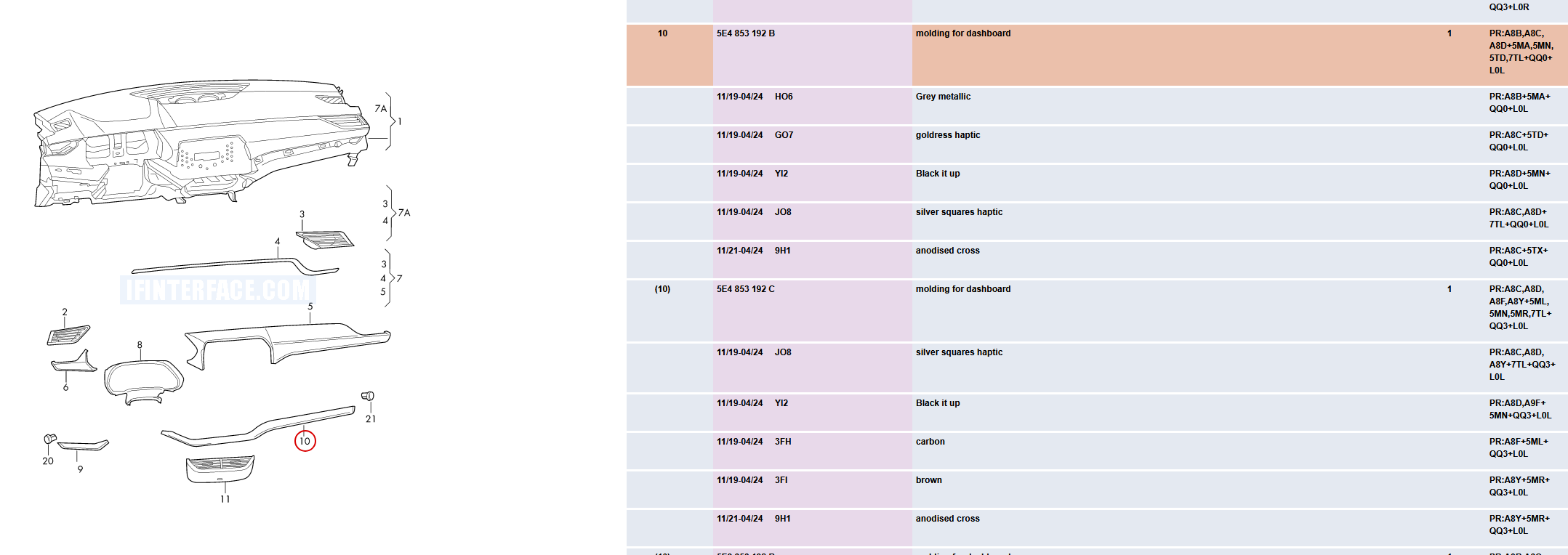
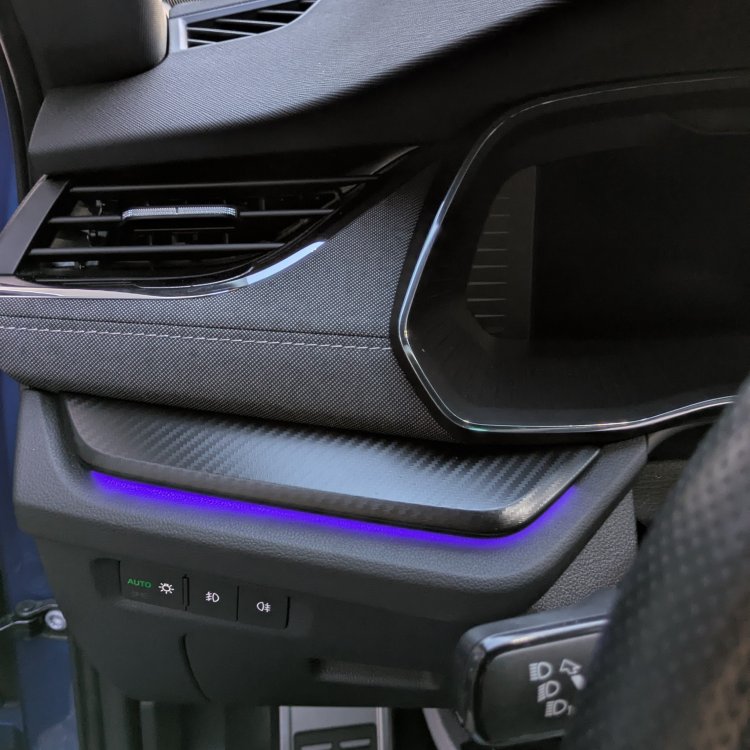
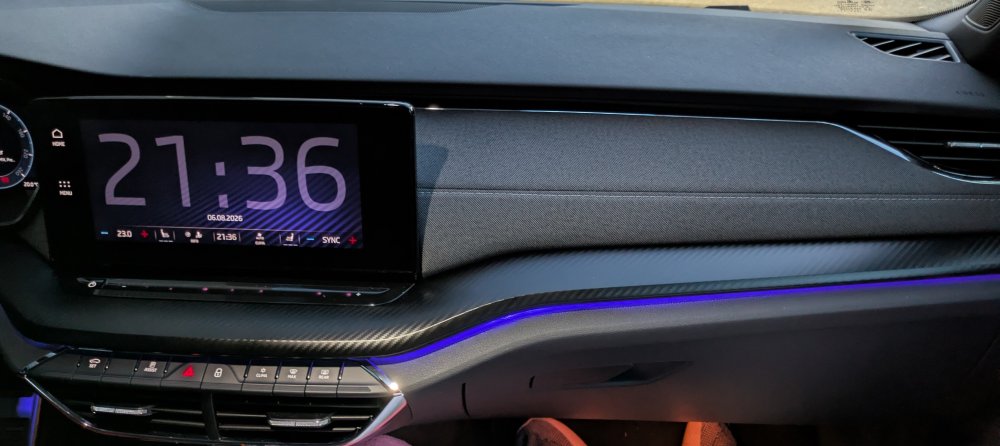
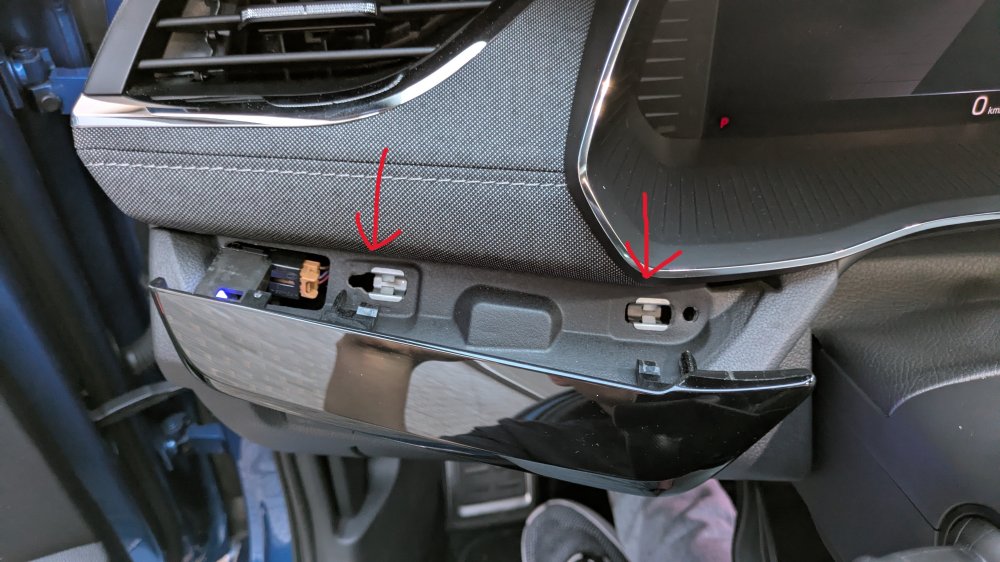
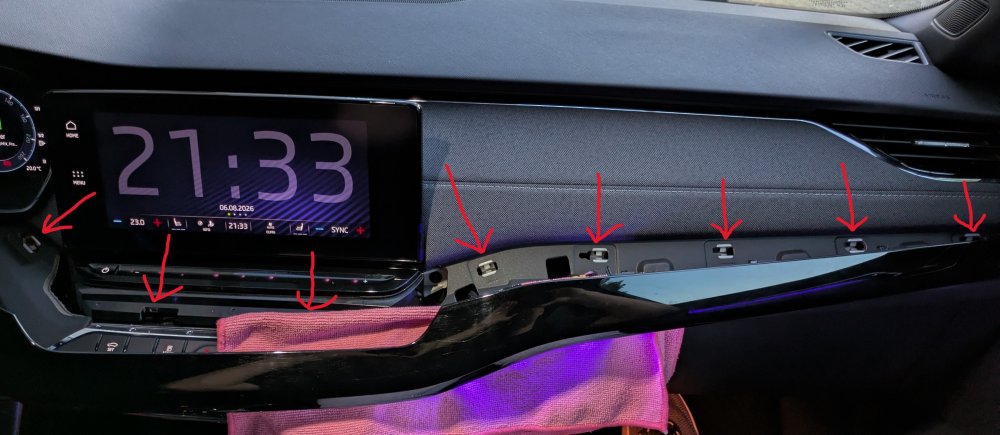
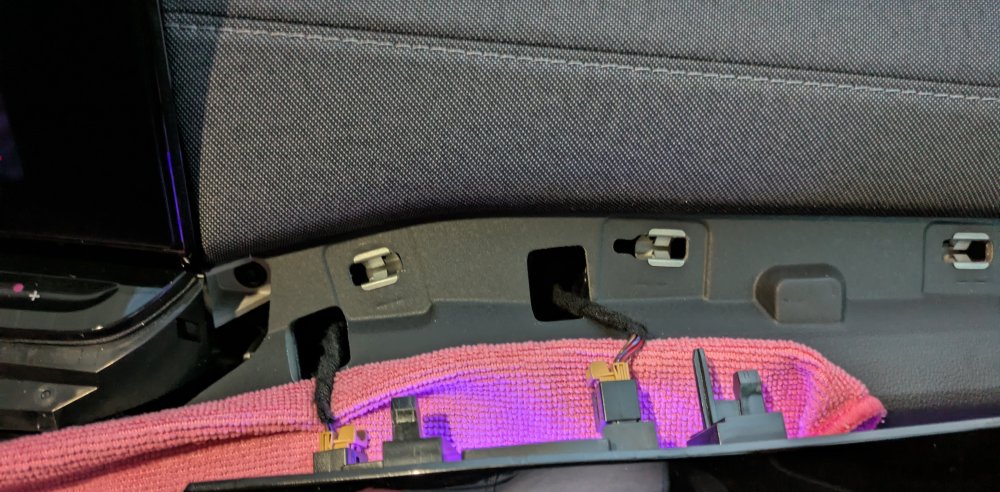
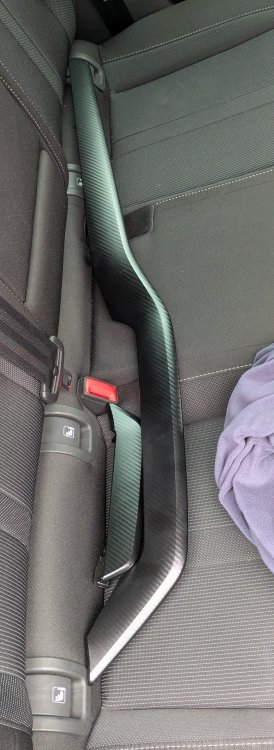
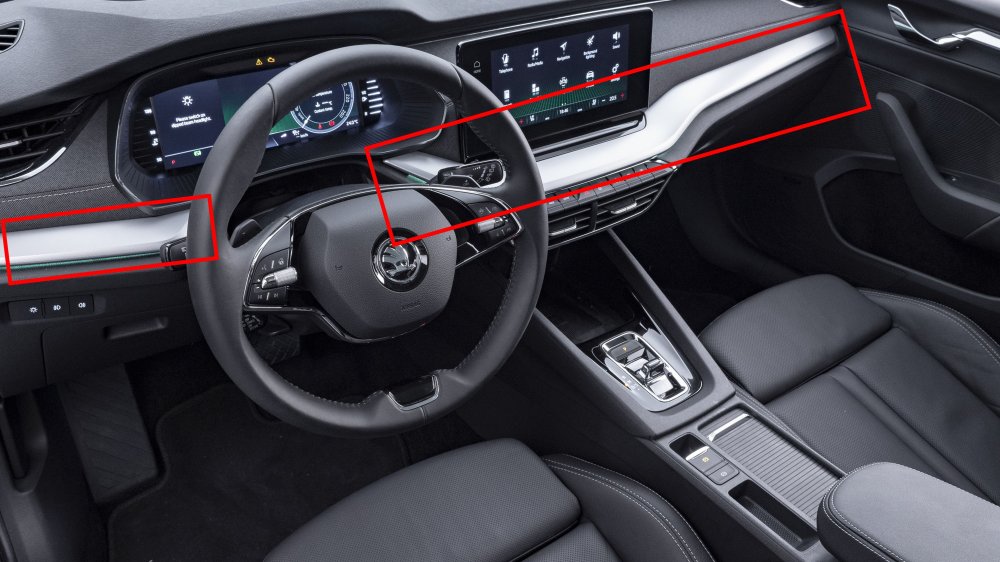
It has taken some time to get around to actually swapping the parts however I have just successfully replaced the once gloss black (but when I got the car already quite scratched) trim pieces to the "carbon" ones. 5E4 853 190 A YI2 -> 5E4 853 190 A 9NL (small piece) 5E4 853 192 C YI2 -> 5E4 853 192 C 9NL (big piece) (old part number -> new part number) As you can see from the above, the A & C are indeed revision numbers, the YI2 and 9NL are represent the finish. YI2 being gloss black, 9NL being the carbon-look finish and there's also JO8 which is the haptic squares grey one. In one of my previous screenshots you will find more options, however I have not seen any of them for sale (I bought the only 9NL I could find in my country at parts traders, and have not seen the gloss black for sale once). They could be available through a Skoda dealer. Removal was quite stressful however also quite doable in the end, I would really recommend being thorough and taking your time if you'd like to do the same. The small strip has two clips while the bigger one had 8 (I think). See the pictures to get an idea, the arrows point to the clips. I used plastic trim removal tools and a cloth to not damage the quite soft plastic below the strips and worked on the bottom along their length to loosen the clips. (DO NOT try to insert the trim piece from the direction of the arrows!!!). Once they go, they'll either click out, at which point I am always scared they'd break, or be half loose. Once the whole piece is loosened, go around and again and try to pull of the piece. Be careful to not bend it too much and be cautious of where you put the trim removal tools to aim besides the tabs. The connectors for the leds are pretty self explanatory. Installation is even more simple, plug in the led connectors and align the trim piece. Push in, check it's attached fully everywhere, job done. I am not a professional, this information can be used as reference however as always at your own risk.
-
When I look up that part number you seem to be right, you are getting different results than I am getting. Engines for NX5 only 2.0 is listed either way on finder.koni.com.
-
On their site they mention it's only for multilink rear suspension, most octavias (besides "high" performance ones, generally 150 hp +) have torsion beam.
-
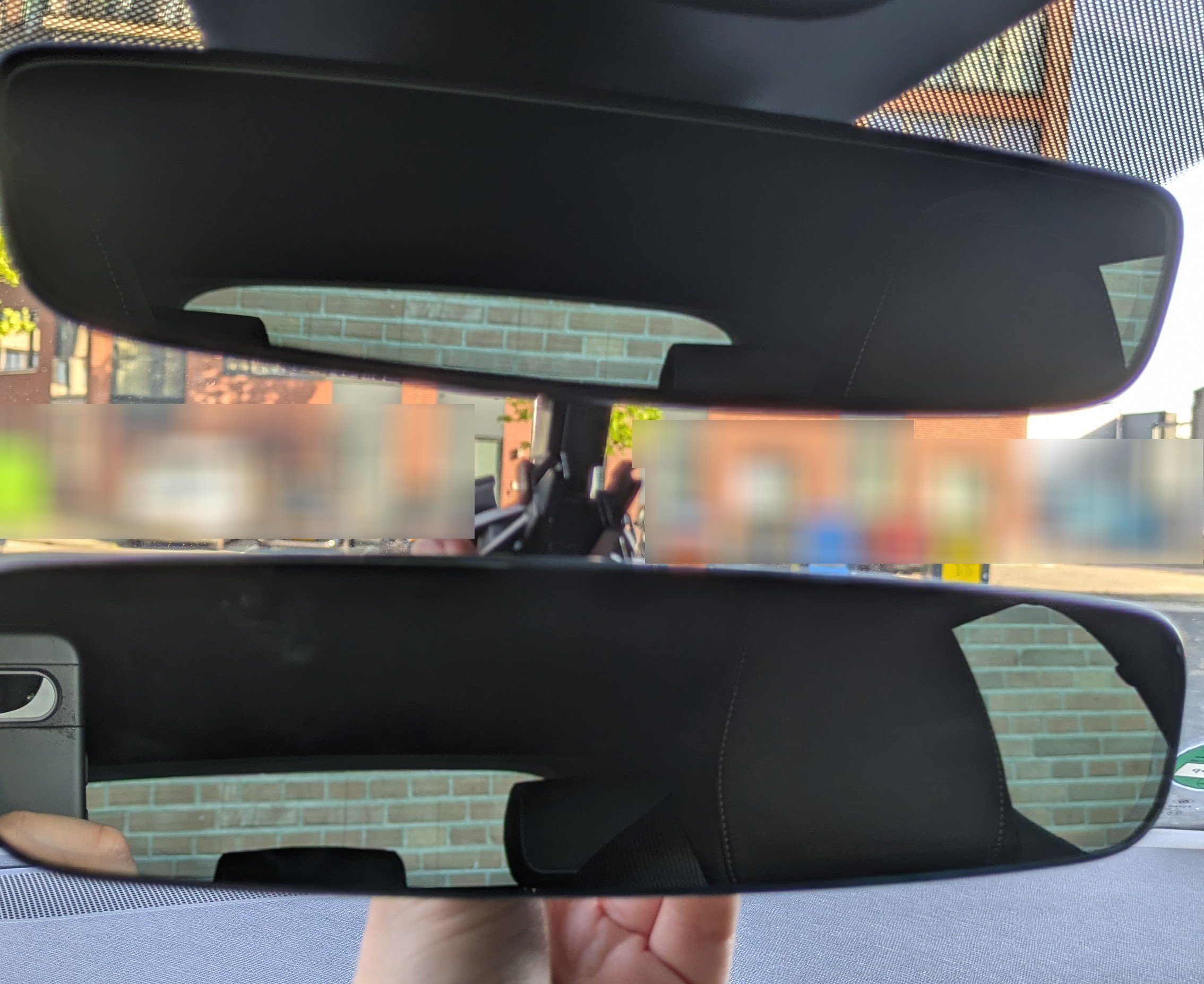
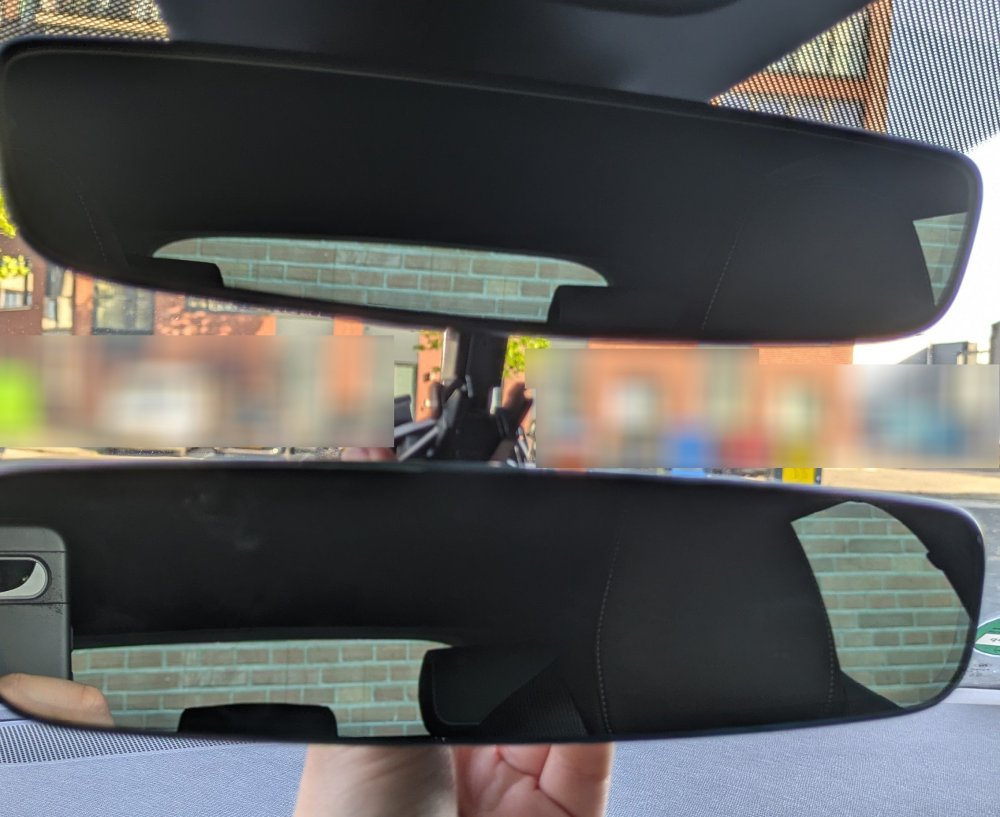
Something completely different and probably should have its own topic; I went from framed to frameless mirror with my Octavia. 3G0857511AD part number, the one I bought was came from a dismantled Elroq, but part is also available on Passat eg. I believe it was also shipped with certain Skoda Octavia 4's, but couldn't really find much, probably VRS. and yes, I forgot to take a picture after changing
-
I have yet to take the time to try and install, hopefully this weekend I can get around to cleaning and installing! @JirairD I think these are the same ones as you got? Could you describe in a bit more detail how to remove the current strip? Of course I don't want to break my interior ;)
-
-
For a couple euros you can get a vin readout online (ebay for example), that lists all specs/options of the vin, including engine and gearbox.
-
On the dutch parts website onderdelenlijn.nl most available headlight are 5E4, which I believe is for LHD, as this is explicitly a Left head with 5E8 code (which I think is always for RHD with O4) you should be fine. If you are looking at the one available at Klein Gunnewiek, in the comments on the previous site (sort local ebay for car parts) it has the following comment, I have added translation: Koplamp tbv rechts sturende auto (Headlight for right-hand drive car) Verstelbaar : Electrisch (Adjustable : Electric)
-
I have been doing some more digging. Was my initial interpretation wrong that there are two versions of the led? I have come across parts with no led (and also parts with led). Do all versions with LED have RGB?
-
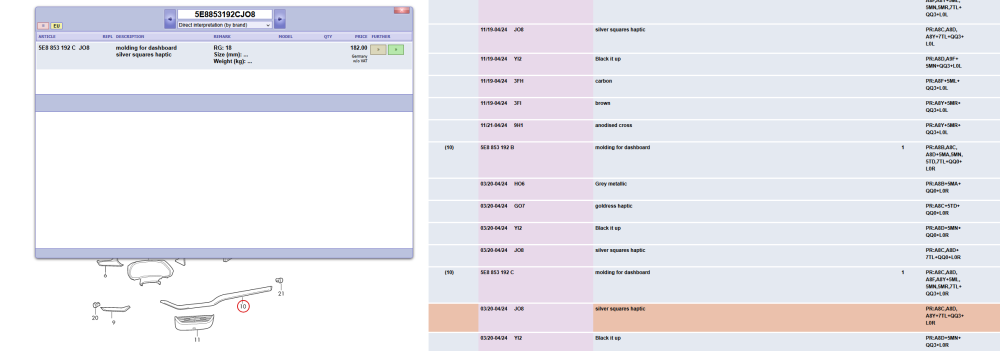
@JirairD Alright, thanks. Are your old(?) ones the same as the picture in the topic start? From this information I would assume it is this part, although the description suggests it is textured and not flat.
-
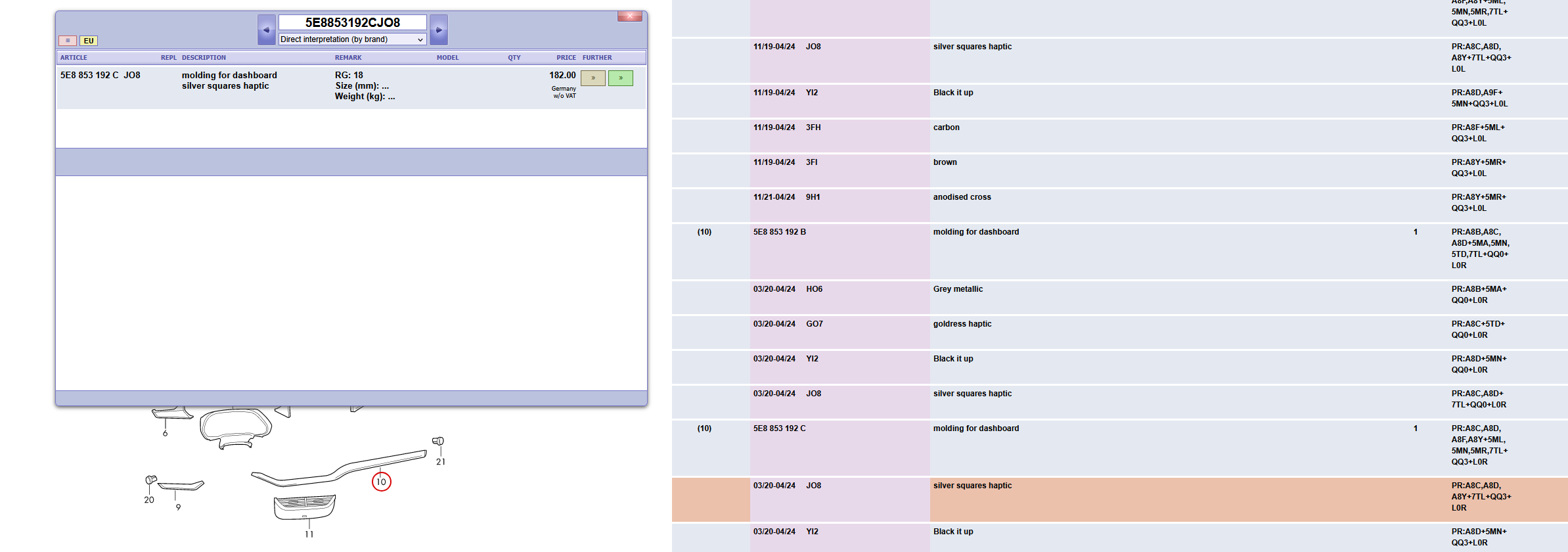
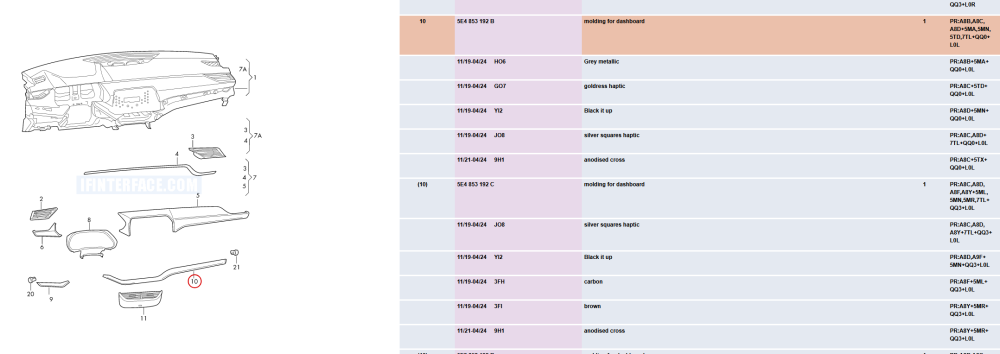
@JirairD thanks for your reply. You've made me realise (and notice) 5E8 is RHD and 5E4 is LHD (which I have). I have my doubts regarding the letter you're reffering to A and C have always been revisions. In the below screenshot you can see the three character codes that seem to indicate version, the finish isn't that much of an issue I can simply look at the photos. However getting RGB is the main challenge.
-
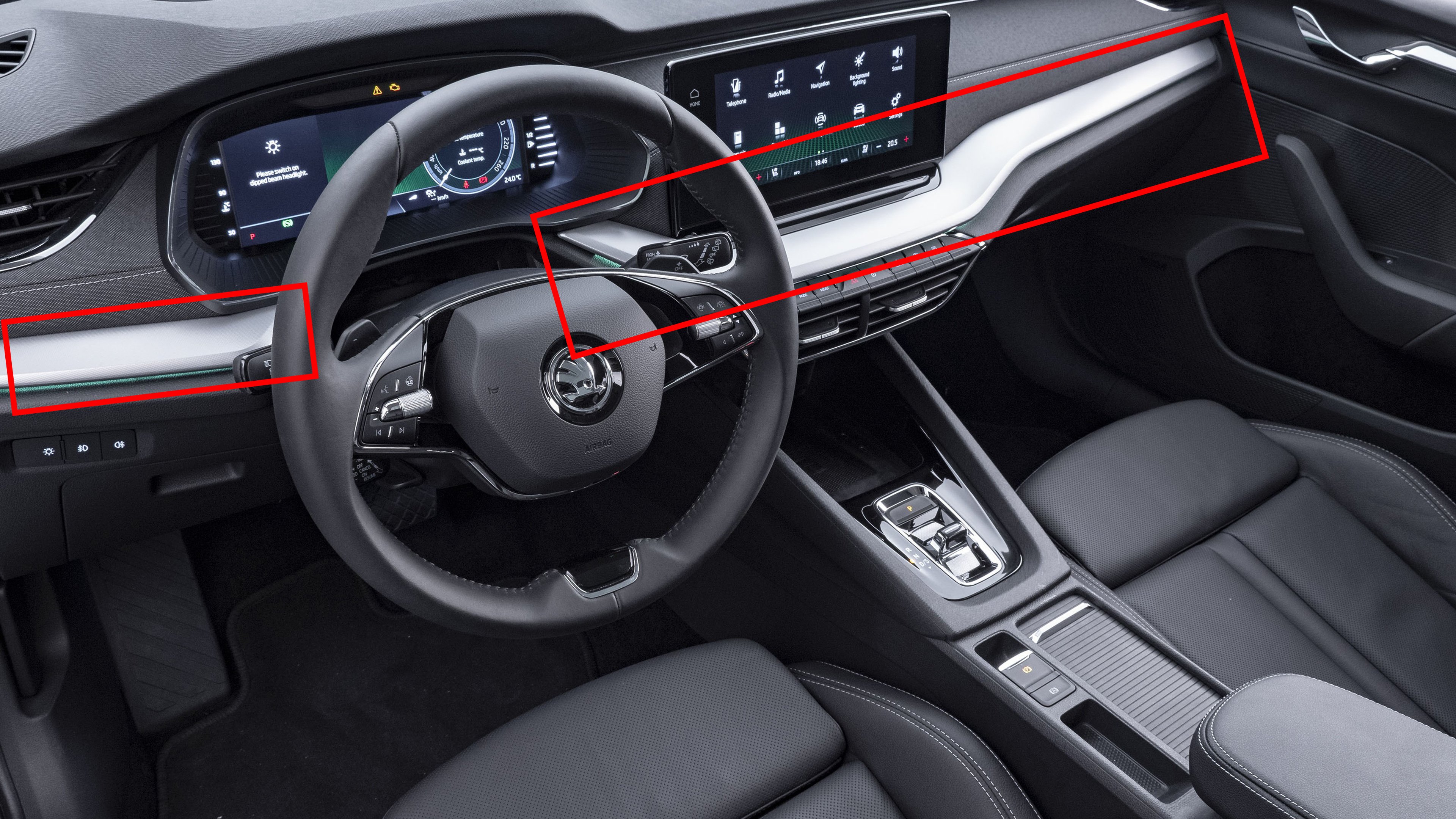
Hi Everyone, I have been investigating how I can replace the decorative trim pieces on the console of the O4 (see attached picture (version I would like). The easy part has been figuring out the general part numbers, however I get stuck on the specifics. I know the O4 has two technical variants; one with stock leds and one with RGB leds, and that there is a multitude of different codes for all the different colours/textures. I would like to either find the haptic (square) silver ones or the plain matt silver ones to replace my (scratched🥲) gloss black version with RGB. Does someone have a clue on what specific part number to look for? #s I have come across: 5E4853192 & 5E4853190 or 5E8853192 & 5E8853190 Could someone also some insight in the best procedure to remove/replace the trim pieces? Thanks in advance! (edited picture from internet for clarity)
-
Do you know if it can be retrofitted?
-
Indeed, the question was very specific about a cover with bumper cover. It is always better to start your own topic if you have a different question. Chances of finding a rubber mat are pretty low, skoda offers a couple (soft) plastic ones that are pretty decent though.