ingvaro
Finding my way
-
Joined
-
Last visited
-
Thanks for the reply. Sounds like you were working on a vehicle with the Canton system? Mine has the base sound system, only two speakers per door and no amplifier. I've added a DSP amplifier and now I'm replacing the speakers :)
-
Indeed that's what I've been thinking. I also wonder if I should just use the midbass wire to connect to the crossover, and leave the OEM tweeter wire disconnected?
-
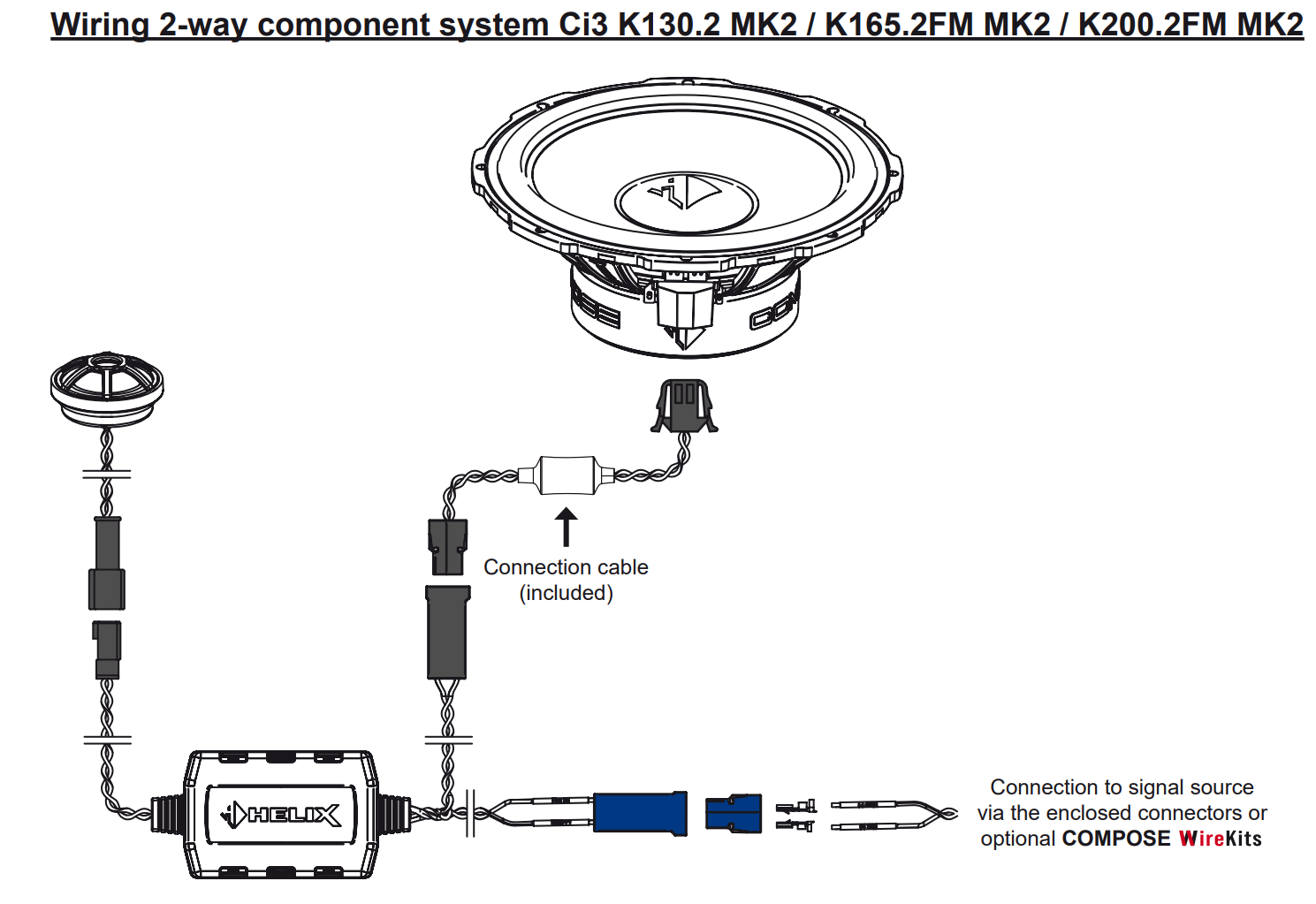
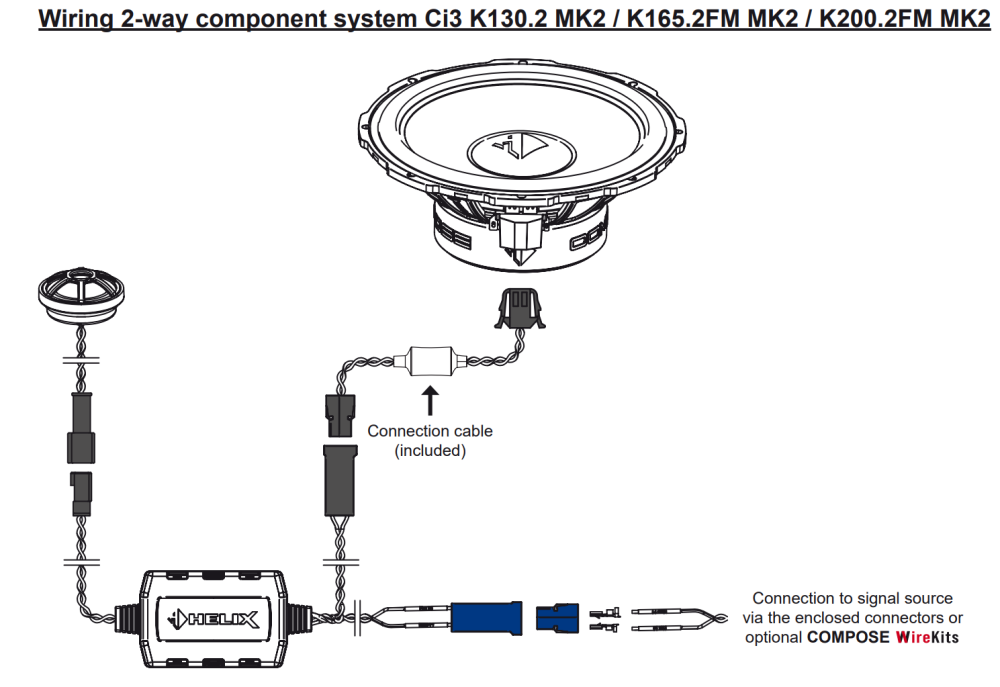
Hello. I'm installing new speakers in my 2020 Superb iV and wanted to ask the experts here for advice on speaker connections. I apologise if the solution is obvious, I'm a little new to car audio :) The speakers I'm installing are HELIX Ci3 K165.2FM-S3 from Audiotec-Fischer. Looking at the manual, as attached, I'm supposed to connect the tweeter to the physical crossover as well as the midbass, and from the crossover a single wire to connect to the signal source. But when I removed the door card and inspected the wiring, it seems both the stock tweeter and midbass have individual wires running into the door separately. I can't see if there's a crossover installed somewhere else but now I'm wondering how I'm supposed to replace the whole thing. I can connect the new tweeter to the wires already installed to the stock tweeter and do the same thing with the midbass but that would leave out the crossover, and I'm worried that would be the wrong thing to do. Thanks in advance for all advice!
-
Thank you sir!
-
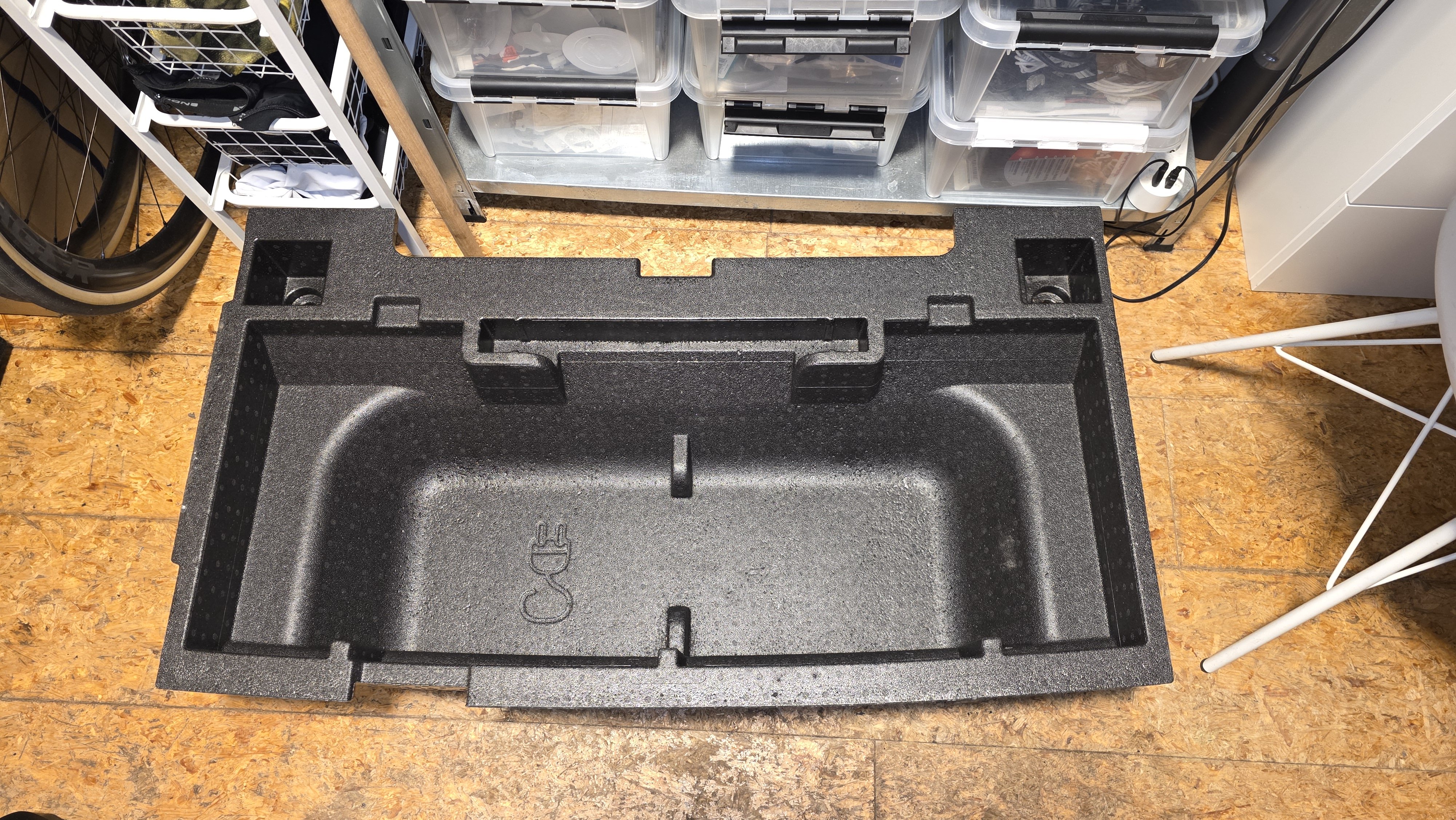
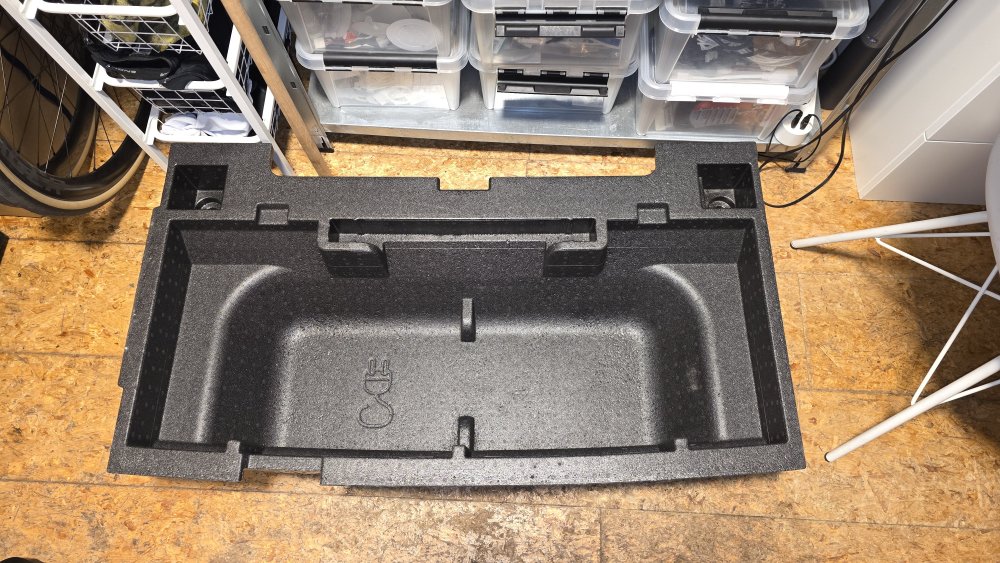
Hello everyone. Can someone tell me the part number for the foam plastic insert that goes under the boot floor on the iV estate? I've attached a photo to show what I mean. Also if someone knows where to buy it, thank you!
-
Hi Tommi, can you please give us some photos of your 12v installation? I'm hopeless in figuring out exactly how to route to the battery and find ground, would love to see how you did yours