PlatinumCupraR
Finding my way
-
Joined
-
Last visited
-
Can't get coasting in normal in my 1.5. Eco yes, normal no. No amount of blipping etc
-
Sorry ApertureS, I meant the aircare setting. I'd of thought it would come on by default at times to keep the air in the cabin more filtered but it always needs turning on if you want it. So it's the same as using recirc every now and then?
-
Nice write up! Didn't know it auto switched to recirc? I'm still confused why the internal air filter has to be turned on all the time through the climate menu and isn't just on
-
Me too! Can’t stand it when someone takes a slip road off the motorway and it slams the brakes on even though the way in front is clear!
-
-
Cheers both 😀
-
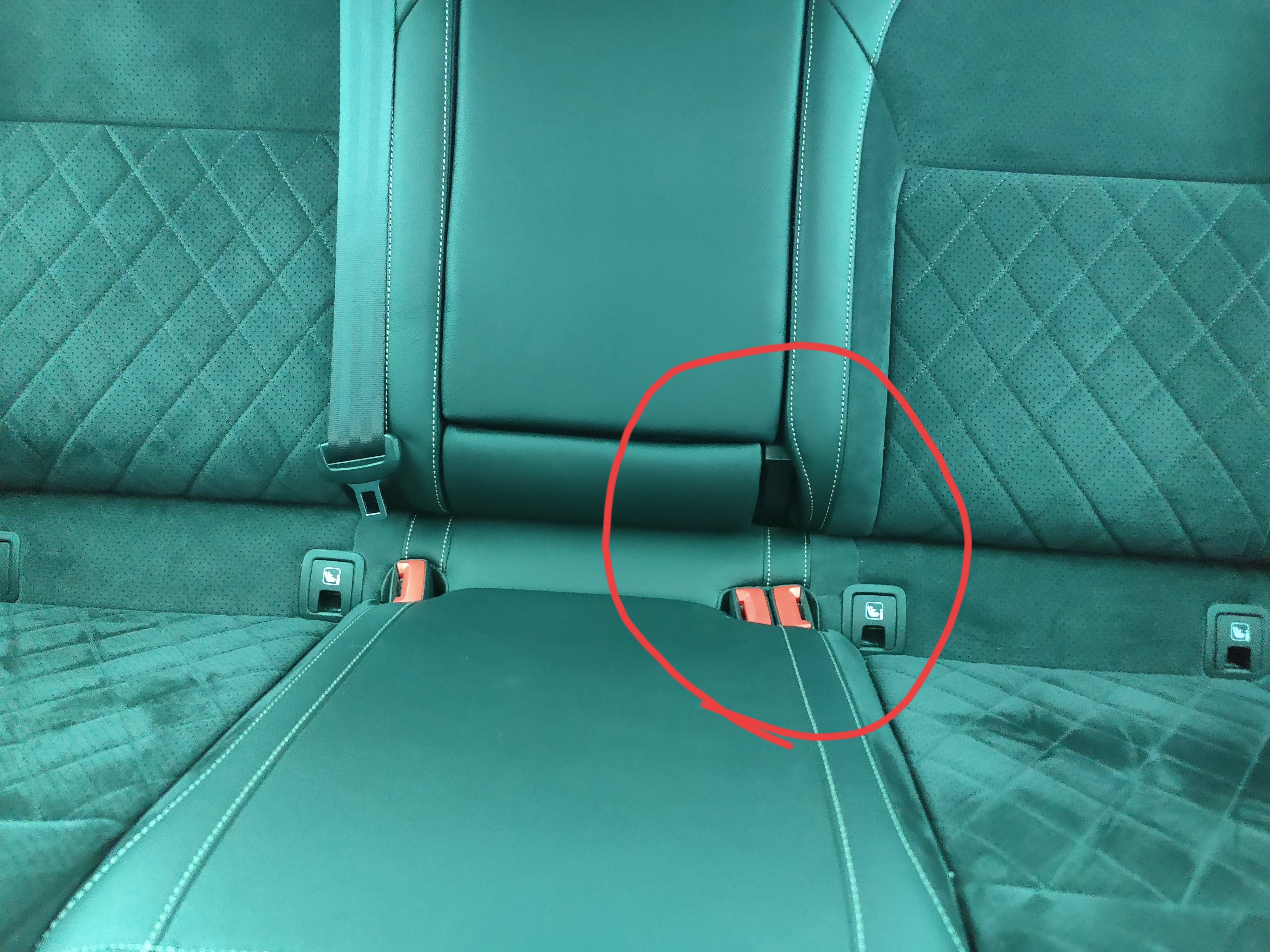
Hi all, Don't really look at the back seats much but saw the middle seat back has a not symmetrical cut out in the backrest by the seatbelt clips. Guessing this I normal and no trim is missing? Cheers Jez
-
You can pull out those middle bits and they have velcro on to stick to the boot carpet to stop stuff moving about. I don't have any covers over the big storage gap.
-
Erm WOW! That's it, that's all I have, I'm drained just reading through it all. That there is an artist at work. All I'm hoping for is a rear view camera, data usb in the armrest and perhaps a heated steering wheel!
-
Hi all at Briskoda, have been lurking for a very long time and now own my first Skoda so thought I should say a proper hello 👋🏻 I've already been looked after by @ApertureS so I can definitely say I've had a warm welcome! Cheers Jez