Berisford
Members
-
Joined
-
Last visited
-
I've a similar anomaly just outside the village of Edingley in Nottinghamshire, for several years a short open stretch (500yds) of country lane (60mph) pings 30mph on the dash, but not on Waze. I've slowed to have a good look around to see if there's anything amiss causing the anomaly, but no, nothing. I've even been on the Skoda mapping site but it correctly shows 60mph. Now, this last week, the stretch has somehow managed to reduce itself to an imaginary 20mph.......weird.
-
Skoda dealers are all mercenaries - extract as much as possible from owners seems to be their main aim………
-
Something has definitely happened in the last couple of days, apart from my above mention of the warning bongs/screen, all my personal settings have been reset, the two I noticed this a.m., the radio doesn't shut off when reversing and the rear wipe now does its thing every minute or so when the front ones are on - I'll have to go through the settings when I get a spare half hour.....?
-
Well something of note has been downloaded to our 24 Reg SEL - one of my major gripes has been the brief ‘on screen’ warnings, one bong and no more than 2 seconds on screen - I had to be quick to see what the fuss was about - last night however I was treated to three bongs and five seconds or so on screen - sufficient time to actually read what was up, turned out to be the all too common ‘drive in the centre of the road’ warning…….
-
I suspect that's got something to do with the retaining screws that hold the rear light assemblies.......?
-
-
-
No idea how to fix your problem - but, it's news to me that the digital dash can show Waze.....?
-
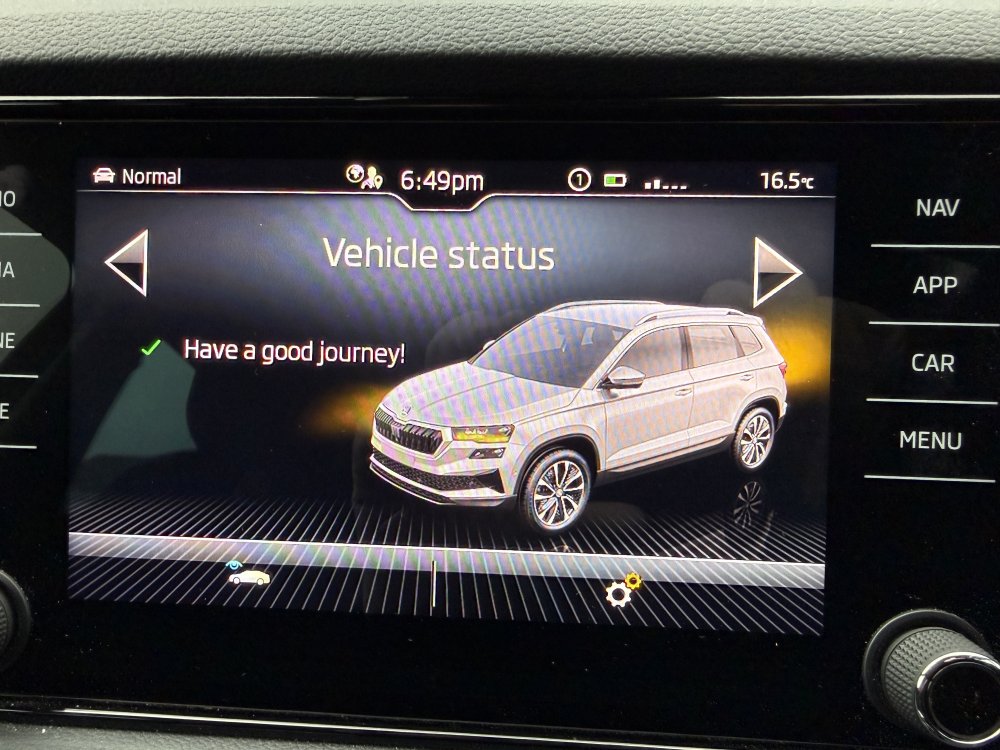
Curious feature this - can't find even a mention online - for Skoda to remove it on the latest vehicles does seem rather petty, can't imagine it saves anything.....? AI even gives this dismissal: "The Škoda infotainment system does not provide a real-time, active 3D visualization showing your bulbs physically illuminating."
-
Yep - still there on our July 24 SEL.....
-
I miss the knowledge we used to get from ApertureS - such a shame he moved on…..?
-
Sorry to have to say - Nightmare incoming - I've just had similar on my Golf - I've lathered and lubricated the mechanism on both our Karoq and Superb - I don't want to have to go through the procedure again......! Quite amazing that something as simple as the release latch not working (for whatever reason) can cause so much grief........? Good luck....
-
I've bought 3 new Skoda since 2019 - took the discounts and the servicing every time then payed 'em off in the first 14 days - I never incurred any extra charge from VWFC but my bank, HSBC, charge around £20 for the draft - can't use a direct payment as there's a limit of £15k and VWFS won't accept 2 separate payments - other than that, it works fine. I did notice that Honda have a couple of 'gotcha' clauses to prevent anyone doing the same thing with their 'incentives'..........
-
Almost the same symptoms that drove me mad for months - 'Online Services Controller' - the only difference is my iphone was also affected when connected to the Apple Play in the car.......? That false speed limit business really bugged me - some days the car thought it was on the beach at Skegness - and we live 70 miles from the coast....!
-
What is it with MoT inspectors feeling obliged to mention / advise about little rear undercarriage rust these days.....?