Phil Lee
Members
-
Joined
-
Last visited
Everything posted by Phil Lee
-
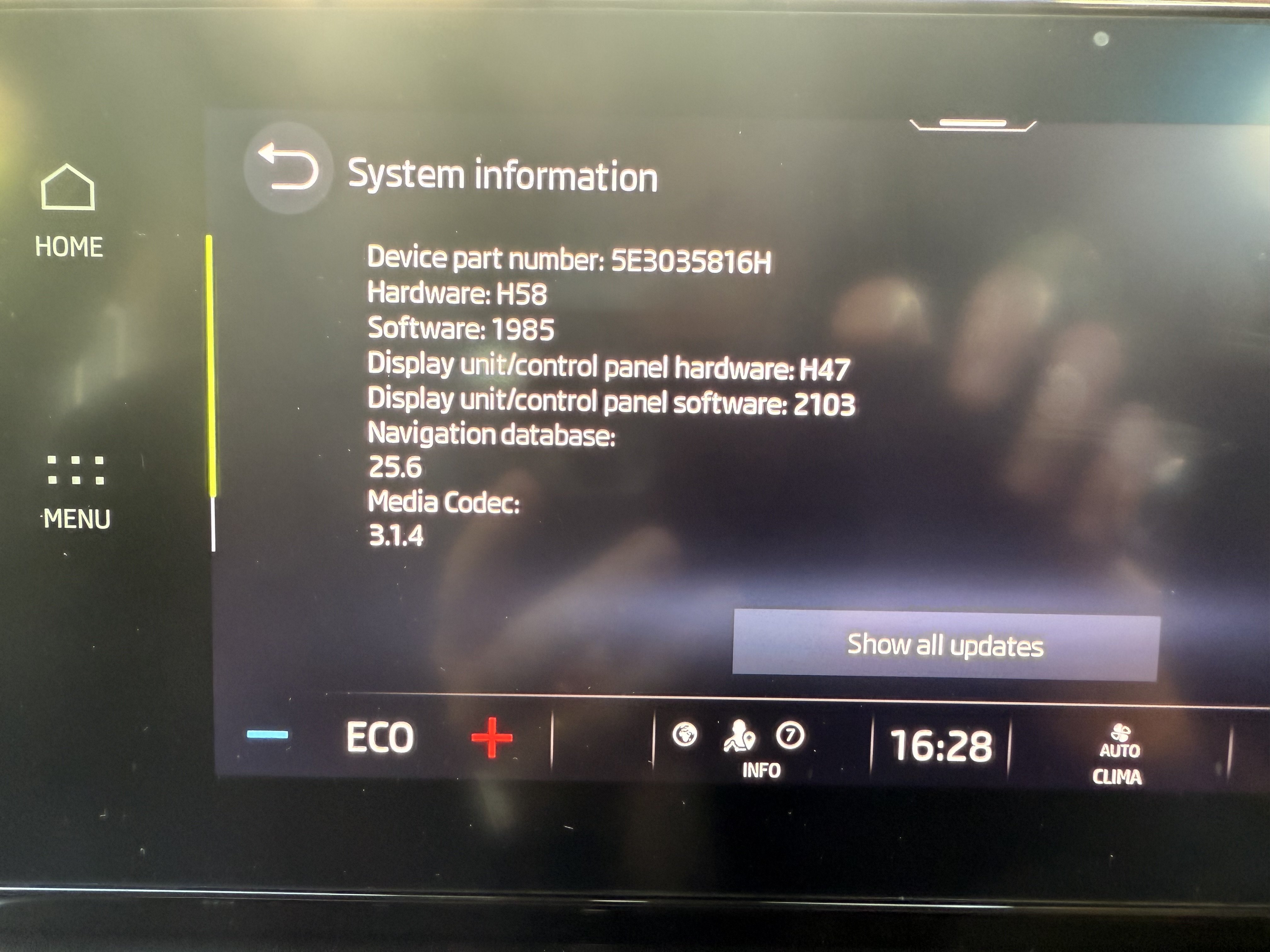
I just had the first service under my ownership at the main dealer today. They updated all the software under warranty at my request so I am now running 1985.
-
As far as I can tell I have all that enabled yet my 2022 1.4 iV in the UK is still on 1889. I’m reluctant to manually update so was hoping for a way to force an OTA update.
-
Mine wasn’t working yesterday so I pulled the two relevant fuses for 5 minutes and it reconnected.
-
I’ve gone from a 2013 diesel Superb to a 2022 Octavia 1.4 iV SE Tech. I couldn’t be happier. I am lucky in that I can charge for free at work and am with OVO so can charge for 7p per kWh via their app. My work is 9 miles from home and I do a lot of 2 mile journeys. The fuel economy feels excellent. I don’t know accurate it is but the app says I did 1312 miles in November and December (got car on 11/11). I have an average of 80.5mpg and 5.7 miles/kWh. The only downside is the boot in the hatchback is shallower than the standard model. I have to leave the parcel shelf out most of the time to get my son’s very large ice hockey kit bag in. I don’t have to do that in my wife’s 2021 Octavia estate.
-
I’ve had my 2022 PHEV model for just over a month. It has the following config: Hardware: H58 Software: 1889 Display unit hardware: H47 Display unit software: 2103 Nav DB: 24.10 I’ve never updated the software on a car before. From looking through the posts, 1889 is pretty old now. Is there a recommended upgrade path from 1889?
-
How do you do that? I can create a second WiFi for IOD devices for it.
-
And as if by magic it has reconnected.
-
For the second time in two days my car has lost internet connection. I wonder if this is related. The first time I pulled the fuses to reconnect. I’ve not done anything yet today but it has meant my car has fully charged, potentially at a higher rate of electricity since the OVO app couldn’t stop charging.
-
This will be an issue for charging my iV. OVO needs access to be able to control when to charge so I get the 7p rate.
-
I’ve had the same thing happen tonight. I went out and all was working. Returned to the car with no glove and the satnav confused about where it was. When I got home I pulled the fuses, waited 5 minutes and put them back. The car reconnected and knew where it was. It’s kind of important for my Ovo charging that the location is correct in the Skoda app so I get 7p per kWh overnight.
-
I’m going to be fitting a dashcam to my new to me Octavia iV. I have the dashcam, a Vantrue N4 Pro and am waiting for the hard wire kit as it won’t powerup from the USB-C next to the mirror. I’ve also picked up some tools to make it easier to route the rear camera. I’ll try to take photos as I fit it.