



Skip to content

Ford Fiesta Style +

Featured Replies

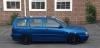
We have been given a Ford Fiesta Style + as a courtesy car whilst the Superb goes in to have its door mended.

Having fdriven it I would say the following about it;

Good points;

Seats are nice - feel more like sorts seats

Simple interior design

Clear dial layout

Comfortable ride

Bad points;

Total lack of performance - makes loads of noise so you think you have accelerated really quick but you have only gained 5mph

Very heavy steering

Bad door design - i keep smacking my head every time i get in

Winscreen at such a heavy angle it makes the roof feel likes its onto of your head

Low roof line makes it feel claustrphobic

Quickclear windscreen means it has annoying wavy lines throught the screen that make it a lot darker

All in all - its a good first car or a good car for people more interested in the looks than performance (with the engine fitted in this one anyway) but I wouldn`t buy one. After a Fabia it feels too low rent, that the designers have gone for making a "pretty" interior and then used cheap materials as they used all their budget up in the design stages so couldnt afford better quailty.

hi whats wrong with your door.bill

  • Author

Some very nice speeding young lady in a pink mini came roaring down the road at an absurd speed and smashed into the Superbs door whilst it was open (the other half was getting something out of the cubbyhole in the armrest) so she bent the whole corner of the door under the window out. Luckly the other half was fine just very shaken. Especially seeing as the road was clear and she would have been able to see the door was open far enough away she could have moved over well before and avoided the door,

Skoda have said its a new door job as she hit the door so hard she managed to bend the outer skin off the frame and then also bend the frame of the door itself.

Didnt stop just sped off. I called the police and it shouldnt be too hard to find a bright pink Mini with one wing mirror!

Create an account or sign in to comment

Recently Browsing 0

  • No registered users viewing this page.

Important Information

Welcome to BRISKODA. Please note the following important links Terms of Use. We have a comprehensive Privacy Policy. We have placed cookies on your device to help make this website better. You can adjust your cookie settings, otherwise we'll assume you're okay to continue.

Account

Navigation

Configure browser push notifications

Chrome (Android)
  1. Tap the lock icon next to the address bar.
  2. Tap Permissions → Notifications.
  3. Adjust your preference.
Chrome (Desktop)
  1. Click the padlock icon in the address bar.
  2. Select Site settings.
  3. Find Notifications and adjust your preference.
