



Skip to content

New Shoes

Featured Replies

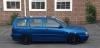
Just got back with Sharon (Our resident Superb TDi 200) after having some new 18" wheels fitted, looks really good but now looks really high compared to the old alloys! Will get some piccys up tomorrow, was dark when we got home so havent taken any yet.

Not sure what the wheels are called as its the other car in the family and I didn`t order them!

this thread isn't as exciting as I thought it might be :(

  • Author

ha ha, well the place that did it took some pics and they are going up on their website. I don`t think our poor Shazza knows whats hit her since we brought it, its only been at home for about 2 weeks in the 3 months that we have had it and its off again tomorrow to get some DVD headrests fitted!

And yes, it is named after misses Osbourne as she`s cool! Went out and took a few pics but its a bit dark so most of em came out poo but these 3 seemed ok

154445_1691339118436_1086496448_31864681_7193152_n.jpg

156000_1691340878480_1086496448_31864692_7298905_n.jpg

76596_1691341478495_1086496448_31864696_670231_n.jpg

Edited by Ross Chapman

I'm more interested in that exhaust, bur some daytime wheel pictures are eagerly awaited too. Nice taster though ;)

Those quad exhausts are well out of order!.........hang your head in shame!4.gif

  • Author

ha ha, sounds really meaty though, and they are nicer to look at than the smaller standard Skoda ones that were on it (it had a v6 backbox swap shortly after we had brought it :giggle:) Taken a load yesterday so will get them on shortly. Im still amazed a derv can sound so good! almost like a quieter v8!

Edited by Ross Chapman

I want to hear it........... :'(

  • Author

dunno who you post videos onto here! We have a few of both the cars. Will get pics up later now that our broadband is back up!

Create an account or sign in to comment

Recently Browsing 0

  • No registered users viewing this page.

Important Information

Welcome to BRISKODA. Please note the following important links Terms of Use. We have a comprehensive Privacy Policy. We have placed cookies on your device to help make this website better. You can adjust your cookie settings, otherwise we'll assume you're okay to continue.

Account

Navigation

Configure browser push notifications

Chrome (Android)
  1. Tap the lock icon next to the address bar.
  2. Tap Permissions → Notifications.
  3. Adjust your preference.
Chrome (Desktop)
  1. Click the padlock icon in the address bar.
  2. Select Site settings.
  3. Find Notifications and adjust your preference.
