



Skip to content

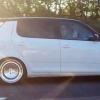
a few pics of my vrs so far
Featured Replies

just thought i would take a few pics of my vrs alittle cleaner.go to my link

comments welcome

My link

do the img code mate and it puts the pics straight in the thread :thumbup:

looking good mate, any other plans.....

  • Author

alright trevor ive tried but it wouldnt work for me and matt ive just won a omp front upper strut brace so that will be going on, the grill will be getting sprayed black again then the badge can go in it.black b pillars and hopefully gloss black vrs wheels.

SDC12067.jpg

SDC12068.jpg

SDC12069.jpg

SDC12070.jpg

SDC12065.jpg

SDC12064.jpg

SDC12073.jpg

:)

Looks good as it is - maybe colourcode the door handles? Not a fan of the mirrors I'm afriad though.

Edited by TriggerFish

  • Author

a big thank you for that!!!

just thought i would be alittle different with the mirror caps.

No worreis - I just clicked in the box with the [im g] image [/im g] bits in after hovering over the picture, and pressing Control + V in this window.

Don't you blame you with the mirrors, just looks a bit. . . lower spec IMO, like the plastic ones.

  • Author

No worreis - I just clicked in the box with the [im g] image [/im g] bits in after hovering over the picture, and pressing Control + V in this window.

Don't you blame you with the mirrors, just looks a bit. . . lower spec IMO, like the plastic ones.

the new s3 in black have silver mirrors which looks cool.

looks nice and clean on the rear B) can see where you are going with the black grille/mirrors etc but as said i think colour coding the handles and returning the mirrors to silver will look like a '' higher spec'' model, 1 of the only things the vrs lacks imo is painted door handles! something which i will be seeing too in 3 weeks time :thumbup:

Edited by MarkMac

Create an account or sign in to comment

Recently Browsing 0

  • No registered users viewing this page.

Important Information

Welcome to BRISKODA. Please note the following important links Terms of Use. We have a comprehensive Privacy Policy. We have placed cookies on your device to help make this website better. You can adjust your cookie settings, otherwise we'll assume you're okay to continue.

Account

Navigation

Configure browser push notifications

Chrome (Android)
  1. Tap the lock icon next to the address bar.
  2. Tap Permissions → Notifications.
  3. Adjust your preference.
Chrome (Desktop)
  1. Click the padlock icon in the address bar.
  2. Select Site settings.
  3. Find Notifications and adjust your preference.
