



Skip to content

top mounts and mondeo drop link part numbers?
Featured Replies

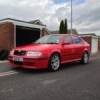
putting my coilovers on tonight and want to go get new mondeo/puma drop links but not sure which model mondeo etc they are from? also need a part number for aftermarket top mounts as the motor factor i used to work for reckons they cant get them because they are different to standard fabia top mounts? i have an 06 vrs.

Which coilovers are you going for?

Would there be any chance of a ride in yours after you've got them fitted?

I'm trying to weigh up whether to fit them to mine and really want to see what the ride is like before I go down that route. The ride in mine is absolutely spot on and I don't want to ruin it, the only problem is the roll throughout the corners.

  • Author

Hi mate, I went for everybodies favourite (insert cough here) Hot Tuning ones, as I will probably be going silly low and I'm not too fussed about ride quality. I have had these on all my previous mk2/3 Golf GTi's and never had a problem and my old Audi A3 1.8t had them, but one of the fronts had seized because they weren't greased.

I don't think the ride quality is that bad from past experience but let's face it what coilovers are going to ride nice when wound all the way down?

You're more than welcome to come out in mine when I've got them fitted bud, no problems at all :)

Matt

Ah right. I'm not interested in going low at all. In fact if I fitted coilovers, I'd probably keep them at full height. I'm only really after cutting down the amount of body roll through the corners.

  • Author

Whichever ones you buy will help reduce roll as they are all a bit stiffer. Personally I really rate the TA Texchnix one's I've got because every set I've had apart from 1 seizure have been faultless, so I couldn't justify spending double the money for something that in my eyes will be pretty much the same :)

Create an account or sign in to comment

Recently Browsing 0

  • No registered users viewing this page.

Important Information

Welcome to BRISKODA. Please note the following important links Terms of Use. We have a comprehensive Privacy Policy. We have placed cookies on your device to help make this website better. You can adjust your cookie settings, otherwise we'll assume you're okay to continue.

Account

Navigation

Configure browser push notifications

Chrome (Android)
  1. Tap the lock icon next to the address bar.
  2. Tap Permissions → Notifications.
  3. Adjust your preference.
Chrome (Desktop)
  1. Click the padlock icon in the address bar.
  2. Select Site settings.
  3. Find Notifications and adjust your preference.
