



Skip to content

Pictures - Rallye Green VRS & New Interior
Featured Replies

Hi All,

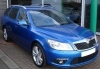
My friend has confirmed that the Rallye Green picture looks to have been photoshopped, I've decided to remove it as we want to see the real thing and not how it might look!

The new interior options looks pretty nice though.

Dougall

dsg.jpg

sw.jpg

Edited by Dougall

Would love that red stitching in mine :p

Why can't we have the Slovakian colour coded splitter?

Not sold on the green tbh - think the car is a little too big to carry it off.

  • Author

I'd like to see one with a black roof like the Fabia VRS........but again maybe too big to pull it off!

The paint on the octavia looks photoshopped

Hmm can I add the red stitching to mine???

  • Author

I hope it's not been photoshopped!

Got emailed it by a mate, even with all the sun reflection and shadow etc showing on the car?

Edited by Dougall

  • Author

Hmm can I add the red stitching to mine???

You'd have to give up your full leather! I've not ordered mine yet so time to decide for me.

You'd save some dosh though!

I've asked to have the new black/red stitched upholstery added to my order, due to be built in Jan. Getting no psitive response from dealer yet :(

Matching upper grille too :thumbup:

Not sold on the green, but the interior looks good. The German car configurator also lets you spec motorised folding door mirrors, is that a UK option yet?

Edited by Craigy1D

Why can they not do full leather with red stitching? That just seems daft to me.

  • Author

Not sold on the green, but the interior looks good. The German car configurator also lets you spec motorised folding door mirrors, is that a UK option yet?

On another post, someone said that it is possible to add it to the order via the dealer if they fiddle with the system a bit

Who the hell actually notices this stitching anyway? Those alloys look pretty had but the green looks pretty nice to be honest.

Create an account or sign in to comment

Recently Browsing 0

  • No registered users viewing this page.

Important Information

Welcome to BRISKODA. Please note the following important links Terms of Use. We have a comprehensive Privacy Policy. We have placed cookies on your device to help make this website better. You can adjust your cookie settings, otherwise we'll assume you're okay to continue.

Account

Navigation

Configure browser push notifications

Chrome (Android)
  1. Tap the lock icon next to the address bar.
  2. Tap Permissions → Notifications.
  3. Adjust your preference.
Chrome (Desktop)
  1. Click the padlock icon in the address bar.
  2. Select Site settings.
  3. Find Notifications and adjust your preference.
