



Skip to content

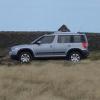
"Yeti soft-roading"

Featured Replies

Nothing really to tax the Yeti, even the 2wd versions should manage that with ease!

I hope that that was mud on that road and not s :moon: mething else :evil:

I hope that that was mud on that road and not s :moon: mething else :evil:

I drive through the latter every day; hence my colour choice ~ metallic cowsh*te.

This is more like soft roading:

I had bailed out by this time due to engine management issues, but I suspect I might have had a few problems due to ground clearance, but I bet Llanigraham would have got through with his experience......

Simple................straddle the ruts!! :giggle:

Simple................straddle the ruts!! :giggle:

This should be equally simple ..... but what a load of numpties and positively dangerous!

Graham - some basic training required!!

:rofl: :rofl:

This should be equally simple ..... but what a load of numpties and positively dangerous!

Graham - some basic training required!!

:rofl: :rofl:

Thankfully no-one I know will ever use a kinetic rope, as they are so bloody dangerous.

They should NEVER be used on a comparatively light weight vehicle such as a Yeti, and NEVER used where there is only one connection point. Should always be used with a bridle system.

Simple................straddle the ruts!!

That is what I would have done if I had made it that far. Next time maybe. The problem was to get to that point they went through some deep water and most of the Land Rovers & the L200 ended up with water in them!!! :lol:

Sent from my iPhone using Tapatalk

Create an account or sign in to comment

Recently Browsing 0

  • No registered users viewing this page.

Important Information

Welcome to BRISKODA. Please note the following important links Terms of Use. We have a comprehensive Privacy Policy. We have placed cookies on your device to help make this website better. You can adjust your cookie settings, otherwise we'll assume you're okay to continue.

Account

Navigation

Configure browser push notifications

Chrome (Android)
  1. Tap the lock icon next to the address bar.
  2. Tap Permissions → Notifications.
  3. Adjust your preference.
Chrome (Desktop)
  1. Click the padlock icon in the address bar.
  2. Select Site settings.
  3. Find Notifications and adjust your preference.
