



Skip to content

Skoda Vrs Owner With A Few Questions
Featured Replies

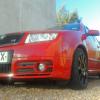
Hey folks thought id stick a wee post on seeing how ive been an owner of an 04' fabia VRS for half a year now.

Quick review of the car for folks just starting out with the 130 PD engine, what a car ... torque pulls off the line and can blitz a few civics off the line if they underestimate you. Take care of it and use decent oil. Change the filter every 30,000 miles or (like me) at each service. Go easy on the clutch and dont do too many second gear starts (doesnt like it).

Few wee tips that are cheap and give good results:

Remove rear box for good sounding exhaust note,

Front roll bar (under bonnet) is essential for handling,

Tinted windows look good on a Faby,

Watch out after 50,000 miles for the coolant light when its a cold start (change expansion tank)

Few questions for folks that have modded their own Faby VRS's:

FMIC = any good?

Whats the best lowering kit for a faby and what RARB to use for good handling,

Any other decent mods i can apply?

Cheers folks

Hi and welcome aboard.

Hello Craig and welcome along :thumbup:

Fmic - good if you drive hard for longer periods of time than the standard smic can cope with, if you currently suffer from power loss due to the smic not cooling enough then it's probably a good idea. People commonly use the Seat Sport intercooler as its a good unit and a cheaper alternative to the Forge one.

As for lowering, general consensus is the Eibach pro kit is very good for what it is, but, just buy Coilovers :) check out www.dpmperformance.co.uk

RARB - your options are white line or a Jabba one. Whiteline is good and cheap(er), Jabba is expensive but meant to be better than the Whiteline.

A mod which everyone would recommend would be a remap from a reputable company and 312mm front brakes from Octy vRS/Audi S3 etc.

Other than that its down to personal taste.

Hope that's of some use for you.

Create an account or sign in to comment

Recently Browsing 0

  • No registered users viewing this page.

Important Information

Welcome to BRISKODA. Please note the following important links Terms of Use. We have a comprehensive Privacy Policy. We have placed cookies on your device to help make this website better. You can adjust your cookie settings, otherwise we'll assume you're okay to continue.

Account

Navigation

Configure browser push notifications

Chrome (Android)
  1. Tap the lock icon next to the address bar.
  2. Tap Permissions → Notifications.
  3. Adjust your preference.
Chrome (Desktop)
  1. Click the padlock icon in the address bar.
  2. Select Site settings.
  3. Find Notifications and adjust your preference.
