



Skip to content

Fabia tdi vrs purchase problems
Featured Replies

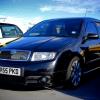
Hi there guys looking for abit of help i picked up my black magic vrs on friday after being told it had a couple of scratches thats it i thought nothing of it got there an its covered also it had gained an engine managment light showing on the dash i no it could be anything car drives absolute fine just need it sorting also on the dast the bulb light keeps coming on but all light are fine dosent need a bulb :( the traction control button also when you put ignition on flickers sometimes showing the pic all dull flickering brighter then dim what is causing this help please :)

Get the car detailed by someone and see what they can do with the scratches is the best option here. As for the lights on the dash, it needs code reading using vcds to see what the problem is. The traction light could be to do with the alternator load wire being on its way out.

Find someone local with VCDs (vag com diagnostic system) who can diagnose it or you... As for the bulbs, if any have been replaced with LED's that are non-canbus then they can trigger that problem (due to running at too low of a wattage for the car to pick up so it thinks theres an error) or something like that...

  • Author

How can i sort the traction control flickering sorry im not to clued up

Again, VCDS will give clues as to why that is happening. Sounds daft but its not flickering when its wheelspinning on acceleration right? :)

  • Author

No even just when ignition is on b4 starting engine asif bulbs on its way out :/ thanks for help

Could you not just take it back to where you bought it from and ask them to sort it?

Also, could you use some punctuation in your sentence as you are very hard to understand.

  • Author

Sorry about that im dislexic not very good at punctuation . And i got it on a very cheap deal so prob not the guy seemed useless

Create an account or sign in to comment

Recently Browsing 0

  • No registered users viewing this page.

Important Information

Welcome to BRISKODA. Please note the following important links Terms of Use. We have a comprehensive Privacy Policy. We have placed cookies on your device to help make this website better. You can adjust your cookie settings, otherwise we'll assume you're okay to continue.

Account

Navigation

Configure browser push notifications

Chrome (Android)
  1. Tap the lock icon next to the address bar.
  2. Tap Permissions → Notifications.
  3. Adjust your preference.
Chrome (Desktop)
  1. Click the padlock icon in the address bar.
  2. Select Site settings.
  3. Find Notifications and adjust your preference.
