



Skip to content

Faulty Brakes on vRS (help - dont know much about cars)
Featured Replies

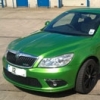
Drive a Fabia VrS - Just got home (its an hours drive from work) and after I got on the motorway, I head the front left wheel squeeking really really loadly (ie. not from brake dust), but if I angled the front wheels slightly either way, it stopped so definiately seems to be catching (so could it be brake dust?)

Anyways, pulled in the garage and touched the front left alloy wheel and it is very very hot and just putting my face by it I could feel the heat flying off it.

Recently (bout 4k ago) had the brakes cleaned (as the dust always seems to build up and they sorted it (under warranty! :D:thumbup: ) so be suprised if it is brake dust...

What i'm trying to say is, what shall I do - any ideas what it is? I've got a really important car journey tomorrow :(

One thing to note, is that the steering wasn't pulling either...

Did a search but didn't find much - wasn't sure if I was searching on the wrong things tho and it was a common problem

I suspect i'm just panicing, i've got to visit the girlfriend is hospital tomorrow though :(

Sounds to me either you have a stone caught in there or maybe the heatshield is rubbing on the disc, this susually shows up more on corners due to side loading.

  • Author

yeah, it was on turning slightly that it was squeeling...

i'm assuming this is normally fixed by pulling the brakes apart? :(

thanks a lot for your time and advice anyways - really freaking out about it has g/f has major operation tomorrow 65miles away - fingers crossed, I can sweettalk the geezer down the skoda garage :s

If it is just the heat shield rubbing which it sounds like it is it should be a five min fix.

My guess is that a small stone has picked up, and is lodged against the disk. These can usually be removed by placing the car in reverse and going backwards for a few feet. Worth a try.

  • Author

cheers for your help too :) i'll see if the reversing out of the drive works tomorrow! :) *fingers crossed*!

Create an account or sign in to comment

Recently Browsing 0

  • No registered users viewing this page.

Important Information

Welcome to BRISKODA. Please note the following important links Terms of Use. We have a comprehensive Privacy Policy. We have placed cookies on your device to help make this website better. You can adjust your cookie settings, otherwise we'll assume you're okay to continue.

Account

Navigation

Configure browser push notifications

Chrome (Android)
  1. Tap the lock icon next to the address bar.
  2. Tap Permissions → Notifications.
  3. Adjust your preference.
Chrome (Desktop)
  1. Click the padlock icon in the address bar.
  2. Select Site settings.
  3. Find Notifications and adjust your preference.
