



Skip to content

Skoda Felicia 1.3 carburetor
Featured Replies

Hello all,

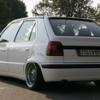
I am Sorin and I’m from Romania. I've recently received a Skoda Felicia 1.3 engine, the model with carburetor, not injection. The car has a little over 100.000 km (~63.000 miles) on the clock and it runs very nice.

Since I've had it, I’ve done the following:

Mechanically:

- changed the front wheel bearing, because of the annoying noise.

- changed the clutch cable because when releasing the pedal, the old one remained stuck. With the new cable everything runs smoothly.

- changed all the bushings from the steering column.

- mounted an LPG fuel system in order to travel cheaper (the LPG fuel stats are: city driving - 26.50 MPG, motorway driving - 39.00 MPG). Bear in mind that the cost for LPG is half the cost for gas so you do the math :)

Esthetically:

- cleaned all the air vents

- washed the upholstery by removing it from the seats

- removed all the stickers from all the windows

- changed all the light bulbs in the dash area. Now everything lights up :)

- changed the ugly 2 spoke steering wheel with a VW Golf 3 one (with 4 spokes and airbag). Fitted like a glove.

I'll load some pictures with everything I've done to the car in the next post.

Edited by sorin_maican20

  • Author

Skoda0002.jpg

Skoda0005.jpg

Skoda0004.jpg

Vents before cleaning:

Before2.jpg

Before1.jpg

Vents after cleaning:

DSC_9610.jpg

DSC_9618.jpg

The VW Golf 3 steering wheel:

DSC_1627.jpg

And the look that I'm aiming for:

felicialow2.jpg

Edited by sorin_maican20

  • Author

New stuff on the Felly:

DSC_2229.jpg

DSC_2233.jpg

Bordul.jpg

  • 2 years later...

Nice! keep it going!

Nice work, nice to see one being looked after. The steering wheel you have fitted is the one they have as standard over here (apart from a few very early cars) except of course it has a Škoda badge.

Create an account or sign in to comment

Recently Browsing 0

  • No registered users viewing this page.

Important Information

Welcome to BRISKODA. Please note the following important links Terms of Use. We have a comprehensive Privacy Policy. We have placed cookies on your device to help make this website better. You can adjust your cookie settings, otherwise we'll assume you're okay to continue.

Account

Navigation

Configure browser push notifications

Chrome (Android)
  1. Tap the lock icon next to the address bar.
  2. Tap Permissions → Notifications.
  3. Adjust your preference.
Chrome (Desktop)
  1. Click the padlock icon in the address bar.
  2. Select Site settings.
  3. Find Notifications and adjust your preference.
