



Skip to content

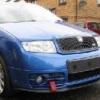
new owner of a Skoda - Fabia vRS SE no. 304
Featured Replies

Hi guys,

Just bought a Skoda Fabia vRS SE, number 304, off my mate from Newcastle. It's totally standard bar a remap but i have a few small plans for it. I was thinking on Octavia wheels, an exhaust, and lowering it slightly but i need something reasonably quick and good on fuel for work so i'm happy as it is for now.

I'm looking to sort a few niggly bits, just common faults that the previous owner started to fix. The rear door seals have been resealed with silicone but the door cards need the poppers fixed, and there's a slight hesitation at 1800 rpm so the EGR will need another clean and a new/relocated gasket. I fancy retro-fitting a steering wheel with radio controls if there's a similar Skoda one with them, i want to programme the doors to lock automatically, and i'd like to sort out a gauage sweep on start-up. I'd like to sort that on my girlfriend's FR too.

Anyway, nice to be here, i'll no doubt be posting 147 questions this week but i promise to use the search function first!

Cheers

Kevin

Edited by Kevin_Mc

All of your plans are fairly easy to do :) I'm not sure that there's a wheel that fits in though with the multi-function.... Oh and I don't think the needle sweep is possible either dude.

  • Author

Cheers for the reply :hi:

the steering wheel controls are no big deal as i've never had them on a car before any way and the gauage-sweep is just to be trick, not essential at all.

Hi and welcome aboard.

Hello and welcome along.

Hello and welcome :thumbup:

Create an account or sign in to comment

Recently Browsing 0

  • No registered users viewing this page.

Important Information

Welcome to BRISKODA. Please note the following important links Terms of Use. We have a comprehensive Privacy Policy. We have placed cookies on your device to help make this website better. You can adjust your cookie settings, otherwise we'll assume you're okay to continue.

Account

Navigation

Configure browser push notifications

Chrome (Android)
  1. Tap the lock icon next to the address bar.
  2. Tap Permissions → Notifications.
  3. Adjust your preference.
Chrome (Desktop)
  1. Click the padlock icon in the address bar.
  2. Select Site settings.
  3. Find Notifications and adjust your preference.
