



Skip to content

Octavia III Photos - no disguise
Featured Replies

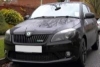
The chrome trim on the rear door doesn't join up with with the chrome trim behind it very well does it?

No sadly... however if you look at the top chrome lip it doesn't seem to sit quite comfortably either...Lets hope its light!!

If you look at the hatch door too, it shows a slight misalignment on the chrome lip too.. again it could be light.

559699_370214819737652_671188741_n.jpg

Edited by Leon-y-k

  • Replies 127
  • Views 42.1k
  • Created
  • Last Reply

Top Posters In This Topic

Most Popular Posts

  • Just done a quick edit! I think it'll look really smart!

  • Evening Star, if you are so keen on Kias or VWs then what are you doing being so rude and intemperate on this forum? How can you judge a new car design when it is so heavily disguised? What a pity you

  • I agree Kingsley, I'm so sick and tired of hearing about Kias on this forum from Evening Star that I simply don't use it any longer - I don't tolerate this kind of rubbish. Kias may be honest cars muc

No sadly... however if you look at the top chrome lip it doesn't seem to sit quite comfortably either...Lets hope its light!!

If you look at the hatch door too, it shows a slight misalignment on the chrome lip too.. again it could be light.

A lifetime ago I was at the fleet side of the original Vectra launch. There were stickers on the interior saying that these were pre-production examples so fit and finish, and spec levels, were not to be taken to be the end result. These Octy III's that have been spotted could easily be the same.

A lifetime ago I was at the fleet side of the original Vectra launch. There were stickers on the interior saying that these were pre-production examples so fit and finish, and spec levels, were not to be taken to be the end result. These Octy III's that have been spotted could easily be the same.

Yeah, I'd of thought that these would be the same ...I hope! :)

Create an account or sign in to comment

Recently Browsing 0

  • No registered users viewing this page.

Important Information

Welcome to BRISKODA. Please note the following important links Terms of Use. We have a comprehensive Privacy Policy. We have placed cookies on your device to help make this website better. You can adjust your cookie settings, otherwise we'll assume you're okay to continue.

Account

Navigation

Configure browser push notifications

Chrome (Android)
  1. Tap the lock icon next to the address bar.
  2. Tap Permissions → Notifications.
  3. Adjust your preference.
Chrome (Desktop)
  1. Click the padlock icon in the address bar.
  2. Select Site settings.
  3. Find Notifications and adjust your preference.
