



Skip to content

different rear hub/brakes on FL VRS?
Featured Replies

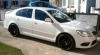
just wondering if you guys can help, bought a set of 4 spacers for my VRS from DPM a while back, and while the fronts fit a treat, the others dont (they are identical spacers btw) I know that MK6 GTI golf has different rear brakes, I assume the FL VRS does too, so I guess that means a different rear hub also. Can anyone tell me which rear spacers I will need?

don't know but mine fitted front and back and and were interchangeable

they should be 5*112 front and rear

the pcd isn't the issue. there's a slight difference between the hubs front and rear and depending on how the spaces have been designed it can cause fitment issues

  • Author

using hubcentric H&R 10mm spacers btw

The PCD and centre bore should be the same front and rear, pre-FL and FL. In what way are the spacers not fitting? Have you tried swapping the spacers front to back? What have DPM got to say about it?

  • Author

only encountered the problem the other day when I went to fit my winter neptunes, and yes obviously tried swapping front to back, PCD etc is correct, but the centre does not go the whole way over, there is a little lip inside the hubcentric bit that doesnt clear the hub on the back, but fits perfectly on the front, but not on the back, BTW, this will only apply to 2011 onwards models.

only encountered the problem the other day when I went to fit my winter neptunes, and yes obviously tried swapping front to back, PCD etc is correct, but the centre does not go the whole way over, there is a little lip inside the hubcentric bit that doesnt clear the hub on the back, but fits perfectly on the front, but not on the back, BTW, this will only apply to 2011 onwards models.

Ah,

Actually I got a set of 16mm Hubcentric spacers for my car (2012) and now that you mention it I am certain the guy that sold them to me mentioned something about the 16mm being nesseccery to clear the hub. I will try to contact him to find out.

Create an account or sign in to comment

Recently Browsing 0

  • No registered users viewing this page.

Important Information

Welcome to BRISKODA. Please note the following important links Terms of Use. We have a comprehensive Privacy Policy. We have placed cookies on your device to help make this website better. You can adjust your cookie settings, otherwise we'll assume you're okay to continue.

Account

Navigation

Configure browser push notifications

Chrome (Android)
  1. Tap the lock icon next to the address bar.
  2. Tap Permissions → Notifications.
  3. Adjust your preference.
Chrome (Desktop)
  1. Click the padlock icon in the address bar.
  2. Select Site settings.
  3. Find Notifications and adjust your preference.
