



Skip to content

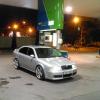
2001 Octy vRS 0-200kph
Featured Replies

Hi guys,

I noticed there are not many acceleration videos on youtube with vRS's, and i've been meaning to make one for a long time, but i had some problems with 17705 fault code.

Now my car is fixed and i went on a small trip on the autobahn and made a couple videos.

Here is a link:

0-100 - in more than 7 sec

0-200 - aprox 28 sec

100-200 - aprox 20 sec

standing kilometre - aprox 28sec

Car is stock. Outside was 7°C, summer tires, 16" OE wheels, moderate 1st gear wheelspin. +1 passenger. Sorry about sound, hand was on the phone's mic.

NO professional measuring equipment used. I just wrote the times from the video, if anyone is interested..

According to Carfolio.com CLICK, 0-60mph, 0-160kph(100mph) and standing kilometre, the times are the same.

According to Zeperfs.com CLICK, 0-160kph, 0-180kph and 0-200kph times are way off.

The main reason i did this was to see if my car runs fine. So please share any thoughts and times if you have any. Even if your car is stage 1 or 2, it is worth comparing the results.

Also, found this video, but this guy is useless to say the least...

While holding the camera...nice

He's probably not, it's left hand drive.

still though! :think:

Fair point

This is not autobahn,is filmed in Romania,I know because I live here.Is on a highway or a ring road most probably.You can see at the end of the movie....and I doubt profundly you can flash the lights that way on the autobahn.

Edited by IulianE

Why havent you remapped it yet? :)

thought it looked slow, then saw it's a standard car. Get that bad boy remapped!

Create an account or sign in to comment

Recently Browsing 0

  • No registered users viewing this page.

Important Information

Welcome to BRISKODA. Please note the following important links Terms of Use. We have a comprehensive Privacy Policy. We have placed cookies on your device to help make this website better. You can adjust your cookie settings, otherwise we'll assume you're okay to continue.

Account

Navigation

Configure browser push notifications

Chrome (Android)
  1. Tap the lock icon next to the address bar.
  2. Tap Permissions → Notifications.
  3. Adjust your preference.
Chrome (Desktop)
  1. Click the padlock icon in the address bar.
  2. Select Site settings.
  3. Find Notifications and adjust your preference.
