



Skip to content

Rear door handle sticking
Featured Replies

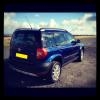
Hi all, I've noticed recently when pulling the rear (exterior) door handle that it remains in the out/open position, and I must push the handle back in to secure the door.

It's clearly "sticking" somehow, just wondered if anyone else had experienced this, and if a drop of oil/grease could remedy it?

Cheers,

Edited by BobbyG79

Hiya, I had exactly the same problem and mentioned it to my dealer when I popped in to buy some bits and pieces. He got one of their guys from the workshop to give it a quick spray of something, and its been fine since,

  • Author

Thanking you Sir Bob of Dog, I'll give the dealer a shout.

Had the same on my first yeti, shot of wd40 magic on the rear part that slides and all was well. I think its salt spray from the roads and getting less use than the front ones

AutoExpress had that problem on their Greenline they're running at the moment,but they said lube didnt cure it,but I dont actually remember reading what did.They thought they'd got broken tugging them all the time before the 2nd button click had actually unlocked all the doors.If that's the case,i think mine will go the same way because even after 12months my opening-of-all-doors 1st time success rate is way less than 50%.it's all in the timing...

AutoExpress had that problem on their Greenline they're running at the moment,but they said lube didnt cure it,but I dont actually remember reading what did.They thought they'd got broken tugging them all the time before the 2nd button click had actually unlocked all the doors.If that's the case,i think mine will go the same way because even after 12months my opening-of-all-doors 1st time success rate is way less than 50%.it's all in the timing...

You can switch that function off in the MFD

Absolutely,but I prefer the added security.Mnd u,i dont know why as we live out in the sticks!

Create an account or sign in to comment

Recently Browsing 0

  • No registered users viewing this page.

Important Information

Welcome to BRISKODA. Please note the following important links Terms of Use. We have a comprehensive Privacy Policy. We have placed cookies on your device to help make this website better. You can adjust your cookie settings, otherwise we'll assume you're okay to continue.

Account

Navigation

Configure browser push notifications

Chrome (Android)
  1. Tap the lock icon next to the address bar.
  2. Tap Permissions → Notifications.
  3. Adjust your preference.
Chrome (Desktop)
  1. Click the padlock icon in the address bar.
  2. Select Site settings.
  3. Find Notifications and adjust your preference.
