



Skip to content

HELP BRAKE UPGRADE? newbiee
Featured Replies

hi guys well im thinking of upgrading my brakes on the fabia but i dont know where to start and how i would do it?

any help and advice?

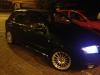
got new alloys now :D what you guys think?

post-100216-0-89162100-1363568398_thumb.jpg

post-100216-0-77693100-1363568439_thumb.jpg

What model fabia do you have as the vrs hubs are different

Firstly why do you feel you need an ‘upgrade’, is it because you experience fade?

If not, if you never have fade then you do not need to change the brakes.

The standard brakes can trigger the ABS from any speed, this means the car cannot physically stop any faster (no matter how big the brakes) and the limiting factor is the tyres grip.

Brembo even say this on their website. Upgraded brakes are for on the limit (ie track) feel and fade resistance.

If you have no fade in your driving then don’t waste any money as there is simply no upgrade to be had.

If you do experience fade then this can be fixed (even for track use) by a set of Ferodo DS2500 or even DS3000 pads.

Do they do them for your car? Maybe not if it’s not a VRS, so then the upgrade would be VRS brakes first then the pads.

Again though…. If you don’t go on a track and don’t get fade in your driving style then do not waste money, your car will not stop any better.

!!!!!!!!!!!Spend the money on good tyres!!!!!!!!!!!!

Search 312mm brakes

Guesses are that's a 1.4 100bhp comfort?

  • Author

What model fabia do you have as the vrs hubs are different

oh yeah its a fabia 1.4 16v,

Create an account or sign in to comment

Recently Browsing 0

  • No registered users viewing this page.

Important Information

Welcome to BRISKODA. Please note the following important links Terms of Use. We have a comprehensive Privacy Policy. We have placed cookies on your device to help make this website better. You can adjust your cookie settings, otherwise we'll assume you're okay to continue.

Account

Navigation

Configure browser push notifications

Chrome (Android)
  1. Tap the lock icon next to the address bar.
  2. Tap Permissions → Notifications.
  3. Adjust your preference.
Chrome (Desktop)
  1. Click the padlock icon in the address bar.
  2. Select Site settings.
  3. Find Notifications and adjust your preference.
