



Skip to content

New rims and other bit - Borbet A's
Featured Replies

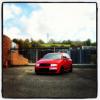
Had a day off yesterday so did some work on the fabia with a mate

As im sure some of you will remeber, my front bumper has been a horrible smashed in mess for a long lomg time now

so had...

Exhaust banging welded and sorted

RARB Sorted

New Bumper

New rims

New lights with two sets of HID's coming tomorow :)

68180509-B7F1-4E54-89AD-B32EAE28204F-1043-000000D4B5E6FAE6_zpsfa000442.jpg

ECE7068A-D7DF-4609-928A-D8CF55697914-1043-000000D4C10EC5C3_zpsf1f2e799.jpg

89486CCB-F678-4F75-AFA9-74FA0872FD99-1043-000000D4BBAD574A_zpscc16de70.jpg

D6324574-CC7E-4F2B-93F5-A521679A6FA9-1043-000000D4B238108F_zpsfaaa4900.jpg

What size borbet A are they? 16x8 and x9?

Looks quite good on the fabia, more of a classic wheel I wouldn't have thought it will look too good

  • Author

rears are 9js yeah and think backs are 8

love it on the borbets. need some pics in a better light though to show it off more.

do you know what et the wheels are?

  • Author

yeah ive always loved borbets, missus used to have them on her lupo, never thought of puttin em on a fab but im quite chuffed

dont know the et sorry pal

yeah ive always loved borbets, missus used to have them on her lupo, never thought of puttin em on a fab but im quite chuffed

dont know the et sorry pal

Think the fronts are 20-25 et and the rears are defo 15et and jake you need stop uploading pics you making me wish I never sold them :)

y7epanuh.jpg

Mine and jakes fabia's

rears are 9js yeah and think backs are 8

how does that work then? :p

Create an account or sign in to comment

Recently Browsing 0

  • No registered users viewing this page.

Important Information

Welcome to BRISKODA. Please note the following important links Terms of Use. We have a comprehensive Privacy Policy. We have placed cookies on your device to help make this website better. You can adjust your cookie settings, otherwise we'll assume you're okay to continue.

Account

Navigation

Configure browser push notifications

Chrome (Android)
  1. Tap the lock icon next to the address bar.
  2. Tap Permissions → Notifications.
  3. Adjust your preference.
Chrome (Desktop)
  1. Click the padlock icon in the address bar.
  2. Select Site settings.
  3. Find Notifications and adjust your preference.
