



Skip to content

HID kit help...

Featured Replies

Hi,

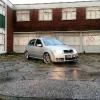
I have recently had a garage install a HID kit on my 2004 fabia vrs.

The are installed on my dipped beams, 6000k 35w canbus error kit. (The garage was certain there would be no issues what so ever.)

Initially both lights worked fine and look great imo, but there is an issue with the drivers side.

It will stay on for around two minutes, then go out and then the warning on dash will come on. if I turn lights off and back on the same pattern will happen again and again..both fire up then drivers side will go out. (passeneger side is always 100% fine.)

I thought a loose connection etc, so re checked everything myself, but still no luck.

Car went back to garage yesterday who were really good and changed the ballast and bulb. seemed to be working while at garage but by the time I drove home the issue was back.

The garage now seem completely stumped :( I'm going back to them on my lunch around 5 today.

Just wondered if anyone had any suggestions for them/ me to try??

Thanks in advance

Sent from my GT-I9300 using Tapatalk 2

Pretty sure Fabia's don't need the canbus error kit? Don't know if there's any difference but that could be something to do with it.

They don't.

  • Author

all sorted now... this can now be closed. thanks

Sent from my GT-I9300 using Tapatalk 2

all sorted now... this can now be closed. thanks

Sent from my GT-I9300 using Tapatalk 2

So what was the problem?

Create an account or sign in to comment

Recently Browsing 0

  • No registered users viewing this page.

Important Information

Welcome to BRISKODA. Please note the following important links Terms of Use. We have a comprehensive Privacy Policy. We have placed cookies on your device to help make this website better. You can adjust your cookie settings, otherwise we'll assume you're okay to continue.

Account

Navigation

Configure browser push notifications

Chrome (Android)
  1. Tap the lock icon next to the address bar.
  2. Tap Permissions → Notifications.
  3. Adjust your preference.
Chrome (Desktop)
  1. Click the padlock icon in the address bar.
  2. Select Site settings.
  3. Find Notifications and adjust your preference.
