



Skip to content

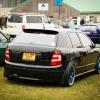
anyone on here 265bhp estate?
Featured Replies

That's the car ninja Alex built 3 or 4 years ago or so now.  Obviously been moved on since.

I thought Alex's had the Vrs bumper, which was imported from the Czech Republic?

Still a great spec though :)

Sure his was blue, the only other estate is the one Ross built which was silver.

That's true. I was wondering what had happened to it the other day

I can't see it that well on my phone but doesn't look like it has the vrs rear bumper.

Nope..

This is a lad who had a SE fabia with all the engine mods done.. wrote it off + bought a high miliage estate.

Put the engime etc in and put sum "dare" borbet split reps on.

Hes on instagram @frazzleee and hes done the swap in the last couple of months then put it straight up for sale ;)

Hes now got a red top corsa b :D

So guessing he may have sold it?

Edited by mattvrestate

Screenshot_2013-07-17-09-50-20.png

Screenshot_2013-07-17-09-50-30.png

Screenshot_2013-07-17-09-50-40.png

Screenshot_2013-07-17-09-50-53.png

Screenshot_2013-07-17-09-51-09.png

  • Author

So basically another bullsh1tt swaps advert!! Claiming 265bhp with no mention of what turbos fitted claiming its a vrs and has borbet a alloys

Screenshot_2013-07-17-17-22-51.png

Im guessing its a garrett 150 hybrid with bigger injectors and stronger internals i dont think the claims are far out.. although Jabbas rolling road is renound for "optimistic" results ;)

It was his vrs originally + he rolled it as far i can work out.. so he should know the engine mods :).. think he said borbet "style" wheels.. search for "dare alloys" and you will find them

The exhaust looks a little silly

Create an account or sign in to comment

Recently Browsing 0

  • No registered users viewing this page.

Important Information

Welcome to BRISKODA. Please note the following important links Terms of Use. We have a comprehensive Privacy Policy. We have placed cookies on your device to help make this website better. You can adjust your cookie settings, otherwise we'll assume you're okay to continue.

Account

Navigation

Configure browser push notifications

Chrome (Android)
  1. Tap the lock icon next to the address bar.
  2. Tap Permissions → Notifications.
  3. Adjust your preference.
Chrome (Desktop)
  1. Click the padlock icon in the address bar.
  2. Select Site settings.
  3. Find Notifications and adjust your preference.
