



Skip to content

Monte Tech 1.6tdi Woes
Featured Replies

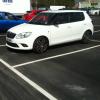
Picked up a spanking new red Monte Carlo Tech on Tuesday. Chopped the VRS in as it was 3 years old and fancied some trouble free motoring for with no need to worry about oil consumption or DSG. The next day I notice it sounds like a dumper truck when underload and under 1500 revs. I've taken it in and first the salesman then a tech tried fobbin me off saying its the normal sound of the injectors in that rev range. Got them to fire up an identical car on the forecourt to compare and this one sounded just fine!


Has anyone else had a similar experience with this engine across the VAG range? 

Same engine connected to a DSG, never had anything like that.

Regards all

Juan

Sent from my iPhone using my thumbs

Maybe some member here in your area with an identical car could help out by helping you compare with theirs.


George

Not sure what you mean by "dumper truck" but my 1.6TDi is now 2800 miles old and is definitely quieter now than when new. Engine was much more dieselly sounding for the 1st few hundred miles.

Does it sounds like a woodpecker going at it in the engine bay? If so it could need the software for the engine control unit updating and the "adjusting micro quantity of injectors" test plan carrying out on it.

  • Author

Does it sounds like a woodpecker going at it in the engine bay? If so it could need the software for the engine control unit updating and the "adjusting micro quantity of injectors" test plan carrying out on it.

Yeah knocking its head off below 1500 revs under load. Gets quieter after that. Fingers crossed its just a software update but if its a brand new car then surely it should have the most up to date software? Its going in tomorrow for an update check.


It definitely isn't a standard diesel sound. Sounds like a 13 year old battered Octavia taxi with 340k onit if you know what i mean. 

  • Author

Was an update after all. I find it strange that a brand new car can need an update but at least it seems to be sorted for now. I'll see how it goes over the next couple of days.

Create an account or sign in to comment

Recently Browsing 0

  • No registered users viewing this page.

Important Information

Welcome to BRISKODA. Please note the following important links Terms of Use. We have a comprehensive Privacy Policy. We have placed cookies on your device to help make this website better. You can adjust your cookie settings, otherwise we'll assume you're okay to continue.

Account

Navigation

Configure browser push notifications

Chrome (Android)
  1. Tap the lock icon next to the address bar.
  2. Tap Permissions → Notifications.
  3. Adjust your preference.
Chrome (Desktop)
  1. Click the padlock icon in the address bar.
  2. Select Site settings.
  3. Find Notifications and adjust your preference.
