



Skip to content

Questions from a newbie....!
Featured Replies

Hi,

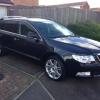
I've just joined this site after hours of trawling through various topics and posts. The result... I am the soon to be owner of an '11 plate Superb Estate 2.0 TDI 170 DSG Elegance. Deposit paid at the weekend and the car is being collected from another dealer today. I will hopefully be driving it very soon. Excited is not the word!

I do, however, have a few questions which I hope you may be able to help on:

- Which firmware should the Columbus have and what version of maps should I be looking for when I check the headunit later?

- What suggestions do people have about getting an aftermarket DAB kit fitted to the stero?Is the Skoda supplied Pure unit any good or does anyone have any other suggestions?

- In the maxidot display, is it easy to get the speed readout in MPH? Both cars that I test drove (140 vs. 170) had the readout in km/h

- Does anyone know of a good sill protector for the bootlip? I have a dog and want to try and avoid him scratching the lip as he gets in and out of the boot.

Finally (for now!!):

- Does anyone know of, or is able to recommend, a good valeter/detailer in the Maidstone area?

Think that's all for now! Any help gladly received.

Thanks,

Simon

PS. Chan110 - if you read this, thank you for the life and times of Audrey!

Welcome and congrats on the purchase!


Will try and help with some of your questions:


In the maxidot display, is it easy to get the speed readout in MPH? Both cars that I test drove (140 vs. 170) had the readout in km/h


Can only be done with VCDS - Diagnostic system - some members on here do have the kit and can help. Have a look here for further info:http://www.briskoda.net/forums/topic/262215-list-of-vcds-owners-previously-known-as-vag-com/


Does anyone know of a good sill protector for the bootlip? I have a dog and want to try and avoid him scratching the lip as he gets in and out of the boot.


Skoda own brand accessory? Or someone like www.superskoda.com


Finally (for now!!): - Does anyone know of, or is able to recommend, a good valeter/detailer in the Maidstone area?


Have a look here: http://www.detailingworld.co.uk/forum/showthread.php?t=59863


Hope this helps.

  • Author

Thanks Coops - I shall have a  look at the links you've posted!


Also, anyone know how I can change the 'Car' on my profile listing, hoping that will need to change very soon!

Huw - where in settings?

Sent from my XT890 using Tapatalk

Page 30 of the latest manual says...

Alt. speed dis.

Here, the display of the second speed in mph can be activated.

...which doesn't mean you can select MPH or KPH - just that you can display it or not!

As your main speed is in MPH your alternate will be in KPH as the UK law says both must be displayable.

I do believe it can be changed using the VCDS as mentioned before,

On the older models (not sure which MY to be honest), you could change the country code with VCDS to Australia, and that would enable the large MPH readout on Maxidot. However, I have read somewhere that on the newer MY models that function has bee disabled.

Apologies, I could see the bit in the manual. I definitely remember changing a display but it must have been on the Saab/Merc predecessors. Just looked at the Skoda and I can't even find alt speed.

I think it's an age thing -recent memory v long term - again -sorry. :-(

  • Author

Huw - thanks for the manuals. Interesting reading - work might be slow today!


Re. the speed readout - I'm calling into the dealers tonight to give the car the once over so will check and ask them - not that I'm necessarily expecting the correct answer!!


Thanks for your help so far. Anyone know the software/maps codes that I should be looking out for?

Create an account or sign in to comment

Recently Browsing 0

  • No registered users viewing this page.

Important Information

Welcome to BRISKODA. Please note the following important links Terms of Use. We have a comprehensive Privacy Policy. We have placed cookies on your device to help make this website better. You can adjust your cookie settings, otherwise we'll assume you're okay to continue.

Account

Navigation

Configure browser push notifications

Chrome (Android)
  1. Tap the lock icon next to the address bar.
  2. Tap Permissions → Notifications.
  3. Adjust your preference.
Chrome (Desktop)
  1. Click the padlock icon in the address bar.
  2. Select Site settings.
  3. Find Notifications and adjust your preference.
