



Skip to content

Build Week date.

Featured Replies

Hi there, 


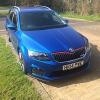
             I have just received an email from my dealership stating that my new Octavia VRS estate is due to be built in the week commencing the 9th June. Now that I know the build date is it likely that changing the spec by adding sat nav is likely to affect the build date. I don't really want it pushed back any further than it already has been.


If anyone has any ideas I would very grateful to know them.


Regards


Mark

What is the status code?


If 20 you can't change spec, if 10 you can. But if you do you will likely have a different week allocated. The dealer can do a simulated change to see if it will make a big difference or not, make sure you stress SIMULATED to them!


Given it is only 5 weeks to go this is the normal time it goes to status 20 though so I think you are probably out of luck.

Edited by josedebardi

  • Author

What is the status code?


If 20 you can't change spec, if 10 you can. But if you do you will likely have a different week allocated. The dealer can do a simulated change to see if it will make a big difference or not, make sure you stress SIMULATED to them!

I wasn't given a status code bud. I ordered mine at the end of January so I am getting it is only provisional anyway.


On your advice I have dropped the dealership an email to get him to look into it.


Thanks for your help.


Regards


Mark

Edited by POL999

Create an account or sign in to comment

Recently Browsing 0

  • No registered users viewing this page.

Important Information

Welcome to BRISKODA. Please note the following important links Terms of Use. We have a comprehensive Privacy Policy. We have placed cookies on your device to help make this website better. You can adjust your cookie settings, otherwise we'll assume you're okay to continue.

Account

Navigation

Configure browser push notifications

Chrome (Android)
  1. Tap the lock icon next to the address bar.
  2. Tap Permissions → Notifications.
  3. Adjust your preference.
Chrome (Desktop)
  1. Click the padlock icon in the address bar.
  2. Select Site settings.
  3. Find Notifications and adjust your preference.
