



Skip to content

Oil burning issue

Featured Replies

Afternoon all.

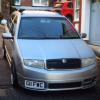
My friend is having some trouble with his 1.9tdi BJB octavia.

It is burning A LOT of oil and we don't know what the cause is.

We put a reconditioned turbo on last week, and that didn't solve it.

So we changed the valve seals, put in all new valves and did the HG whilst doing it and some other bits, also all new glow plugs so it's basically had a full top end rebuild. We thought that would stop the oil burning issue but it's still rinsing through it.

The car has done a lot of miles 260,000 but is maintained meticulously and still drives like new, but it's just burning through a lot of oil.

It's definitely not a leak, so what else could we change.

Thanks :)

  • Author

When I say a lot it's about half a litre per 100 miles, maybe a touch more.

Worn piston rings?? 

Piston rings dude are the tail pipes coated in wet oil?

Piston rings dude are the tail pipes coated in wet oil?

No smoking and no leaks and no oil out of the tail pipes

A compression test would rule worn rings/knackered valve seats in or out.

When you do the rings is it normal to use a bit of oil when running in?

Could be a good or a bad sign.


Yes it can happen if the rings are a within spec but a bit on the loose side.  If that's the case, a ring of carbon will build up and seal them, and together with a bit of bedding in, all will be fine.  Staggering ring gaps around the piston is also a good idea.


It could also be that the rings were not properly lubricated at first start up and may have broken.  This can happen in a split second in a dry and newly re-ringed engine before the oil has had a chance to circulate.  A squirt of oil into each cylinder before first start up is a wise precaution.  In normal running, oil retaining rings and correctly honed bores hold enough oil between start ups to avoid this.

Create an account or sign in to comment

Recently Browsing 0

  • No registered users viewing this page.

Important Information

Welcome to BRISKODA. Please note the following important links Terms of Use. We have a comprehensive Privacy Policy. We have placed cookies on your device to help make this website better. You can adjust your cookie settings, otherwise we'll assume you're okay to continue.

Account

Navigation

Configure browser push notifications

Chrome (Android)
  1. Tap the lock icon next to the address bar.
  2. Tap Permissions → Notifications.
  3. Adjust your preference.
Chrome (Desktop)
  1. Click the padlock icon in the address bar.
  2. Select Site settings.
  3. Find Notifications and adjust your preference.
