



Skip to content

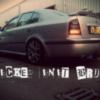
Breaking 03 plate Octavia vrs mk1 in silver/ other bits
Featured Replies

  • Author

Reply'd to you via your Pm.

Are the rear brakes the original Octy 256 setup that fit on to other cars without the need for a spacer?


How much for just the calipers/carriers?

  • Author

The octy rear 256 brake set up are sold Iam afraid

Turbo available? If so any play? And price

  • Author

Turbos gone, sorry bud

  • Author

Update, Driver side wing has now been put to good use.

  • 2 weeks later...
  • Author

Taking offers on any parts that are left

Exhaust still available? :)

  • Author

Sorry bud it was a badly done DIY job so got binned

Rear brake setup available? Don't need the discs or pads.

  • Author

Rear brake setup available? Don't need the discs or pads.


Sorry they're away, I've edited main post to stop confusion, Apologies!

Hi, do you have the petrol filler piper (from the filler cap to the petrol tank) and how much would it be posted please.

thanks 

You got the driver side front Indicator unit

  • Author

Radioman you have a message

Carrick

Yes I still have

Much posted

do you still have a working MAF? if so, how much posted?

You still have the spiders

  • Author

they're gone

they're gone

Ok thanks anyway
  • 1 month later...

Hi, Have you a left side rear seat base in Black and white? 

Thanks

  • Author

i've still got the back bench

looking for a rear left side seat base in white / black

Create an account or sign in to comment

Recently Browsing 0

  • No registered users viewing this page.

Important Information

Welcome to BRISKODA. Please note the following important links Terms of Use. We have a comprehensive Privacy Policy. We have placed cookies on your device to help make this website better. You can adjust your cookie settings, otherwise we'll assume you're okay to continue.

Account

Navigation

Configure browser push notifications

Chrome (Android)
  1. Tap the lock icon next to the address bar.
  2. Tap Permissions → Notifications.
  3. Adjust your preference.
Chrome (Desktop)
  1. Click the padlock icon in the address bar.
  2. Select Site settings.
  3. Find Notifications and adjust your preference.
