



Skip to content

New here.

Featured Replies

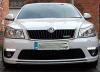
Hi all, So i just joined yesterday after getting my self a 2009 (59) VRS 2.0 Tsi. Here is my baby:

20140625_174411.jpg


I am currently looking into getting bluetooth fitted into the vehicle. It currently has the bolero system in it and from what quick searches i have done i believe this can be done. I will start a new topic for that and get all your advice.


Thanks

Gary

Nice motor I've had mine 6 months now and really like it welcome to the forum

Sent from my iPhone 5

using Tapatalk

the vrs looks great in white ive just bought a blue one i love it :)

welcome m8 

xan

  • Author

I work at a motor dealership and was at the time thinking of trading in my mazda 3 for a VW Golf. I spotted it before work one saturday morning and couldnt pull myself away from it. Anyway cut a long story short, finished work at 1pm and took it straight for a test drive. As soon as i got back i bought it. Love at first sight :happy: 

  • Author

Thats a good thread and shed alot of light on the situation but my car has the bolero and yours has the columbus? Does it mkake much difference?

Thanks

gazpot, welcome to Briskoda!

vRS TSI is a fantastic engine! Fine work that man.

Love the white! :)

  • Author

Thanks guys for the warm welcome. I just came from a mazda forum and i have to say this one feels so much bigger and better already.

How come the Bolero won't ?

Mine is a 2012 with Bolero system and factory Bluetooth and there is voice activation enabled on it [emoji106]

Eastwood Cars.....right up your street !

a3asa6u7.jpg

Eastwood Cars.....right up your street !

Thats a good thread and shed alot of light on the situation but my car has the bolero and yours has the columbus? Does it mkake much difference?

Thanks

no mines a bolero unit nit columbus

Create an account or sign in to comment

Recently Browsing 0

  • No registered users viewing this page.

Important Information

Welcome to BRISKODA. Please note the following important links Terms of Use. We have a comprehensive Privacy Policy. We have placed cookies on your device to help make this website better. You can adjust your cookie settings, otherwise we'll assume you're okay to continue.

Account

Navigation

Configure browser push notifications

Chrome (Android)
  1. Tap the lock icon next to the address bar.
  2. Tap Permissions → Notifications.
  3. Adjust your preference.
Chrome (Desktop)
  1. Click the padlock icon in the address bar.
  2. Select Site settings.
  3. Find Notifications and adjust your preference.
