



Skip to content

Fabia vRS Mk1 - Factory Leather, Xenons, Sunroof, Cruise, 6cd, ESP, VRS plate
Featured Replies

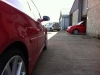
Fabia vRS Mk1

Must be one of the highest spec'd in the country!

2004/04 (but with Prefix style VRS plate included)

Corrida Red

Fully documented 126k miles

Factory options:

Leather (not Seat Surgeons retrim, genuine with red piping and green stitching - £1300 option!) with 3 proper rear seatbelts and middle rear headrest

Sunroof

Xenons

Cruise Control

ESP

6 disc cd changer

Fully documented service history from new, with all receipts etc - cambelt and waterpump replaced in April 2014

Only mods are EGR delete, CCV breather pipe, Powerflex dogbone mount, Ibiza Cupra console bushes, colour coded door handles and colour coded front grille.

Two sets of wheels available - one set refurbished in anthracite with Uniroyal Rainsport summer tyres, one set of VAG steels with Nexen Winguard winter tyres

Pricing - I know what the market is for a normal one of these, but I feel the factory options add a lot of value, therefore...

£4800 with leather seats and both sets of wheels

£4600 with leather seats and one set of wheels

£4200 with standard cloth seats and both sets of wheels

£4000 with standard cloth seats and one set of wheels

If the buyer doesn't want the leather seats, then these will be available separately.

I'll get some better pics soon..

AF405042-22B1-40DE-8A9E-4D39C94DA522_zps

  • Author

Mileage has jumped a bit.. Did a 450 mile trip to Anglesey and back, cruise set at 70mph and averaged 60.2mpg!

Performance and economy!

Nice spec

.....shame about the *****

Anymore pics?

Guest
This topic is now closed to further replies.

Recently Browsing 0

  • No registered users viewing this page.

Important Information

Welcome to BRISKODA. Please note the following important links Terms of Use. We have a comprehensive Privacy Policy. We have placed cookies on your device to help make this website better. You can adjust your cookie settings, otherwise we'll assume you're okay to continue.

Account

Navigation

Configure browser push notifications

Chrome (Android)
  1. Tap the lock icon next to the address bar.
  2. Tap Permissions → Notifications.
  3. Adjust your preference.
Chrome (Desktop)
  1. Click the padlock icon in the address bar.
  2. Select Site settings.
  3. Find Notifications and adjust your preference.
