



Skip to content

Missing Vrs DRL

Featured Replies

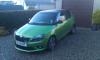
Funny thing happened last night whilst polishing and waxing car at work, I noticed that my O/S DRL was all misted up with plenty condsensation and wasn't lit up whilst the N/S was working fine. Took car out of garage this morning conddensation is gone but there is no actual light in the housing, on closer inspection it looks like the light itself has come loose inside as when you hit the bottom of where the light should be you can hear it rattle about inside, my car is not driven badly or on uneven ground so how the feck did this happen.


Can anyone tell me how easy it would be to fish the light out and put it back in its housing, Oct 2012 plate with 11500 miles.


Cheers guys.

  • Author

Thanks for the info George, I think with the light itself being held on with 3 screws that the likely of all 3 coming loose is highly unlikely so it looks like the whole light has parted company from the lense that was why the condensation so I will phone Newmarket garage tomorrow and arrange a repair under warranty. Unfortunately living in Oban means a bit of a trek so heading south in a few weeks I'll get it done then, cheers again.

There are other members had the same issue this year.

Rear of DRL unit detached and lying there connected to the wires ready to reattach and seal.

  • Author

Don't think it is still connected as its not lighting up, not keen in resealing it myself so will leave it to dealership to do under warranty, cheers for the help.

Create an account or sign in to comment

Recently Browsing 0

  • No registered users viewing this page.

Important Information

Welcome to BRISKODA. Please note the following important links Terms of Use. We have a comprehensive Privacy Policy. We have placed cookies on your device to help make this website better. You can adjust your cookie settings, otherwise we'll assume you're okay to continue.

Account

Navigation

Configure browser push notifications

Chrome (Android)
  1. Tap the lock icon next to the address bar.
  2. Tap Permissions → Notifications.
  3. Adjust your preference.
Chrome (Desktop)
  1. Click the padlock icon in the address bar.
  2. Select Site settings.
  3. Find Notifications and adjust your preference.
