Skip to content

part numbers for - boot carpet & rear number plate mounts

Featured Replies

as title really, is anyone on here a parts number guru and can tell me what the part number is for a new boot carpet (including lifting strap) and also for the little nylon inserts in the tailgate that the number plate can be screwed into?


Mine's seem to be worn and let the screw work loose and the number plate holder slip down on one side resulting in a sort of limp-fallace look


Kevin

Here are the part numbers for the hatchback boot carpet depending on colour.


000776567.png

The number plate inserts are 6U0868563A or N90479203 depending on year.

  • Author

Thank you very much, it's much appreciated

My inserts ( 2001 1.4 8v MPI) were metal. One of mine was broken, so I put my plate on using double sided sticky pads. Looks neat without screw heads on the plate I think.

  • Author

My number plates are always held on with velcro pads so i can take them off to clean behind. The rear of my Fabia has a holder though so i have that screwed in place and like to be able to take that off easily so the screws are a must.

You're right though, screw heads through plates look crap, particularly when they rust.

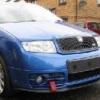
TMB - do you know what the part number is for the towing eyelet for a facelift vRS? The shiny one and not the elctro-plated one?

Edited by Kevin_Mc

TMB - do you know what the part number is for the towing eyelet for a facelift vRS? The shiny one and not the elctro-plated one?


I'm not sure tbh. The only towing eye I know of is the standard one. Number 3 on here (6K0803615C)....


rsz_untitled.png

  • Author

thank you, i'll see what i can find using that

Create an account or sign in to comment

Recently Browsing 0

  • No registered users viewing this page.

Important Information

Welcome to BRISKODA. Please note the following important links Terms of Use. We have a comprehensive Privacy Policy. We have placed cookies on your device to help make this website better. You can adjust your cookie settings, otherwise we'll assume you're okay to continue.


Account

Navigation

Configure browser push notifications

Chrome (Android)
  1. Tap the lock icon next to the address bar.
  2. Tap Permissions → Notifications.
  3. Adjust your preference.
Chrome (Desktop)
  1. Click the padlock icon in the address bar.
  2. Select Site settings.
  3. Find Notifications and adjust your preference.