



Skip to content

Kenwood DNX520VBT Headunit
Featured Replies

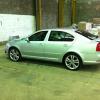
Up for sale is my KENWOOD DNX520VBT sat nav/dvd player/bluetooth mediacenter headunit. I've bought it new at VW Huddersfield. It was installed in my 2010 Octavia Vrs and I can throw in a silver surround that will fit this bad boy ( worth £56 ). Its pre wired for video in motion :notme: and everything works like a charm. I'll be selling my car soon hence the sale. As I am a lorry driver and go all over meeting nearish to you could be arranged, Otherwise its available for pick up in Barnsley or shipping will have to be arranged. Comes with all wires - gps antenna, bluetooth mic, original box and instructions. Any questions drop me a line. I've paid £450 ish ( it was worth £1100 at the time - got it out of group buy deal ) and I would like to get as close to that as possible.

I can take better photos if requested. I had my 2 year old helping me with these.

Cheers

Tom

post-93691-0-02363700-1442939356_thumb.jpgpost-93691-0-46011200-1442939339_thumb.jpg

post-93691-0-36766700-1442939386_thumb.jpgpost-93691-0-36104400-1442939419_thumb.jpg

post-93691-0-75584500-1442939451_thumb.jpg post-93691-0-37732500-1442939483_thumb.jpg

Edited by Tommy_TadPole

But how much do you want for it?!

  • Author

paid £450 ish ( it was worth £1100 at the time - got it out of group buy deal ) and I would like to get as close to that as possible

Im open to sensible offers.

  • 1 month later...

did it sell ?

  • 2 weeks later...
  • Author

Nope. Still got it.

  • 2 weeks later...
  • Author

Its going back in.

Guest
This topic is now closed to further replies.

Recently Browsing 0

  • No registered users viewing this page.

Important Information

Welcome to BRISKODA. Please note the following important links Terms of Use. We have a comprehensive Privacy Policy. We have placed cookies on your device to help make this website better. You can adjust your cookie settings, otherwise we'll assume you're okay to continue.

Account

Navigation

Configure browser push notifications

Chrome (Android)
  1. Tap the lock icon next to the address bar.
  2. Tap Permissions → Notifications.
  3. Adjust your preference.
Chrome (Desktop)
  1. Click the padlock icon in the address bar.
  2. Select Site settings.
  3. Find Notifications and adjust your preference.
