



Skip to content

Fob not unlocking doors
Featured Replies

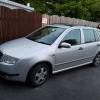
Hi, I have a fabia on a 04 plate and the fob doesn't unlock the doors. I've had it on a standard machine but have been told it can't rectify the problem, What I need is a superVAG. Is this true or is someone having a laugh?

If it's true, does anyone know of a decent place in or around the Leeds area that isn't going to have my pants down?

Thanks

Sent from my iPhone using Tapatalk

You need vcds or odis to re pair the fob (if it's capable)

Super VAG is more for corrupting dash pods and wiping keys of the immobiliser.

  • Author

I'm not sure it's the fob. I have a brand new fob as well that connected to the immobiliser no problem but also wouldn't connect to the central locking.

Ive been looking into it and I have a feeling it might be the convenience module, but I don't know what I need to do to check it.

Sent from my iPhone using Tapatalk

The fob doesn't connect to the immobiliser.

The key has 2 parts:

remote - needs pairing to the CCM

transponder - needs pairing to the immobiliser

you'd need to check the fault memory and read the live data in order to check the ccm signals it receiving.

I did this on mine with my VCDS, if you look on the map I am sure you will find someone near you to do it, may need some beer though :D 


John

  • Author

Ive PM'd someone localish to me, hopefully hes still active on here. :thumbup:

Create an account or sign in to comment

Recently Browsing 0

  • No registered users viewing this page.

Important Information

Welcome to BRISKODA. Please note the following important links Terms of Use. We have a comprehensive Privacy Policy. We have placed cookies on your device to help make this website better. You can adjust your cookie settings, otherwise we'll assume you're okay to continue.

Account

Navigation

Configure browser push notifications

Chrome (Android)
  1. Tap the lock icon next to the address bar.
  2. Tap Permissions → Notifications.
  3. Adjust your preference.
Chrome (Desktop)
  1. Click the padlock icon in the address bar.
  2. Select Site settings.
  3. Find Notifications and adjust your preference.
