



Skip to content

Boot Opening - Fuse Blowing
Featured Replies

Hi All,


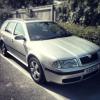
I currently have an issue with my 2001 elegance estate where it's blowing a fuse every time I open the boot. The central locking mechanism for the boot was also intermittent leading up to this. 


This is the convince control fuse that knocks out central locking, electric windows, interior lights etc. If the boot is closed and the fuse is replaced everything operates as normal until the boot is opened again. 


I just wanted to get a few pointers before I start pulling things apart. It is likely to be an issue with the boot microswitch or somewhere in the wiring loom for the boot lights? 


Thanks in advance for your help. I'm sure you will be able to point me to some similar issues but I'm struggling to know how to pin down the fault. 


Sam

Does the rear washer work ok? Fairly common for the washer pipe to leak in the boot onto the wiring.

Sent from my D5803 using Tapatalk

  • Author

The rear washer works but the plastic has been damaged so it's possible some water could be getting back into the boot lid.

It tends to leak inside the boot, near the cd changer. Or it could leaking down inside the boot lid.

Sent from my D5803 using Tapatalk

I would check the wiring where it goes from body to boot, in the plastic or rubber tube and a few inches each side where there could be sharp edges.

Could be a broken wire that has moved such that it is going to ground when the wiring is flexed.

  • 3 weeks later...
  • Author

Hi all,


Thanks for your replies.


I have finally found time to investigate. I have taken out the CD changer to find that the washer pipe was almost disconnected and leaking water.  I ran out of daylight so will take a detailed look at the wiring tonight but I'm sure this is where the issue is. 


Sam

Create an account or sign in to comment

Recently Browsing 0

  • No registered users viewing this page.

Important Information

Welcome to BRISKODA. Please note the following important links Terms of Use. We have a comprehensive Privacy Policy. We have placed cookies on your device to help make this website better. You can adjust your cookie settings, otherwise we'll assume you're okay to continue.

Account

Navigation

Configure browser push notifications

Chrome (Android)
  1. Tap the lock icon next to the address bar.
  2. Tap Permissions → Notifications.
  3. Adjust your preference.
Chrome (Desktop)
  1. Click the padlock icon in the address bar.
  2. Select Site settings.
  3. Find Notifications and adjust your preference.
