



Skip to content

Hello from Wales

Featured Replies

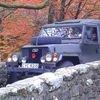
Hi, I'm a bit more familiar with Land Rover forums and discussions about my Series 3 military lightweight and Disco 3 which I use for my business, 'Cambrian Safaris'. 

I have also driven a good many miles in Octavias, and have driven 3 different ones which have reached over 400,000 miles on the clock in use as taxis in Aberystwyth. 

I have recently purchased a '53 L&K Octavia, seems like a nice car over all but has a few glitches which I'm working my way through, I posted about headlight issues last night, there's some water ingress which I've partially dealt with by clearing the sunroof drains. Also the speedo gives up for a while every so often, then gets going again. Oh, and some of the electrics in the drivers door don't work - central locking (key can be used in door) door courtesy light and mirror controls don't work, window controls do work.

I'm hoping the car will give us a few years use as a family runabout, its only got 105K on the clock so far. 


I call myself 'Prospector' because I worked at a Silver - Lead mine tourist attraction near Aberystwyth for 15 years as a tour guide, I'm now a Driver guide showing people around the area instead! 

Hi Prospector, welcome to the forum.  Hope you get those electrical issues sorted.  105k is not much as you say and I've also seen 400k+ on some well maintained 1.9TDis!

Create an account or sign in to comment

Recently Browsing 0

  • No registered users viewing this page.

Important Information

Welcome to BRISKODA. Please note the following important links Terms of Use. We have a comprehensive Privacy Policy. We have placed cookies on your device to help make this website better. You can adjust your cookie settings, otherwise we'll assume you're okay to continue.

Account

Navigation

Configure browser push notifications

Chrome (Android)
  1. Tap the lock icon next to the address bar.
  2. Tap Permissions → Notifications.
  3. Adjust your preference.
Chrome (Desktop)
  1. Click the padlock icon in the address bar.
  2. Select Site settings.
  3. Find Notifications and adjust your preference.
