



Skip to content

My recent purchase

Featured Replies

Hi folks,


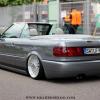
Just thought I'd share my recent purchase which will be used as my daily for the work commute. It's an Elegance 2.0TDi model, my 3rd Skoda now and I'm very pleased with it so far!


I'm heading off to Nurburgring again tomorrow morning and I've decided to take this one instead of my other motors, mainly because of economy!


Here's a couple of pictures, just had the rear windows smoked to 65% and the pictures were taken outside my mechanics garage where it was booked in to fit some subtle lowering springs. Picked her up yesterday and ride is perfect now  :happy:


IMG_20160830_174906.jpg


IMG_20160830_174907.jpg


IMG_20160830_174849.jpg


Thanks for looking,

Yas

Looks good really loving that colour

  • Author

Looks good really loving that colour


Thanks Paul, yeah me too. I never thought that I would like a beige car, but it really does look good.


I am going to get it washed tonight before heading off to Nurburgring, so I will try and get some better pics with the lower stance.


Yas

Edited by YasEdition100

  • Author

After a good clean


IMG_20160901_183152.jpg


IMG_20160901_183207.jpg

  • Author

Thanks Mike. Is that the colour of mine, Sahara beige?

  • Author

That's good to know, thanks Mike!

Don't worry you'll still have fun. The 2.0 is a pretty punchy engine and will cruise at 100mph plus on the Autobahn I'm sure. The standard suspension set-up is also very good and very forgiving on the Nurburgring :) I found I could just give full throttle round the karousell while others were having to take it steadier due to lower ground clearance etc.

Edited by Phil-E

Create an account or sign in to comment

Recently Browsing 0

  • No registered users viewing this page.

Important Information

Welcome to BRISKODA. Please note the following important links Terms of Use. We have a comprehensive Privacy Policy. We have placed cookies on your device to help make this website better. You can adjust your cookie settings, otherwise we'll assume you're okay to continue.

Account

Navigation

Configure browser push notifications

Chrome (Android)
  1. Tap the lock icon next to the address bar.
  2. Tap Permissions → Notifications.
  3. Adjust your preference.
Chrome (Desktop)
  1. Click the padlock icon in the address bar.
  2. Select Site settings.
  3. Find Notifications and adjust your preference.
