



Skip to content

My new Fabia Dsg and Smartgate
Featured Replies

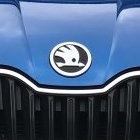
I picked up  my new Race blue Fabia Dsg on Wednesday i'm Really enjoying the  Dsg apart from that it's the same as my other Fabias nice cars  good solid and dependable.When I ordered this one I decided to take risk and order smartlink as I'm a bit of a geek when it comes to phones and latest gadgets on cars.

So I have a iPhone  and have used CarPlay on my Fabia estate so with this car having smartgate I downloaded all the apps I could find.The only performance or  car info related that show on CarPlay screen are Skoda performance and Skoda one app. None of the others show at all .Press skoda performance it gives you a choice CarPlay or phone press CarPlay it just takes you back to CarPlay screen :( press phone and it works fine but not on car display .Skoda one app mirrors fine .

Does anybody else have smartgate ,CarPlay and have you managed to get them to mirror over?

Thanks in advance for any help . :)


Edited by Mick 50

Good choice of colour and gearbox Mick ; I'm sure someone will be along soon to answer your question.

I use Android Auto myself so can't help sorry.

With Smartlink you can "mirror" you phone to the car screen with Apple car play, MirrorLink or Android auto.

Smartgate is the other way around; you can get car info transmitted to your phone.

Are you trying to do both at the same time?

Do you want to send car info to the phone and then mirror that to the car screen?

  • Author
53 minutes ago, RickW said:

Good choice of colour and gearbox Mick ; I'm sure someone will be along soon to answer your question.

I use Android Auto myself so can't help sorry.

Thanks Rick loving the color and the gearbox great minds think alike :)

  • Author

Hi  Norsko thanks for the reply .I used  CarPlay all the while on my old Fabia Sel and assumed that any data sent to the phone  from Smartgate would be mirrored over .So yes I was trying to do both at the same time .

mfa pro 3, Skoda performance Skoda  and gmeter work on phone fine  drive  but the  icons doesnt show on on car screen. But it sounds like I  got  it all wrong :)

Create an account or sign in to comment

Recently Browsing 0

  • No registered users viewing this page.

Important Information

Welcome to BRISKODA. Please note the following important links Terms of Use. We have a comprehensive Privacy Policy. We have placed cookies on your device to help make this website better. You can adjust your cookie settings, otherwise we'll assume you're okay to continue.

Account

Navigation

Configure browser push notifications

Chrome (Android)
  1. Tap the lock icon next to the address bar.
  2. Tap Permissions → Notifications.
  3. Adjust your preference.
Chrome (Desktop)
  1. Click the padlock icon in the address bar.
  2. Select Site settings.
  3. Find Notifications and adjust your preference.
