



Skip to content

2012 Monte Carlo TDi Fuses
Featured Replies

Good evening.


I have fitted a new circuit via an "add-a-fuse" into my heated mirror slot for a dash cam in my wife's new ride.


I very much think I have slotted a fuse back into the wrong slot whilst checking which I could use as an ignition only live.


This has now caused my heat pack light (coil light) on the display to flash along with my engine management light.


So, my question is. Does anyone have the same spec car? I need to find out what fuse needs to be where as its driving me mad. Could someone please take a quick snap of theirs? Just so I can compare.


Very basic spec.


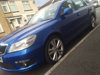
2012 Fabia Monte Carlo

No rear electric windows

No heated seats 

No heated front screen

No reverse sensors

Swing radio ....You get the picture.


TYI


Whats in Fuse 28 ? Should be RED 10 AMP

  • Author

Aha! I dont think theres one there as my diagram on the back of the fuse box cover didnt state it.


I will check and get back. Thanks 

  • Author
4 hours ago, DIESELind said:

Aha! I dont think theres one there as my diagram on the back of the fuse box cover didnt state it.


I will check and get back. Thanks 

 You were correct. There wasn't anything in 28, it was in another slot. Also, I had left another fuse out as I had a box of fuses and i thought i had just moved one but I had also removed one and forgot to put it back in.


Thanks again my friend. Really appreciate your assistance.

Your welcome, glad its sorted :thumbup:

Create an account or sign in to comment

Recently Browsing 0

  • No registered users viewing this page.

Important Information

Welcome to BRISKODA. Please note the following important links Terms of Use. We have a comprehensive Privacy Policy. We have placed cookies on your device to help make this website better. You can adjust your cookie settings, otherwise we'll assume you're okay to continue.

Account

Navigation

Configure browser push notifications

Chrome (Android)
  1. Tap the lock icon next to the address bar.
  2. Tap Permissions → Notifications.
  3. Adjust your preference.
Chrome (Desktop)
  1. Click the padlock icon in the address bar.
  2. Select Site settings.
  3. Find Notifications and adjust your preference.
