



Skip to content

Mk3 VRS diesel rough after alternator failure
Featured Replies

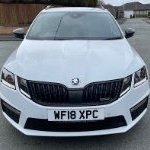
Got a 2018 VRS diesel and the alternator died. Started running rough at idle and put it down to really low voltage (6v). Changed the alternator and it’s now charging but the rough running remains. Got no codes in VCDS. Checked resistance of all injectors and they’re all OK.

Really stumped on this so would appreciate any ideas. Going to check the timing first thing tomorrow just in case something’s jumped a tooth.

TIA

Alistair

  • Author

Carried out a compression test today, no issues. Going to check the timing tomorrow and if that’s OK maybe pull the injectors for testing.

Anyone else got any ideas?

I remember something about you also having to code in the Alternators....I know you have to code in the batteries, the ECU needs to know about the serial numbers and capacity of both the battery and alternator. Just looked at the video and it looks like you have a misfire or a cylinder not firing correctly as the engine is moving around in an unbalanced way.

Failing injectors would throw a code though; a failing glowplug would also throw a code. Failing that, we are looking at an air leak via the PCV valve (a common failure point - often doesn't throw a code here). When you plug in VCDS, does it show the current voltage? If its running anything less than 14.2 volts, then the alternator is not doing its thing. How old is the battery? If its still original, it will be dying right now...consider this something to urgent replace.

Create an account or sign in to comment

Recently Browsing 0

  • No registered users viewing this page.

Important Information

Welcome to BRISKODA. Please note the following important links Terms of Use. We have a comprehensive Privacy Policy. We have placed cookies on your device to help make this website better. You can adjust your cookie settings, otherwise we'll assume you're okay to continue.

Account

Navigation

Configure browser push notifications

Chrome (Android)
  1. Tap the lock icon next to the address bar.
  2. Tap Permissions → Notifications.
  3. Adjust your preference.
Chrome (Desktop)
  1. Click the padlock icon in the address bar.
  2. Select Site settings.
  3. Find Notifications and adjust your preference.
