Skip to content

Rear bumper fitment issue, what more can I get the dealer to do?

Featured Replies

Hi,

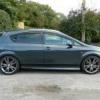
When I got my Fabia from the dealer in Doncaster it was a little battered and bruised. I got all the bodywork sorted but they forgot to fix the issue with the rear bumper. It does not line up on the passenger side. Looks like the previous owner knocked it.

Anyway its been back and the dealer ordered a bracket and then I took it back to have it fitted. When I picked it up it looked exactly the same and I was told thats all they can do. As far as I'm concerned something is causing this which must be able to be fixed, also I'm not convinced they even attempted to fit the new bracket.

What more can I get them to do?

PIC:

2588141_4_full.jpg

yep... mine looks exactly the same....

probably been reversed into something at some time.. it's the bracket at the bottom that does that

I would be tempted to remove the rear lights and bumper skin and have a look whats dwelling underneath. might be able to bend the brackets out a little to correct this if the dealer is unwilling. :thumbup:

I've seen them worse than that, I would have thought that wasn't too bad.

The fronts are terrible for sagging.

My wife's is a little like that, too - always thought it was 'just one of those things'! :o Tempted to have a go at straightening it out now I know it isn't!

I've seen them worse than that, I would have thought that wasn't too bad.

The fronts are terrible for sagging.

Yep.

Whats the fix :D

Everyone I have seen is like that including my own.

Guess it's a feature.

bet if you spoke to SUK they wouls say it is a "characteristic" of the fabia :thumbdwn:

mines ok , its such a tight fit under the rear lights , that it squeaks when i close the tailgate

Create an account or sign in to comment

Recently Browsing 0

  • No registered users viewing this page.

Important Information

Welcome to BRISKODA. Please note the following important links Terms of Use. We have a comprehensive Privacy Policy. We have placed cookies on your device to help make this website better. You can adjust your cookie settings, otherwise we'll assume you're okay to continue.


Account

Navigation

Configure browser push notifications

Chrome (Android)
  1. Tap the lock icon next to the address bar.
  2. Tap Permissions → Notifications.
  3. Adjust your preference.
Chrome (Desktop)
  1. Click the padlock icon in the address bar.
  2. Select Site settings.
  3. Find Notifications and adjust your preference.