alancha
Members
-
Joined
-
Last visited
Everything posted by alancha
-
Oh thanks so much - I’ll try that. I’d seen the traffication app but not yet investigated what it does.
-
Just recently got a 26 plate vRS estate and absolutely love it. I ad a 2021 model before which I also like but it had a few really annoying features (infotainment system design and use, matrix headlights dazzling other drivers, etc..) all of which seem to have been fixed in the newer model. However, yesterday, it started announcing speed cameras and other hazards, which I don’t want and which despite trawling through all the settings I can’t work out how to turn off. Can anyone help please? It’s really annoyingly!
-
Yes. When my original problem occurred a couple of weeks ago, the key was actually in the cup holder, so certainly should have been detected.
-
Good point. I tried my own car again this morning: unlocked it, put the key on the passenger seat and stood and watched. Six minutes later nothing had happened. So it’s definitely inconsistent, whatever it’s supposed to be doing.
-
Interesting. Yes - in fact the reason I was at the dealer yesterday was so they could check for any diagnostic codes (which had been suggested by another receptionist at the same dealer only a week or so earlier). Although this time I was told it was working as designed, she agreed to go ahead and have it check for diagnostic codes and apparently none were found.
-
Well that's what I would have thought but can you point me to any documentation from Skoda that confirms this?
-
Well, I've just been into my dealer for them to check for fault codes that may give some clue as to what happened. But the service receptionist, who has been there for a long time and who has always seemed to me to be very knowledgeable, told me something she herself had only recently learned... I'm still not sure I believe this but she told me that the car is working as designed. If you shut the doors with the key inside, she told me that after a short interval it is supposed to lock automatically. She told me that this is considered a safety feature to prevent the car being stolen if you accidentally leave the keys in the car. I'm still not convinced. I suppose I should experiment with it (with the spare key close at hand), to see if this really is true - and I suppose if someone else could try it too it would to confirm whether this behaviour is consistent on other Octavias - not just mine.
-
Oh dear. Was this on an Octavia? No-one seems to be able to confirm for sure that 57NL is valid for the Octavia as well as the Karoq.
-
Yes - me too. It's great that the key fob never has to leave may pocket. On this occasion however, it was a cold day and earlier I'd left my wife in the car with teh engine running (to keep the heater running) while I popped into our hotel to get something. As the car doesn't like me walking away with the key if the engine is running, I took it out and left it in the cup holder. In the past on the rare occasions I've done this, I discover that the car won't lock just by touching the door handle and then realise that I've left the keys inside, which I then retrieve and them lock it as usual. This time, we got out of the car and before I even attempted to lock it, it locked spontaneously with the keys still inside. Although I was able to the unlock it using the app, we've decided that from now on she will always carry the spare key in her bag, so we have it with us always.
-
No - it's the one in Newbury. I've always found them helpful and the service reception people are also generally very good in my experience.
-
No, I don’t think so. Hopefully when i pop in next week I’ll be able to speak to a technician then.
-
So, I phoned my dealer yesterday and spoke to service receptionist who was surprisingly helpful and knowledgable. I explained what had happened and mentioned that I'd heard there was a service campaign for the Karoq to fix the same problem. She checked and told me there isn't anything similar for the Octavia. She did seem to know what she was talking about because she mentioned 57NL (the Karoq service campaign), which I hadn't mentioned. We agreed that booking in the car could be pointless as if it doesn't happen to do it while it's with them, there would be nothing much they could check. To be honest, even if it happened before their eyes, there still might not be much they could do. However, she agreed that it was worth checking for any error codes the car might have logged, so we have arranged that I'll pop-in one day next week for them to connect the car to their computer and check for any diagnostic codes. But If they don't find anything, I'm mot sure what else I or they can do. We'll see.
-
Interesting…. I did wonder whether it was somehow related to the software update that took place the other day. I’ll be very interested to hear what the RAC say, but I think I need to get it into the dealer asap as the extended warranty runs out in a couple of months.
-
Sorry - I meant “it shouldn’t be possible to lock the keys inside”…
-
The keyless system on my 2021 VRS has started doing some very strange things, which I haven’t found others reporting here. Several times in the last week, it has locked the doors spontaneously, without me touching the door handles - sometimes I’ve been in the car (with the key) and sometimes not. On a couple of occasions the alarm has gone off with me still inside - the only way to stop it being to press the unlock button the key fob. But the worst thing it did was to lock the car with the key inside and me on the outside. I was away from home at the time so couldn’t use the spare key to unlock it and would have had a serious problem if I hadn’t been able to unlock it using the MySkoda app on my phone. If I’d been in an area where either my phone or the car didn’t have an internet connection, I’d have had to call for help to get back in. Surely, even if you try, it should be possible to lock the keys inside and of course it should have locked anyway without my either touching the outside of the door handles or pressing the lock button. Anyone had anything similar or any ideas? I guess I’ll have to get the dealer to look at it while it’s still under extended warranty. Thanks
-
I've had a quick play with this and it seems that I can indeed add another iPhone for bluetooth. In fact, when I did so it (I mean Infotainment) asked whether I wanted also wanted to use it for phone and/or CarPlay; I said no to both. I was then able to listen to music from the second phone while using CarPlay with the first. So I think I've answered my question but thank you all for the helpful posts here.
-
I'll have to have a play with it and see what works. I do have most of our music on a USB stick in the car but the horrible UI on the Infotainment system makes it hard work to find and play music - even for a passenger who can concentrate on the screen, so playing music from her phone would be far easier for her.
-
I use CarPlay all the time with my iPhone, almost entirely in order to use navigation apps like Waze and Google Maps. I nearly always connect the phone via a USB cable but sometimes, if it's a short trip, I don't bother and allow it to work over wireless CarPlay. I would like my wife to be able to play music from her phone through the car speakers via bluetooth. Is this possible and easy? I don't want to turn Bluetooth off on my phone as that would impact my Apple Watch, but if I don't do that, can my wife's still connect to play music, while I'm connected for navigation. Any suggestions on this would be great.
-
I think I've commented on LA before on this forum but my view on it is that I like it on motorways but hate it on normal roads, especially narrow ones. On motorways, I feel it is an extra safety system so that if I were, for any reason, to start veering out of my lane it would gently nudge me back in. This happens very rarely as the lanes are wide and I don't lose concentration, but I think it's there just in case. By the way, I always indicate for lane changes, and the fact that it resists if you don't is surely a good reminder to indicate. On ordinary roads it's annoying and I really do believe could be dangerous. The most annoying thing is the way it frequently comes out with a loud beep and big red message telling me to keep in the centre of my lane. This is ridiculous and contrary to skilled driving, where you choose your position on the road based on factors such as visibility (move out a little on left-hand bends so you can see further round and keep more to the left on right-hand bends for the same reason), avoiding potholes that are most commonly at the edge of the road, etc.. In wet or potentially icy conditions I think it's confusing as the little tug it gives through the steering wheel when you're not exactly where it thinks you should be feels remarkably similar to the feeling you get when the tyres momentarily lose their grip on a slippery surface, so it would be easy to misinterpret the signal one is getting via the steering wheel. So, bottom line is that I always have it on on motorways and big dual-carriageways and off on all other roads. Fortunately, it's a quick three-click operation that doesn't need me to take my eyes off the road.
-
I hardly ever use Google Maps but I'm pretty sure one time when I did it showed directions in the Virtual Console. But my memory could be wrong or maybe I was (even more improbably) using Apple maps. I don't have head-up display so I don't know about that. I'll try google maps again sometime and see what happens.
-
Sadly not, although Google Maps does so I'm not surprised that Apple Maps does too. I would really like it if I could get Waze (or Google Maps) to display the whole map etc in the VC the way the built-in satnav can. Then we could use the Infotainment screen to choose music and keep navigation directly in front of me. If the built-in SatNav was any good, I'd probably use it just because of that, but of all the navigation options I have (that plus Waze, Google and Apple) it's the least good, so I don't.
-
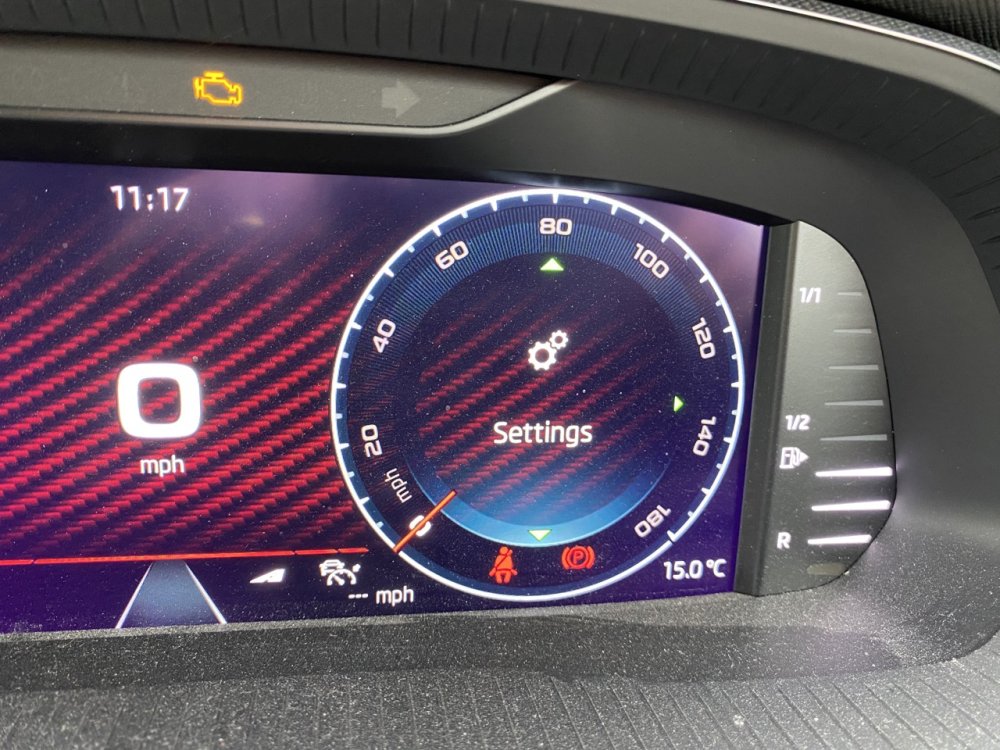
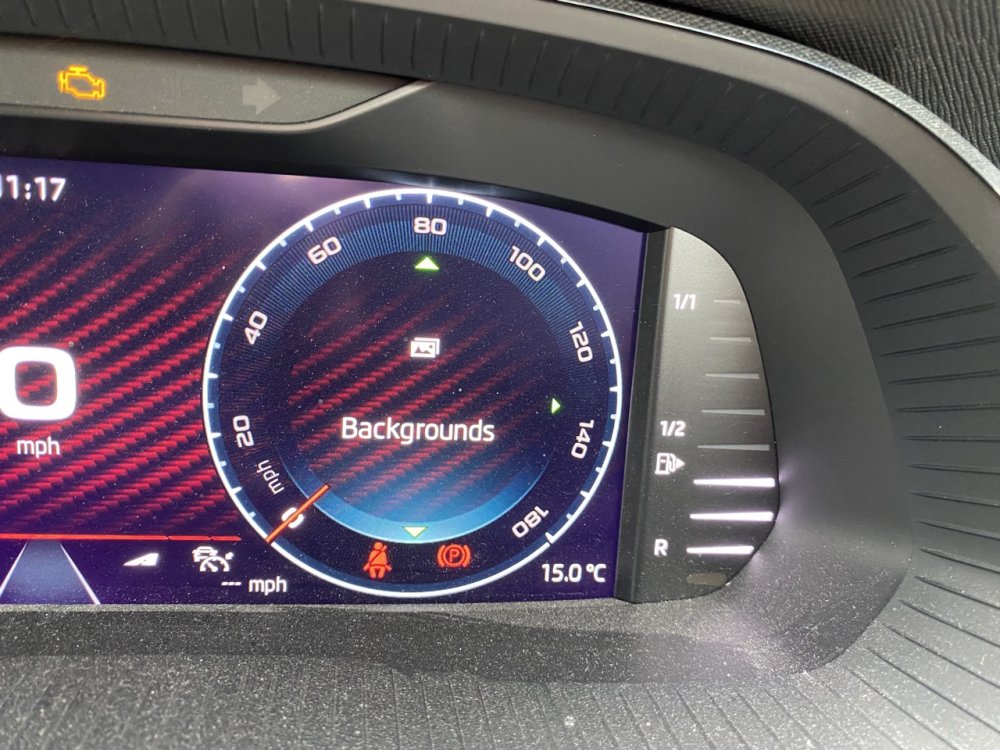
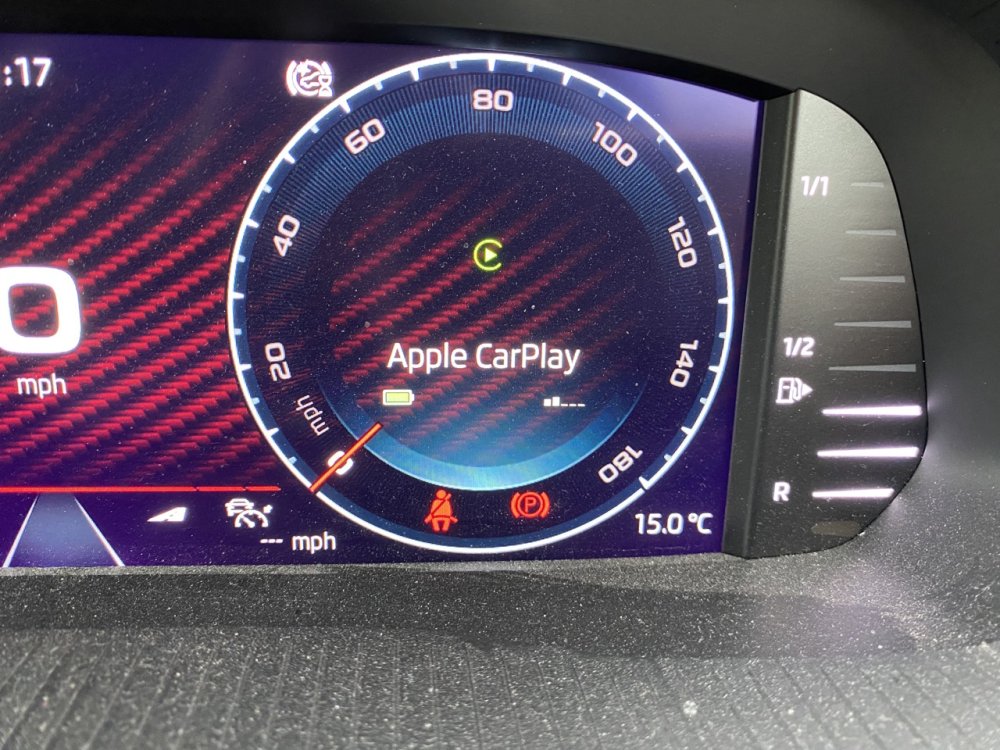
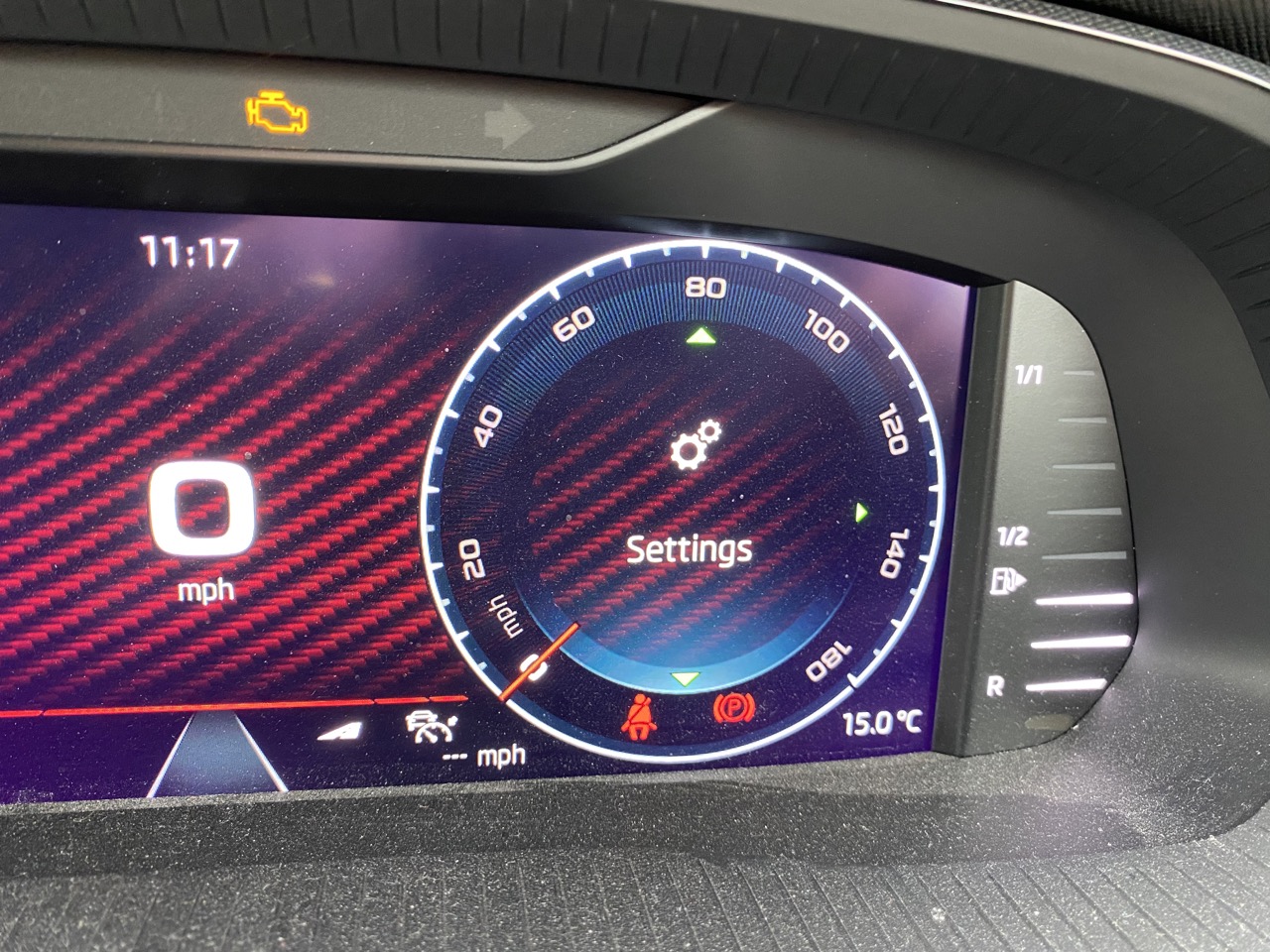
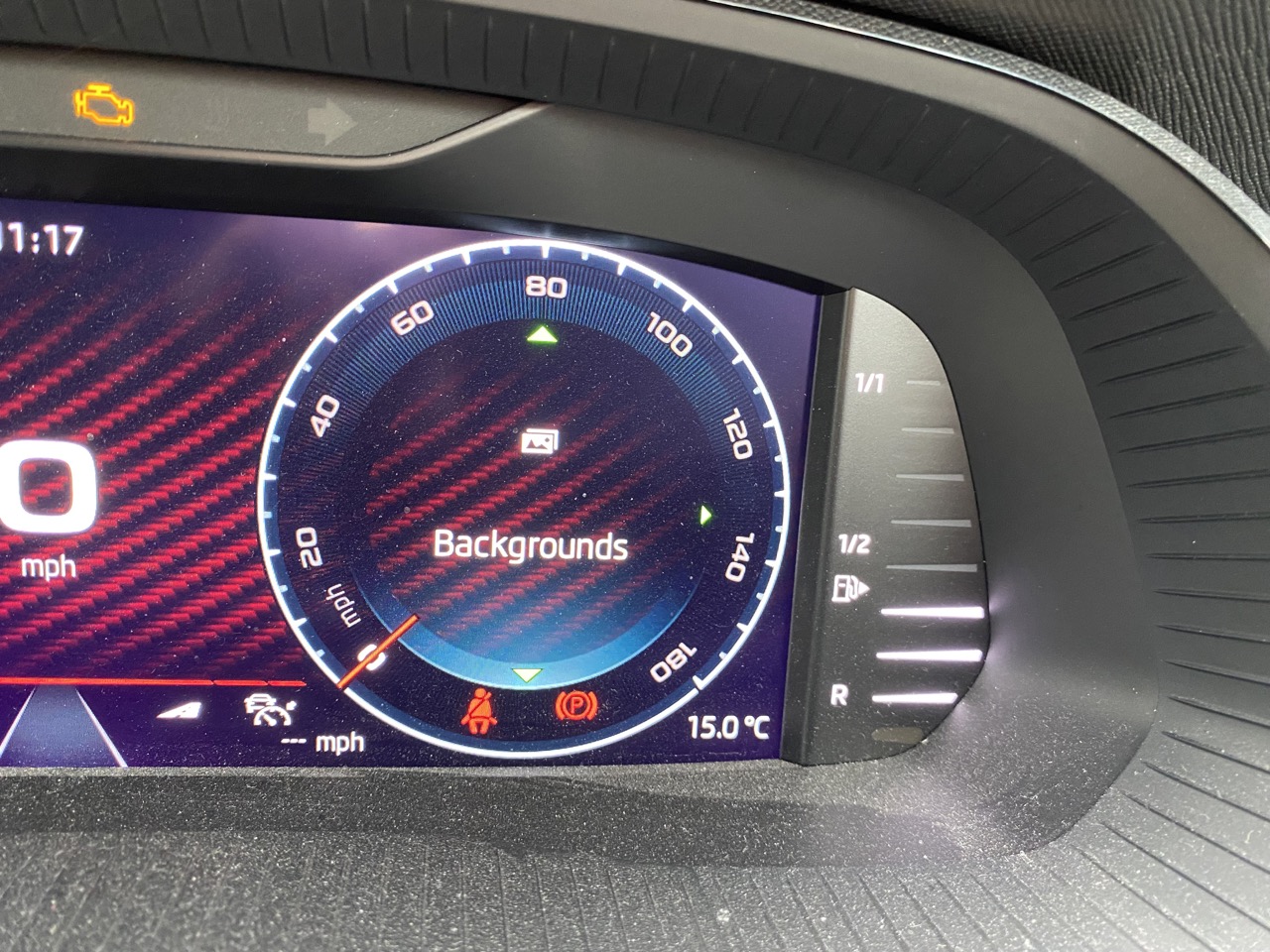
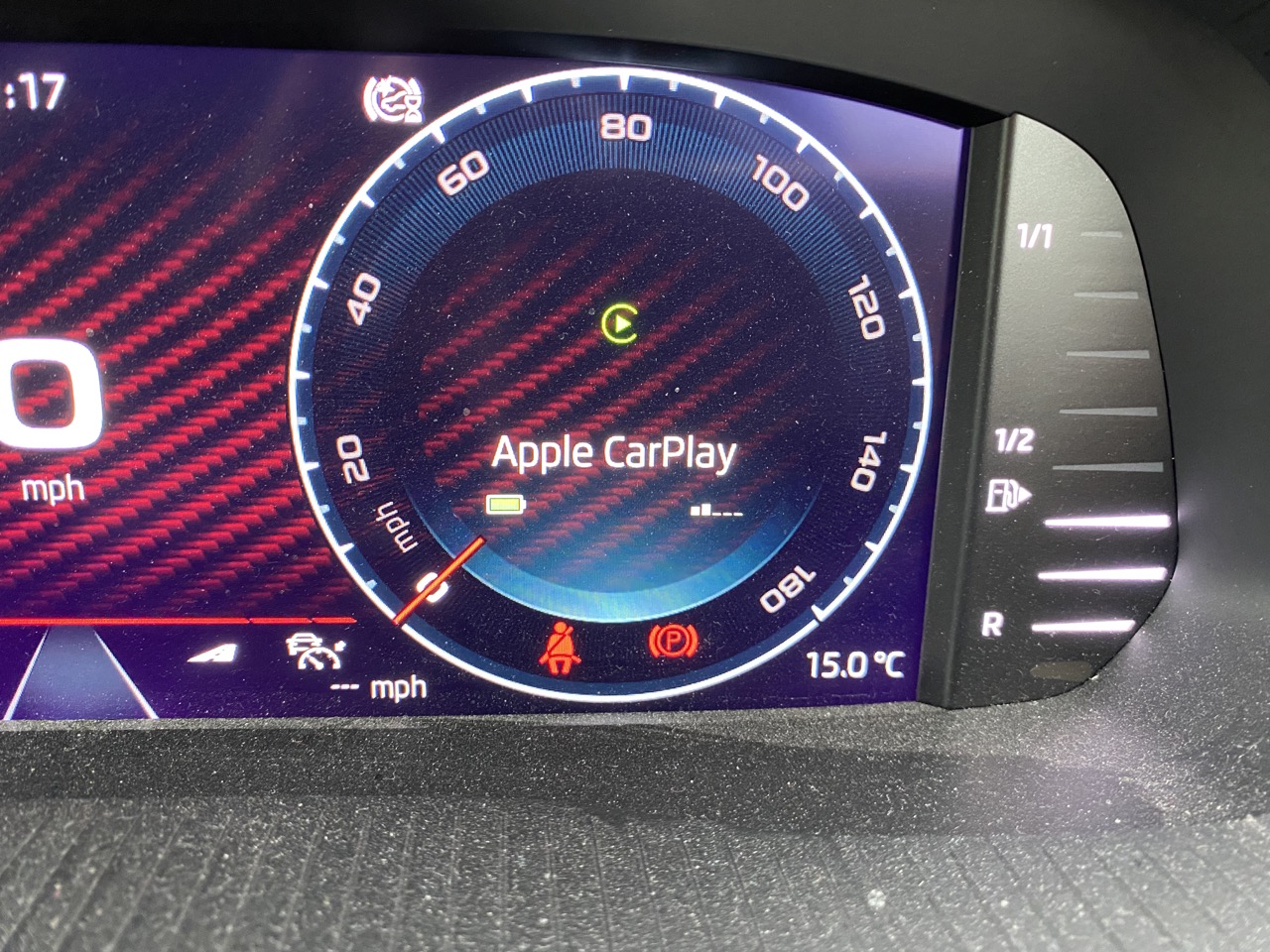
Thanks for that. I can now see what I had previously missed: when you press the control wheel, little green arrows appear above and below the dial and I've always then used the wheel to switch between different displays within the dial but what I hadn't realised or noticed is that sometimes there's a green arrow pointing to the right or left, which takes you into sub-options as explained the quote from the manual that Jorgeminator copied above. In the case of Settings, you can then get into a list of various options. Previously I thought all the arrow keys below the wheel did was switch between different instrument display formats - I hadn't thought to press them when the green arrows were showing. So, "Settings" I can access and understand. "Backgrounds" I think we can probably agree is pointless. So I'm left with "Apple CarPlay", which doesn't have any sub-options and doesn't seem to do anything useful other than display the state of my phone battery and network connection. As I use CarPlay almost all the time to show Waze on the main screen, I was hoping this option might do something really useful for me - but I don't think it does. Anyway, thanks very much for the replies, which have helped me resolve a minor loose end that has been puzzling me ever since I got the car.
-
Great - thank you - I'll try this next time I'm in the car. I have to admit it never occurred to me to try the left side buttons, which I thought were only for controlling media (channel/track and volume).
-
Thank you. You say "select them" - I'm probably missing something obvious but I can't work out how to do that from the main instrument panel.
-
I've had the car well over two years now but still occasionally wonder about some things, so can anyone else can help me with the following? When choosing the information to display in the centre of the 'dials' on the instrument display, there are three that I don't seem to do anything useful - Apple Play, Settings and Backgrounds. See the attached photos. Does anyone know what they do? The first one in particular sounds useful if it provided a quick way to get Apple Play on the main screen - but if it does do this, i can't see how. Any suggestions welcome!