alancha
Members
-
Joined
-
Last visited
Everything posted by alancha
-
I was surprised when I ordered mine that they didn't ask for a deposit at all, unlike every other car I've ever ordered. In fact, I almost felt I would have liked to have paid something just to "seal the deal" - as it was it all seemed too easy and I wondered if it meant I didn't really have a contract of any kind with them. Still, it all worked out - they gave me a delivery date in March, which they missed by only a couple weeks because of delays crossing the channel. I was happy but really surprised how simple the whole process was, from beginning to end, compared to previous car purchases.
-
Perhaps I should try it again but the couple of times I did it seemed to want to take me on some weird routes for no reason (I ignored it so I know the normal route was fine). Also, I don't think it gives camera and other hazard warnings does it, as Waze does? On the other hand, I do like the way the map can be presented directly in front of the driver, leaving the Infotainment screen free for my wife to manage music etc..
-
I don't know - I never use it. Waze through CarPlay is my preferred satnav.
-
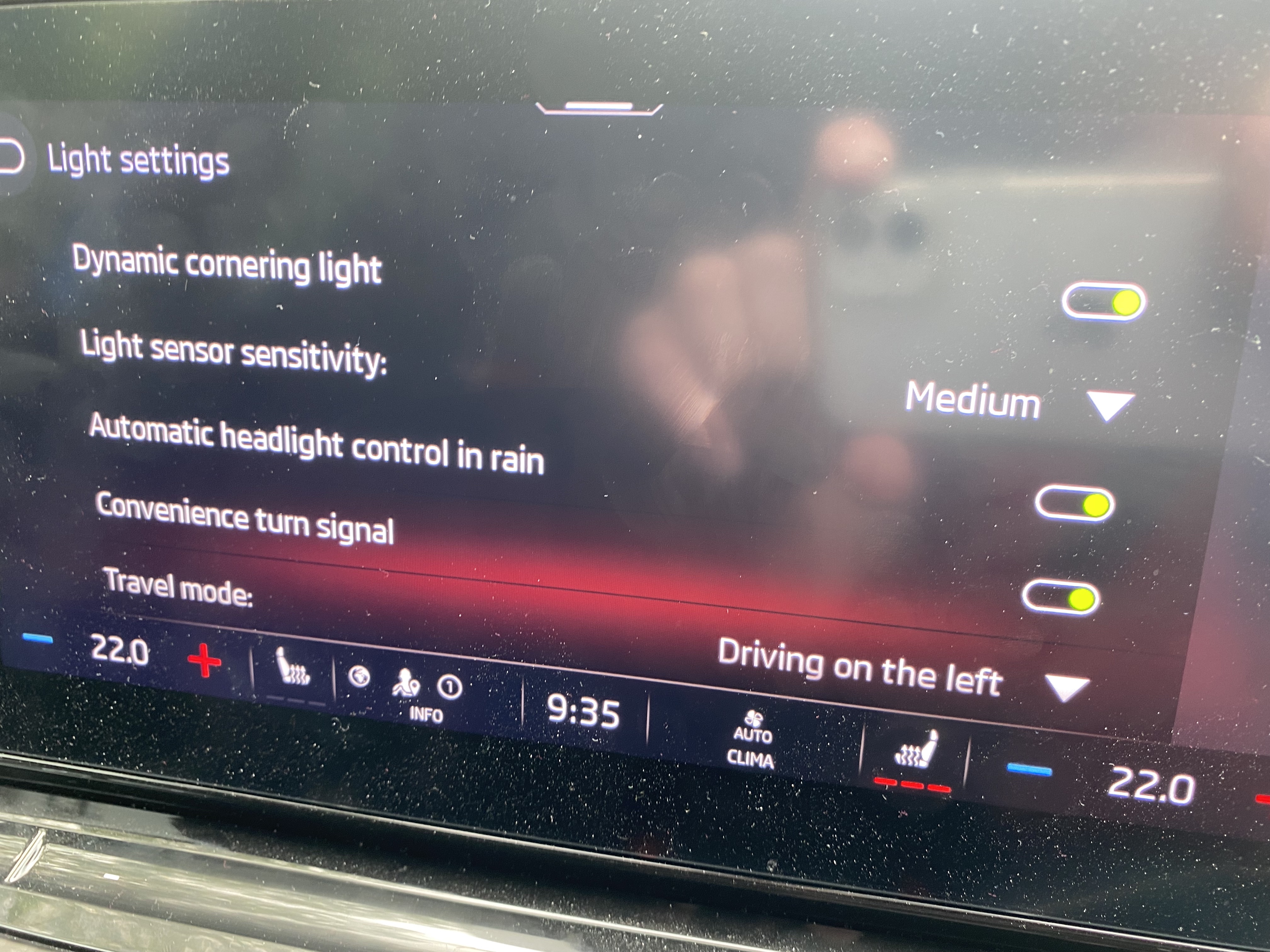
I don't know whether you've see the very interesting tests conducted by Tishout in the thread "Driving on the left/Driving on the right" - see As you can see in that thread, I had been wondering if the ACC problem was related to the car being confused about which side of the road it thought I was supposed to be driving on. Given Tishout's interesting findings, before both drives yesterday, I went in and manually set "Driving on the left", in the hope that the car might be less confused. However, as I reported earlier, it didn't help and the behaviour remained unpredictable.
-
That would be understandable!
-
After having some updates done a couple of weeks ago, after which I didn't use the car much for a while, this weekend I did two longer drives which enabled me to test ACC again. Sadly, it's still not working reliably. Yesterday, I drove all the way up the M3 & A316 from Basingstoke to Richmond and it worked perfectly all the way. But on the way back it slowed down several times for cars to my left at first, then went back to working properly for the rest of the way. There seems no pattern that I can identify as to when it works and when it doesn't. It's really frustrating as it's just so good when it's working properly. Of all the software glitches with the car, this is now by far the most annoying for me.
-
It does seem inconsistent. I haven't seen this message for a long time now, even though it was I who started this thread. I also have full data sharing enabled.
-
I'd like to know this too!
-
How fascinating this is - thank you so much Tishout for carrying out these tests and sharing the results. So, if I have understood correctly, when It initially shows “Driving on the right” it is in fact set for driving on the left. But if you override this manually, then from that point in it shows the correct left/right setting. They really have to fix this - it’s a mess.
-
Very interesting indeed - thanks for doing all that. I've had the SOS problem three times now. The solution is easy though you would never guess it. Just press the emergency call button, then re-boot the infotainment. Once it’s restarted you'll hear a loud voice telling you it's contacting the emergency centre and to press the button again to cancel, do that and within seconds everything will be back to normal. I don’t claim credit for this - I found it on a Golf Mk8 forum somewhere.
-
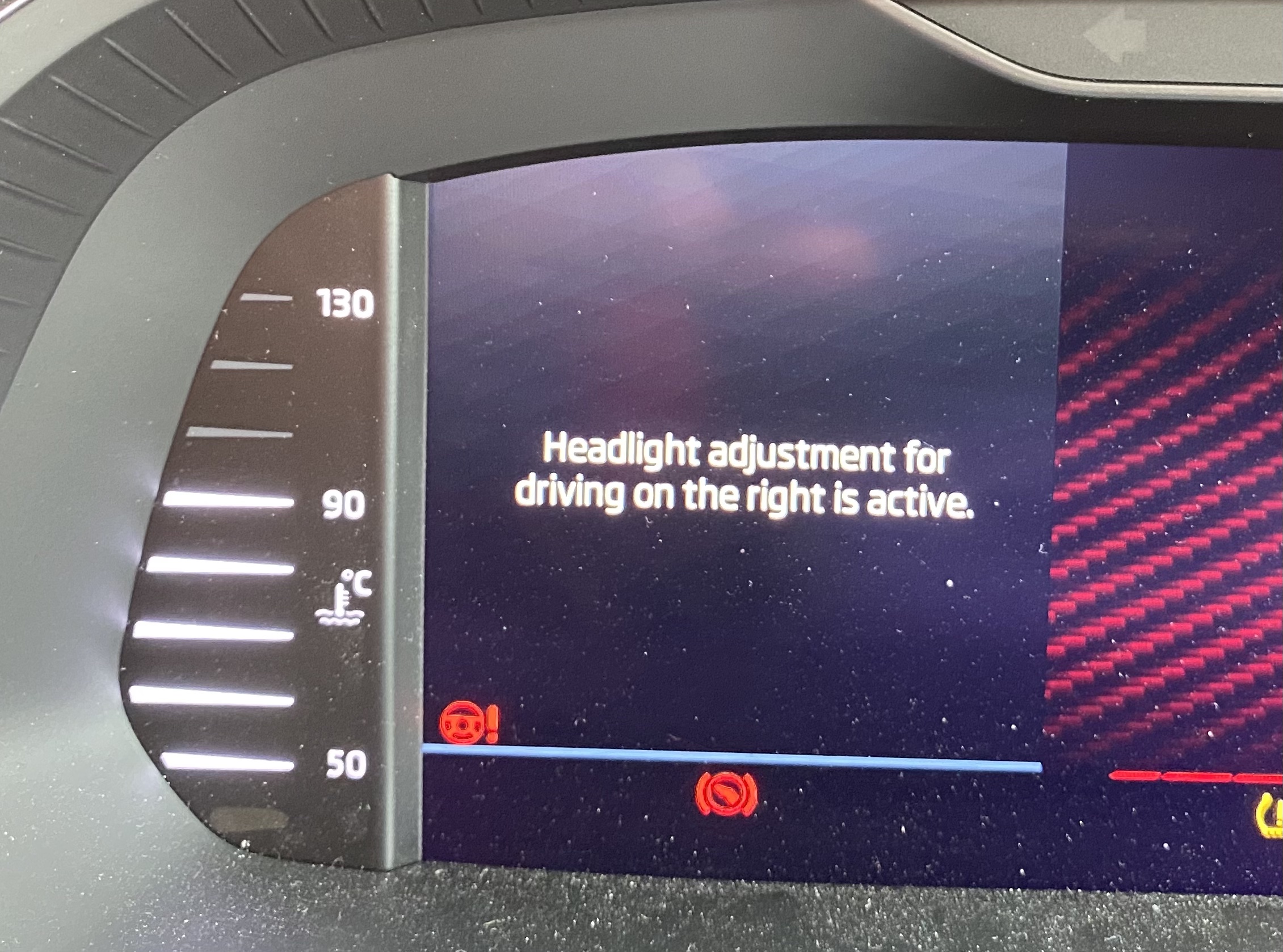
Just tried this and you're right. It was on "Driving on the right" so on the pull-down menu i selected "traffic on the right" once or twice, then "traffic on the left" and then it stayed on "Driving on teh left" - even when I switched the ignition off and back on. Even weirder, as I did this, each time I tapped "Traffic on the right", I saw that message immediately pop up in the instrument panel saying "Headlights are set for driving on the right" but not when I chose Traffic on the left. This is strange because previously I'd only get that message when switching on when the setting was set to "driving on the left".
-
So I too find that it randomly switches sides but unlike you I don't seem to be able to change this manually. Also, when my lights settings show "Driving on the left" I get a warning every time I start the car saying "Headlights are set for driving on the right". It makes no sense!
-
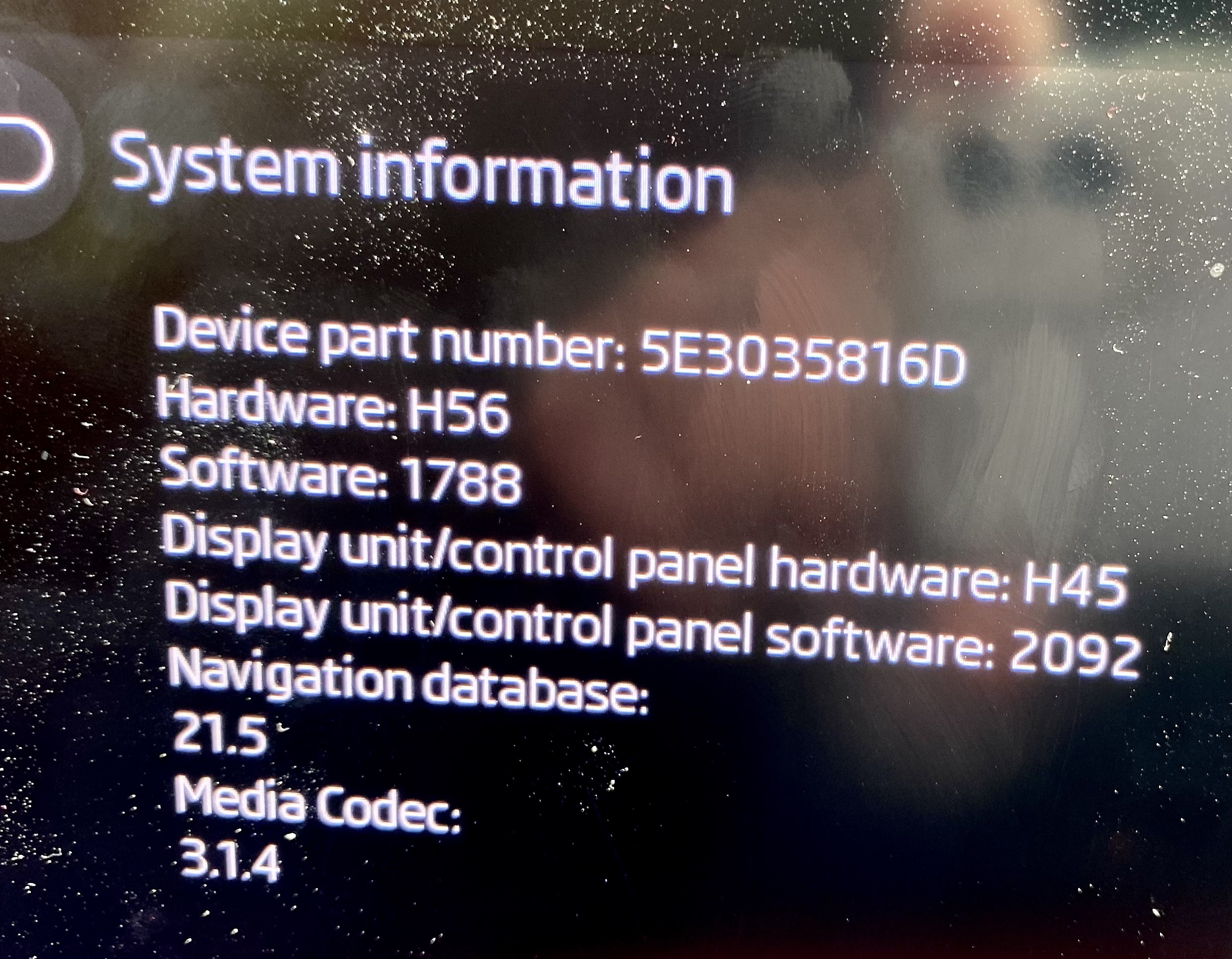
Despite the car being with the dealer all day Wednesday, specifically for software updates, mine is still showing 1788 (not 1803 as I expected). On the other hand, I'm sure they updated something as the car pulls noticeably more smoothly from rest in 1st gear than it did before. ACC still isn't working correctly though and I had the SOS problem once yesterday too, so that hasn't been fixed.
-
Yes - and I'm sure they changed something because I immediately noticed that the car pulls more smoothly in 1st gear, especially when the engine is cold when the power delivery previously felt uneven. However, ACC still isn't working properly. Yesterday on the M4 it sometimes - but not always - refused to pass slower vehicles to my left and once would have passed one on my right if I hadn't stopped it. I used the Matrix headlights on main beam all the way home in the evening and no-one flashed me, but it was only just getting dark so they weren't operating for a lot of the time, so I think the jury's out on that.
-
Yes - I don't understand why mine isn't getting that update as an OTA.
-
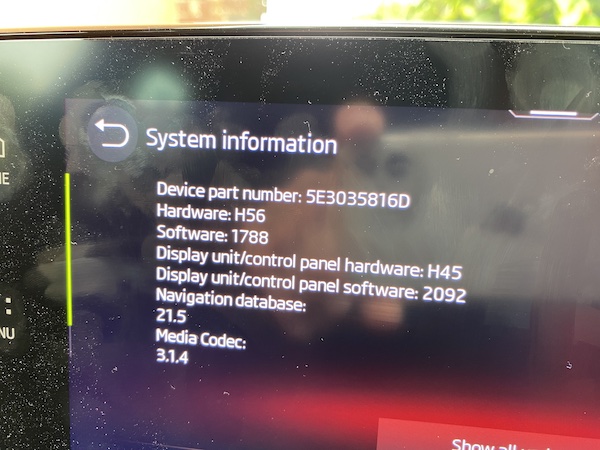
Yes - well I got the car back and the System information looks exactly the same as before - still on 1788, so I don't really know what they did. They had actually gone through a five page document I'd given them detailing all the problems and even marked it up, identifying some as fixed by the update they did (if they did), some they couldn't reproduce, and some as "working as designed". I really didn't expect them to take my document that seriously, but I'm very doubtful they've actually done anything useful today. I'll be driving about 100 miles tomorrow, so may be able to discover whether any of the problems really have been fixed. They did me one favour. They gave me a Karoq diesel as a courtesy car; I only drove it 20 miles home and back and found it OK in a boring kind of way, but when I drove my VRS again I was reminded just how good it is (as long as you ignore the Infotainment issues).
-
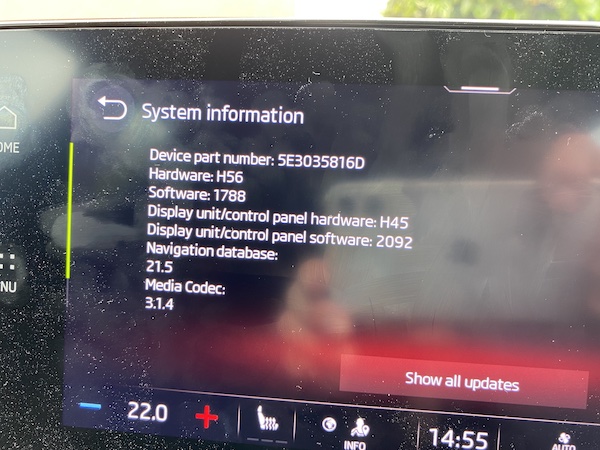
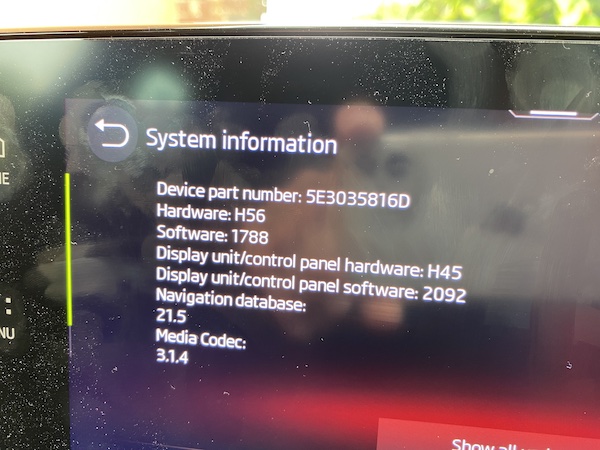
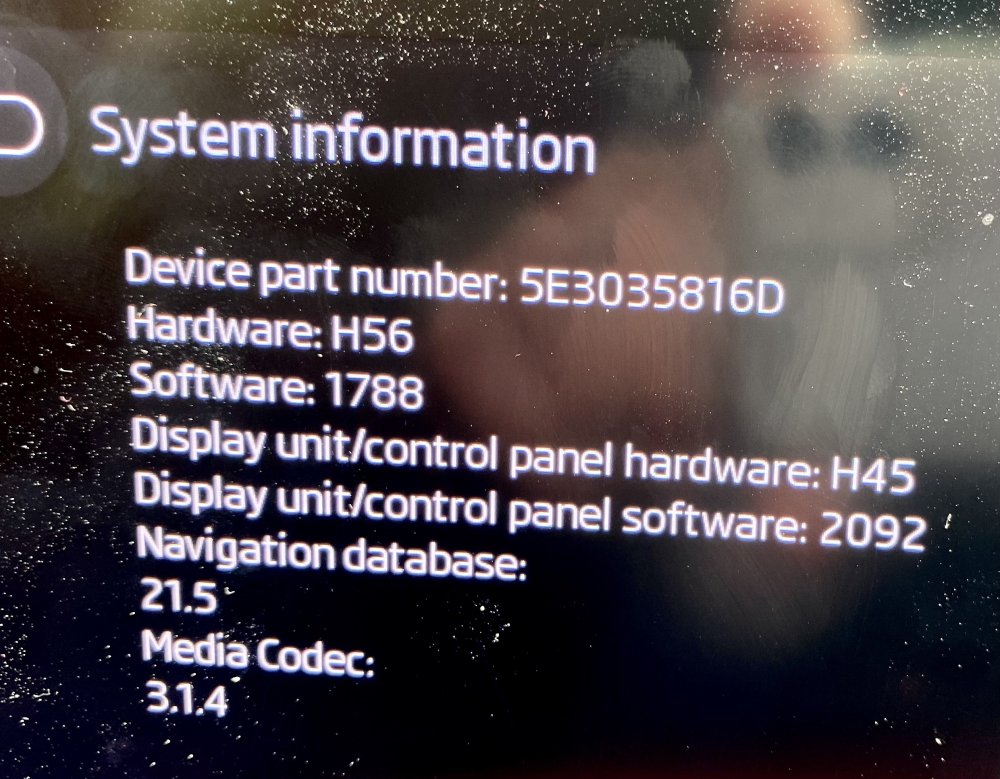
Hmm - well mine (also a 21 plate vrs) has just been to the dealer today, supposedly for a software update - I specifically asked them to update every component that could be updated. I'm attaching my before and after System information summaries. Spot the difference if you can! I'm rather surprised yours has done an OTA update to 1803 - your hardware appears to be identical to mine and I've applied all the updates I've been offered, but I'm still on 1788. The only other thing I asked them to do was to enable remote lock/unlock from the Skoda Connect app, but it turns out that no-one in the dealership knows how to do this. One of their salesmen knew, but he left! They were genuinely very helpful and keen to address all my problems, but clearly are - like most dealers, I suspect - clueless.
-
OK, well later yesterday I checked again and noticed that this setting was now showing "Driving on the right" but again the white globe was showing I had an Internet connection. So it was a good suggestion but it doesn't seem to be the lack of a connection that explains it. The car's with the dealer now having the software updated, so I'll see whether any of these things have changed when I pick it up.
-
Ah - thanks - I didn't know that. I've just looked at mine and it's showing a white globe and in the settings it's showing "Driving on the left". Sometime when it's set to "Driving on the right", I'll check that globe again.
-
That's an interesting idea. How can I check whether it has an internet connection? As a matter of interest, do you know which mobile network it uses - I think they all have good coverage where we live?
-
This is what is so frustrating about this problem - when ACC is working properly it really is brilliant. Like you I recently drove back from Scotland and was using it most of the time but the only a week or so later on the M3 I found it refusing to pass slower vehicles again. I really hope they can sort this out.
-
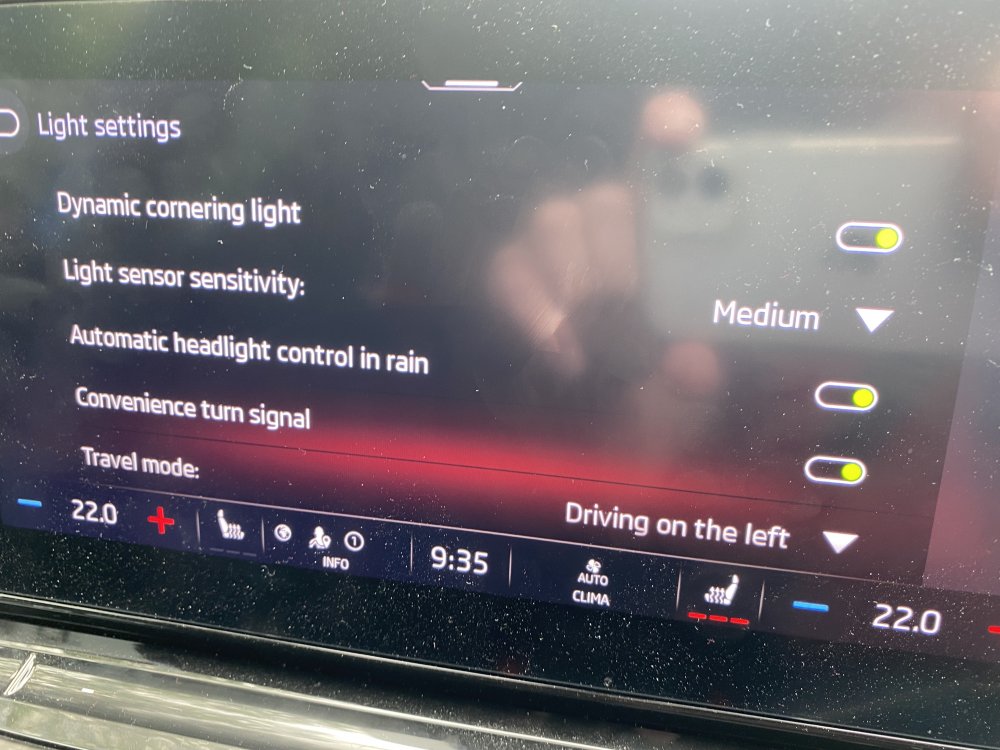
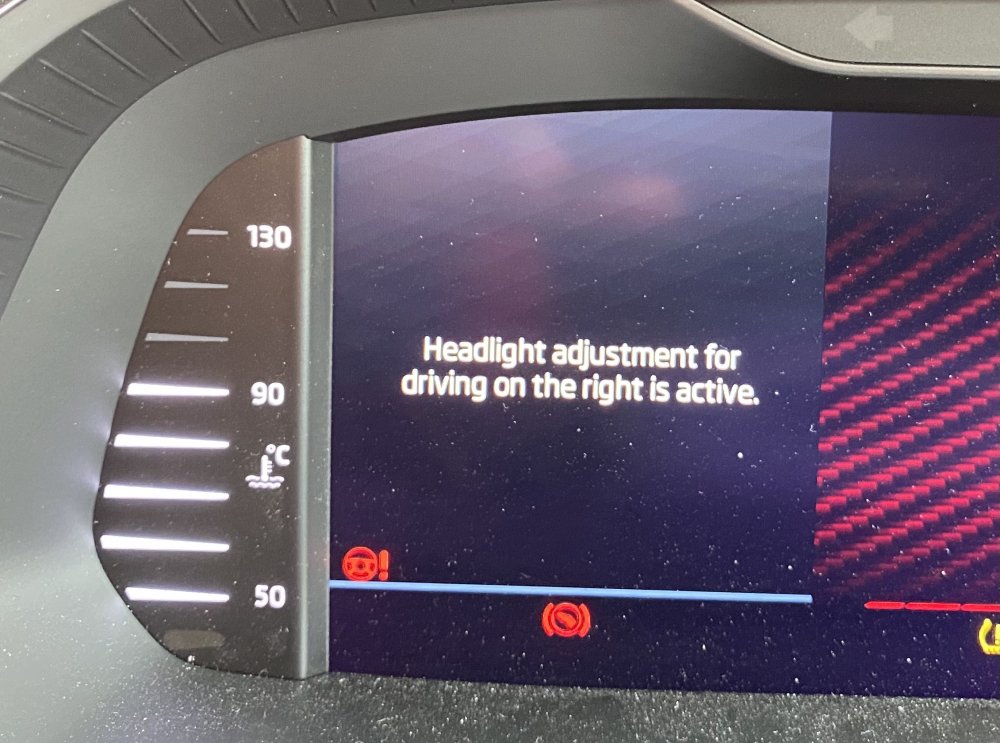
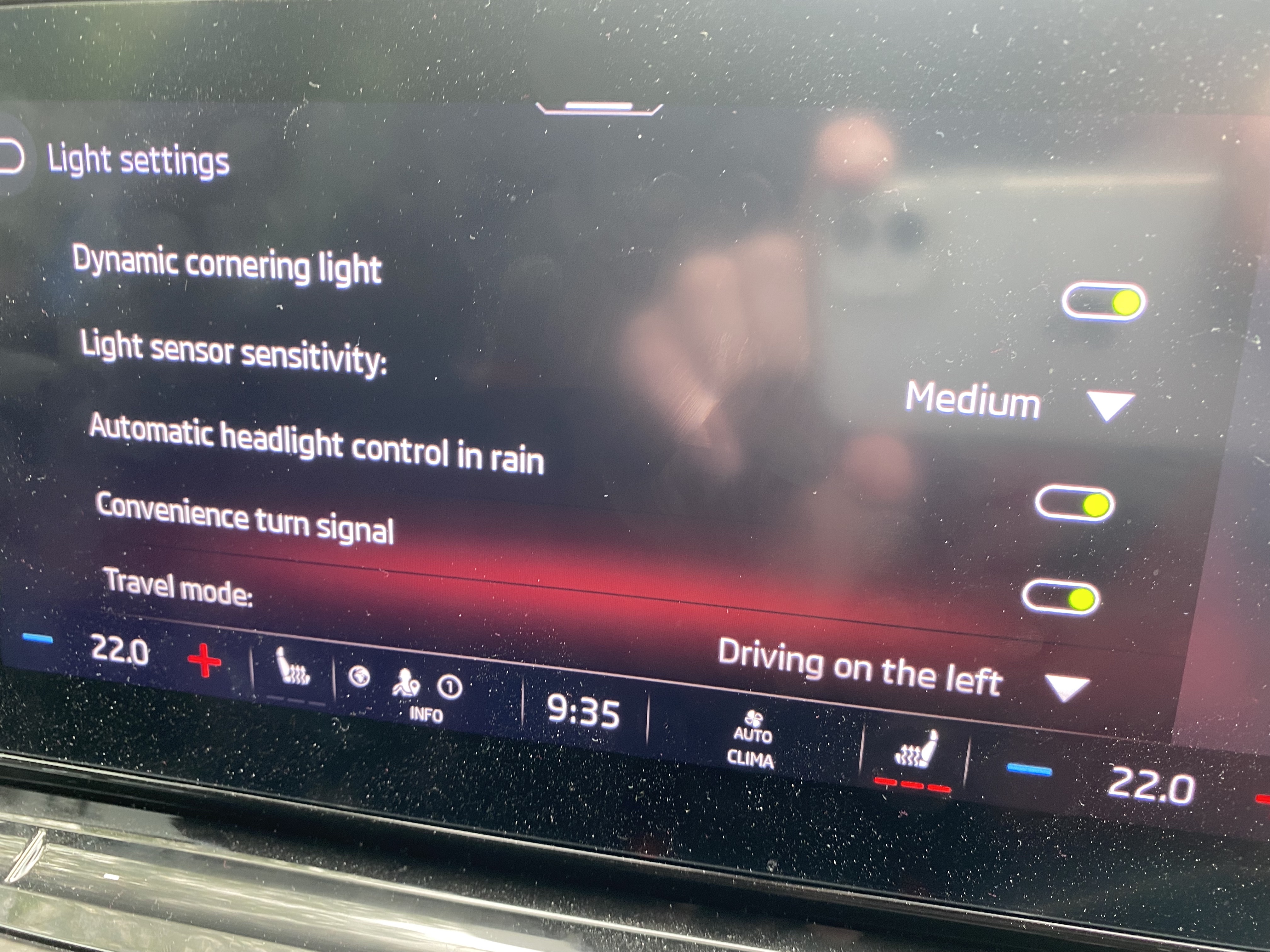
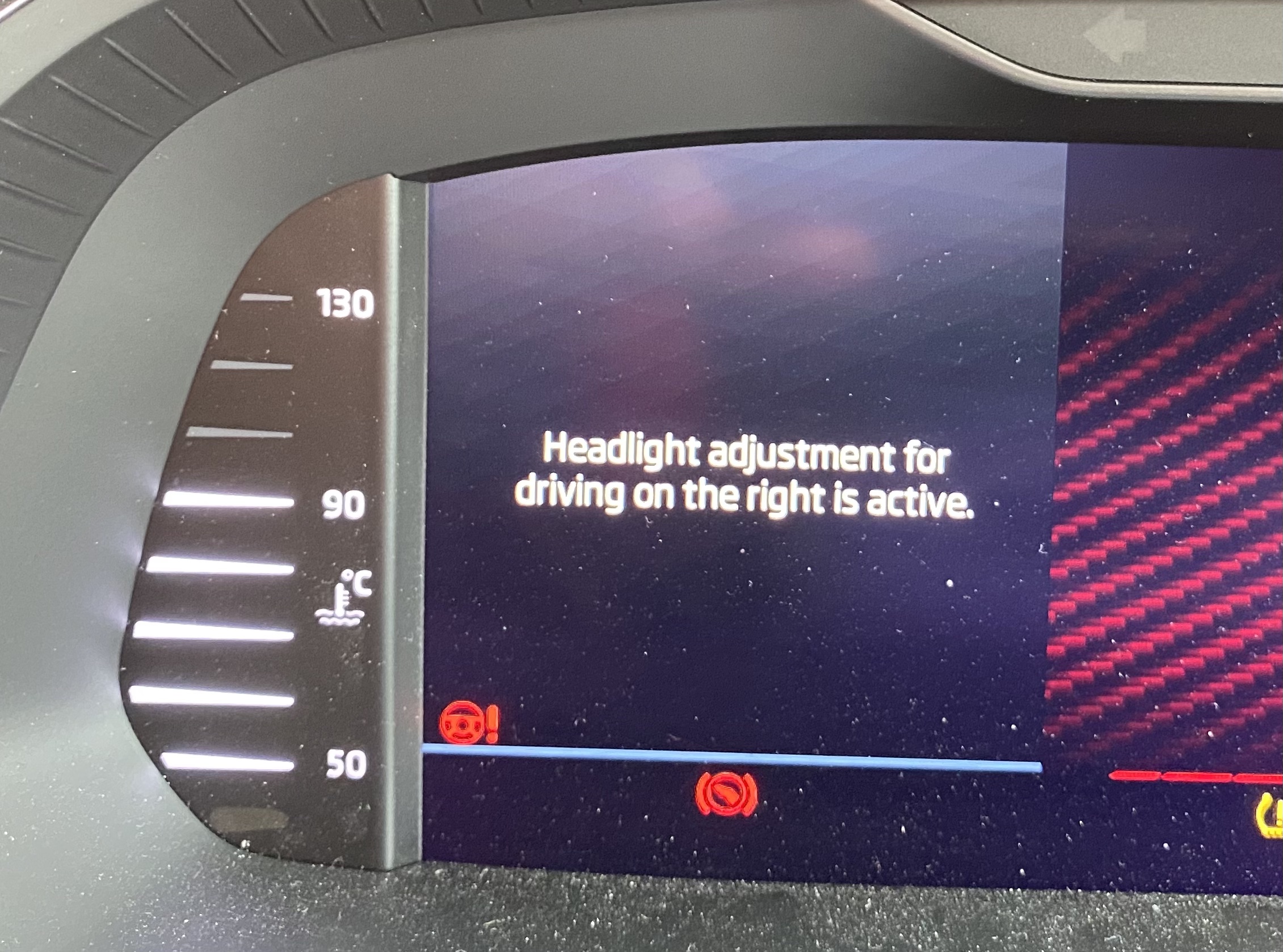
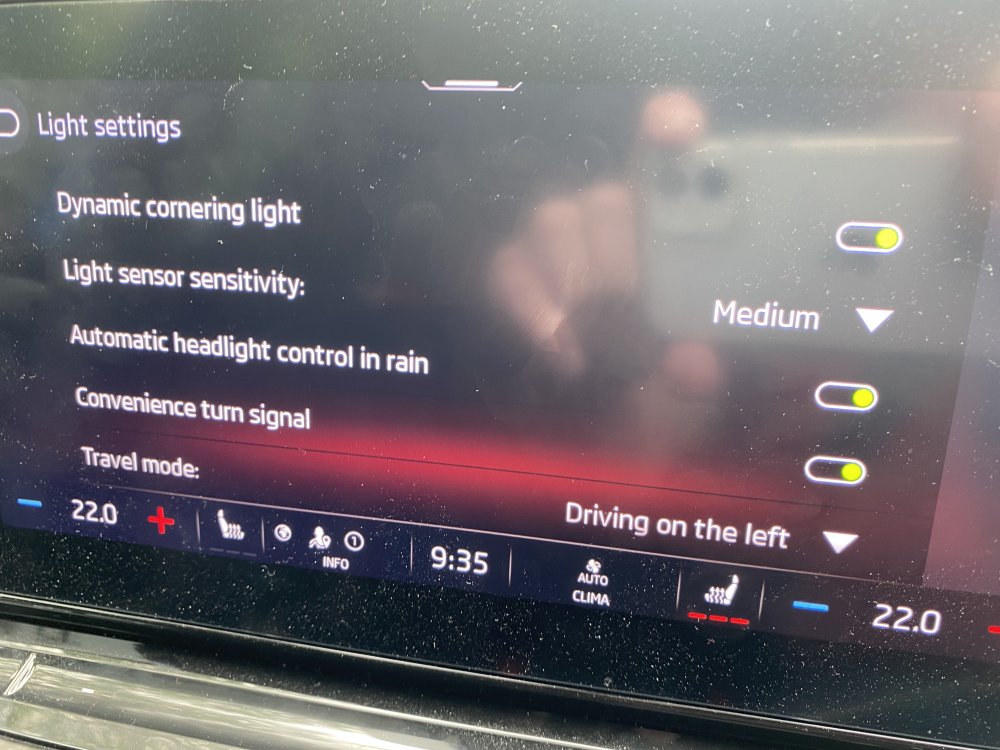
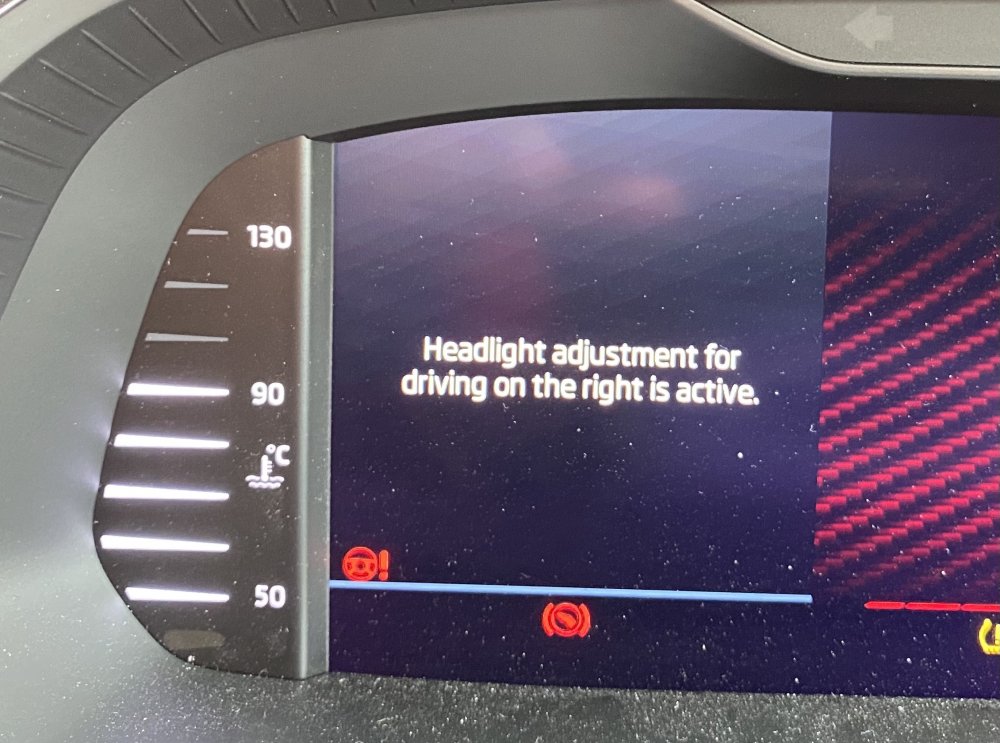
I hope you'll forgive me for starting a new thread about this, as the points I'm about to mention have been raised in other threads. I'm doing so because I feel there is probably a connection between these seemingly unrelated faults - the connection being that they all relate to which side of the road the car thinks we should be driving on. These are discussed in the following threads: ACC Misbehaving KPH/MPH Full Matrix Headlights In Vehicle app, under Headlights, there are several settings relating to lights, one of which is labelled "Travel mode". This shows either "Driving on the right" or "Driving on the left". Although there's a pull-down menu, which confusingly offers the options "Traffic on the right" and "Traffic on the left", I find it doesn't let you change the setting from what it's already set on. When I look at this setting I find that usually it is set to "Driving on the right" but sometimes it shows "Driving on the left". Whatever it is set to it seems to remain on that for the rest of the day. I'm guessing that the car is supposed to use GPS to decide, based on the driving rules in the country it's in. If so, it is clearly confused about where I live as it surely ought always to show "Driving on the left". Even stranger than this is a message I sometimes get on the instrument panel when starting the car warning me that the "Headlight adjustment for driving on the right is active". Whenever this message has been displayed, I've gone to the Vehicle settings and found the Travel mode set to "Driving on the left". This has been the case every time I've checked. My idea is that if the car is confused about where it is, and on which side of the road I should be driving, it could explain all the problems listed above. The ACC overtaking problem would be explained if it actually thought it was undertaking (i.e. it couldn't pass the slower car to the left - which would be true in most of Europe), it could explain the KPH/MPH problem, and might explain why the headlights sometimes dazzle oncoming drivers (if they're set for the wrong side of the road). As I said, I've commented on this in separate threads but as I feel they may all be connected, I wanted to bring them all together. I'm attaching my System Information panel in case it's relevant. My car is going to the dealer tomorrow for the latest update - I wonder if it will it be 1803 or perhaps the new one that's expected any time now.
-
AndyT60 - glad that worked. I hope it lasts a while for you - in three months & 5000 miles it's only happened to me twice, so now I know what to do, it's not too big an issue. Mine is going to Marshall Skoda in Newbury. I booked it in a couple of weeks ago, before I knew (as mentioned on another thread here) that there's a big update due any time now, so I don't know whether I'll get that or just miss it. I'll report back after it's been done.
-
I had the same thing again today (only the second time) - same symptoms as in my original post. So, again I pressed the SOS button then restarted the Infotainment exactly the same as I did last time, and it was back to normal within a couple of minutes. My car's going in for a software update on Wednesday so I'll see what difference that makes, if any. There's also an OTA update happening right now but they never seem to change anything, so I'm not holding my breath for that one.
-
I'm afraid it is getting more difficult to understand what is going on here. I repeated my trip down the M3 to Southampton and back this morning. Again, ACC worked perfectly all the way there but on the way back it was unpredictable - working correctly probably 85% of the times I passed a slower vehicle in the lane to my left, but sometimes slowing down. On these occasions only, the Lane Assist display on the instrument panel showed a white car in the lane to my left; when ACC worked correctly, no cars were shown in the adjacent lane. So this is different from the behaviour seen on Tuesday, when it seemed that coming back up the M3, ACC never passed a slower car on its own. Interestingly, I found a discussion of the ACC overtaking issue in the Seat forums here: https://www.seatcupra.net/forums/threads/formentor-system-errors.464758/page-16#post-4974254. The popular theory there seems to be that it is indeed related to which side of the road the car thinks you should be driving and therefore whether you can overtake on the left or the right, which is similar to what I'd been wondering. Someone there claims that he can repeatedly reproduce the problem on a certain stretch of the M25, suggestion that it's GPS related (presumably the car thinks that parts of the M25 are in France, or something like that!). This is the bit that is really strange... When I started the car this morning, I checked the "Driving on the right" setting and found that it had changed to "Driving on the left" (see attached image). I hadn't changed it and, as before, it wouldn't let me change it back to "Driving on the right", even if I'd wanted to - I still don't know which is right. It remained on "Driving on the left" all the way there and all the way back. My conclusion is that this setting has no effect on the behaviour of ACC and probably only affects the headlights (which is reasonable as the setting is in the "Headlights" section of the settings). Also, today, both times I started the car, I saw a message in the left dial on the instrument panel, which I've also shown in an attached image. This message said that the headlights were set for driving on the right. I don't think I've ever seen this message before. It's also odd, as the Infotainment screen insisted that the headlights were set for "Driving on the left". I'm really not sure what to make of all this, other than that the whole system is badly messed up.