
alancha
Members
-
Joined
-
Last visited
Everything posted by alancha
-
Yes - I discovered this too. It’s fine if you’re initially behind the slower vehicle and need to change lane to overtake but if you’re in, say, lane 2 and there's a slower vehicle in lane 1 that you want to pass you can’t really do this as using the indicator would suggest you were going to move into lane 3. True, and in some situations as you say, this can be useful. But most of the time it really negates the point of ACC if everytime I pass a s”over car in the lane to my left I have to press the accelerator to get past it. I'm repeating my trip down the M3 to Southampton and back this morning, so will watch closely to see what it does. Last time it was perfect on the way south but consistently not OK on the way back.
-
So the plot thickens… I had the opportunity to try the car again today on a short stretch of motorway. However, I found that it had set itself back to “Driving on the right” and wouldn’t let me change it. I wonder if it’s badly worded (in translation from the German or Czech) and actually means “Right hand drive”, in which case it is correct after all. If so, possibly it sets this based on its knowledge of the driving rules in the country the car is in, in which case it's right that it wouldn't let me change this setting. Anyway, today ACC was working correctly. It passed slower vehicles in the lane to my left without trouble, and when I put it into a situation where it might have tried to overtake on the left it correctly refused to do so. In this case the display showed a solid white vehicle in the lane to my right, which was also correct. And, when it had been passing slower vehicles on the left it didn't show those vehicles on the display - which is reasonable as they weren't relevant - and this is definitely different from what I saw yesterday. So this leaves the question of what was happening yesterday when it wasn’t working properly? My suspicion, unconfirmed, is that it briefly switched to left had drive mode, where it thought it shouldn't overtake cars to my left. I’m going to watch this closely from now on and next time it does it I’ll check the left/right driving setting mode to see if it has changed.
-
Yes I find the PDF manual fails to explain a lot of things. This setting is in the “Vehicle” app, under “headlights”.
-
I have this issue too but only intermittently. For example, yesterday I drove down the M3 from Basingstoke to Southampton and back during the day in fairly light traffic. All the way there ACC worked perfectly, frequently passing slower vehicles in the lane to my left, but on the way back it kept slowing down because of them. I had been wondering for some time if the radar was misaligned or had two wide a view ahead, but then I noticed for the first time that in these situations the lane assist display actually showed a white car in the neighbouring lane - as someone else has explained above. So, my car knew that the car it was slowing down for was in the lane to my left, so had no excuse for slowing down. When I got home I looked around various settings and found that the car was incorrectly set for “Driving on the right”. If the car thinks I should be driving on the right, then it would correctly prevent me overtaking a car to my left. But the mystery then would be why it often does allow this. I’ve changed this setting to “Driving on the left” but haven’t had an opportunity to test it so far. i'm wondering if this setting also explains why I have been finding I get flashed when using the matrix headlights on rural A roads? It will take me a while to know whether this change has helped with these two problems but I will report my findings when I’m confident it’s made a difference - or not.
-
Given all the above, I decided it might be worth getting my car updated to 1803 (from 1788), so I phoned my dealer to organise it. He was surprisingly ignorant about it - he had to go away for some hours to confirm that there is an update available for my car and also still has no idea how long it will take - he thought it could be anything from 30 mins to several hours. I suppose because it is, in effect, a warranty claim he had to put down a fault that it was to cure but he didn't argue with me at all and just put "Infotainment issues", or something vague like that. I asked him whether they'd had a lot of problems of this kind and he cautiously replied "more than you would expect". Overall, I got the impression that he was not unsympathetic but wasn't allowed to admit too much. I also mentioned my irritation that the sound generator is switched on in the Normal mode setting. Interestingly, he told me that on his VRS iV the sound generator is only on in Sport mode, which makes more sense to me. I wonder why the difference?
-
As you say some of these things are down to personal preference. As for stop/start, on my previous MkIII VRS diesel, I always turned it off as I hated the rattly sound of the engine restarting; fortunately, this was one press of a physical button so it was quick and easy to do. But with my new petrol vrs the engine starts so instantly and quietly that it doesn't bother me - so I leave it on all the time.
-
Reading this thread, I realise that despite my impression that it is riddled with bugs, it does seem that I'm not suffering most of those reported here so I should perhaps consider myself fortunate (as posted above, I'm on 1788). To clarify my thoughts, yesterday I started making a list of all the problems with the Infotainment under headings "Bugs" and "Design issues" and I found that nearly all of them were what I would consider design issues and in fact most of them related to the Mode selection, which would be almost completely solved if it would only keep the Mode selection from one time to the next. TBH the main reason I change the mode setting is to turn off the sound generator, which is switched on in the Normal (i.e. default) mode. Why one would, by default, want the car to be noisier than it naturally is baffles me, so I think I'm going to ask the dealer to disconnect the sound generator next time the car's in. Then I may just drive in Normal mode most of the time so I don't have to change the Mode, which is the most irritating and frustrating process on this car every time I start it. I have had to re-boot the Infotainment system 5-6 times in the 10 weeks since I've had the car, but mostly it works fairly reliably I suppose.
-
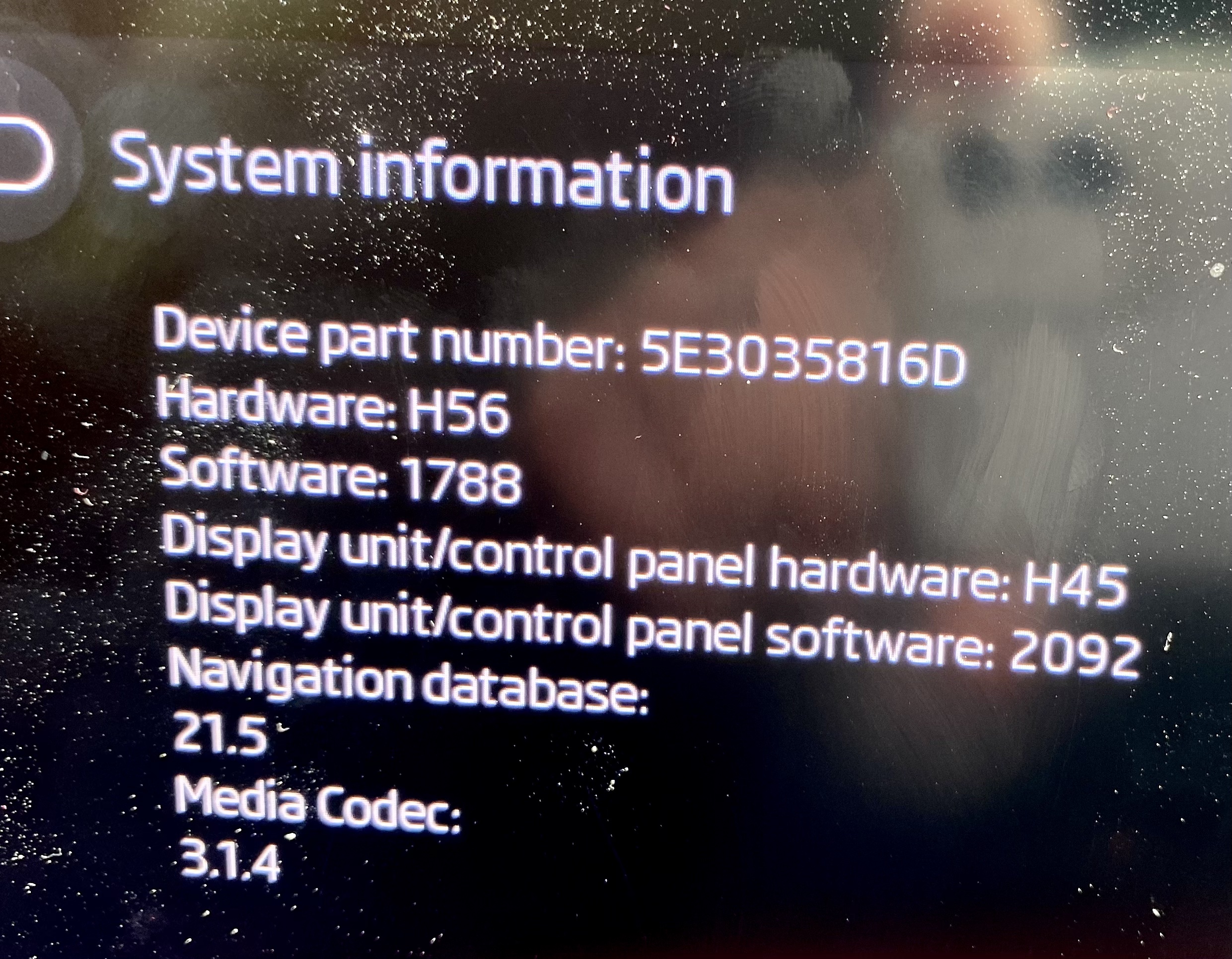
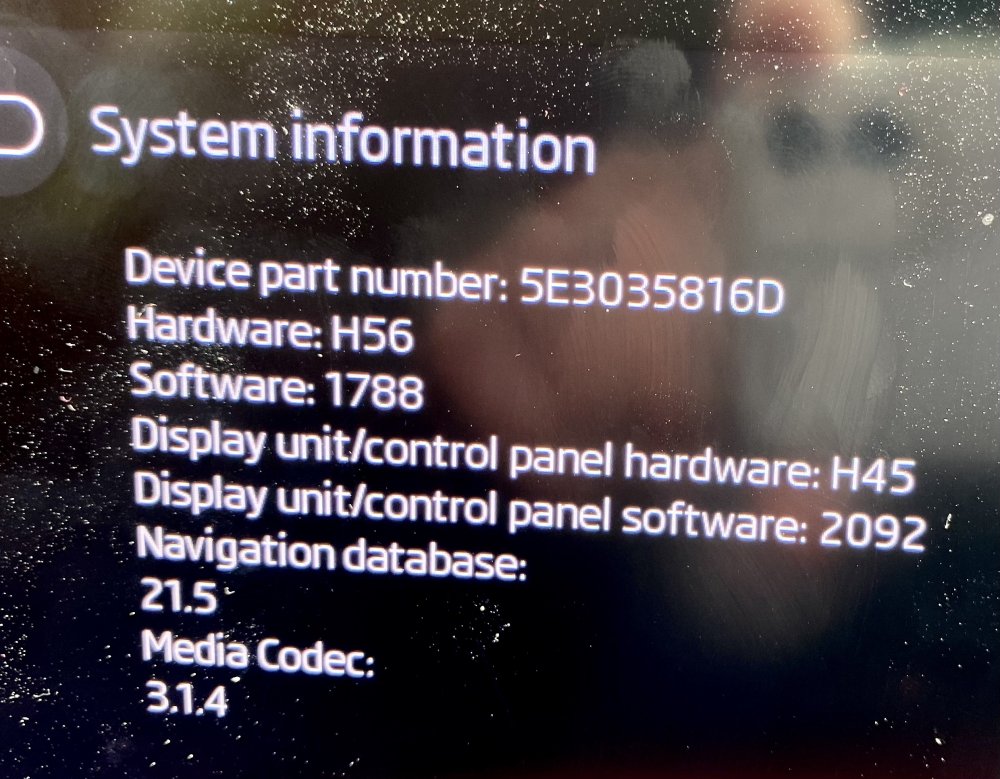
Like others here, I absolutely love driving my vrs - especially on a holiday we've just returned from in the Scottish Highlands where the roads are a joy to drive on, but I am constantly irritated by software bugs and design issues. Ignoring the design issues like not remembering driving mode, just on that holiday I had to re-boot the infotainment system three times, and on one occasion it lost my sign-in so I was driving in guest mode until it would let me log back in - perhaps because the car was out of range of the phone network (btw does anyone know which network they use in the UK?). So, after reading all the above and some other threads, I'm still a little confused about what updates are OTA and what have to be done by a dealer, and whether it would be worth my booking the car in to have them install any updates. I seem to be on 1788 and there don't appear to be any OTA updates available, so presumably the 1803 that has been referred to must be a dealer-only update - or is it not compatible with my hardware level? If my car can take 1803 am I likely to find the system to be more stable after this update? I'm attaching my System Information, which looks very similar to that of some other contributors here.
-
Yes - you're right, although that wouldn't have been as bad as the headlights, which came on when I started the engine. Starting the fan with the app would have been the best solution if I'd thought of it at the time.
-
Ah - thank you so much! I've looked and I'm pretty sure it doesn't mention this anywhere in the owners' manual. I've just tried it - got into the car and pressed the start button without touching the break or clutch and, sure enough, it all came to life. The instrument display lit up, the Infotainment system woke up and various buttons worked. I could play music and even select the driving mode. And, more usefully, I could operate the windows, though sadly not the fan. It's only just occurred to me I could have started the fan on its own by using the Skoda app; as one of the few things it can actually do that could be any use is to start the fan running for up to 10 minutes. That would be have been perfect, but I didn't think of it at the time.
-
My new VRS is the first car I've owned with KESSY, so I apologise right now if I've failed to understand something obvious. The underlying issue is that - as far as I know - there's no way to turn on the car's electrics (windows, fan, etc.) without first starting the engine. Or is there? This question would apply to many other situations but struck me the other night when we attended a drive-in movie. We were asked to keep our lights and engines off throughout but it was a cool evening so we had the windows closed and after a while they started steaming up, so that we couldn't see the film clearly. I had to either open a window a little or turn the fan on to clear the windows. But the only way to get the windows or the fan to work is to start the engine, which I did. And, even though I'd set the lights to "Off" when we arrived, on restarting, they set themselves back to "Auto", which meant they came fully on; I had to turn them off again immediately but presumably had already annoyed the various people in front who would have had my bright LED lights in their mirrors. And then, when I turned the engine off again, the interior lights came on full-blast, which we didn't want. On my last car, I'd have just turned on the ignition without starting the engine and with the light switch turned off and let the fan run for a couple of minutes before turning off the ignition. Perfectly easy and no-one would have known, let alone been bothered by it. My wife says this car is just too clever for its own good - and I rather think she's right; it's automated to the point that you never really know what it's going to do. Normally I love clever technology but I'm really not convinced by all this. Or is it just me?
-
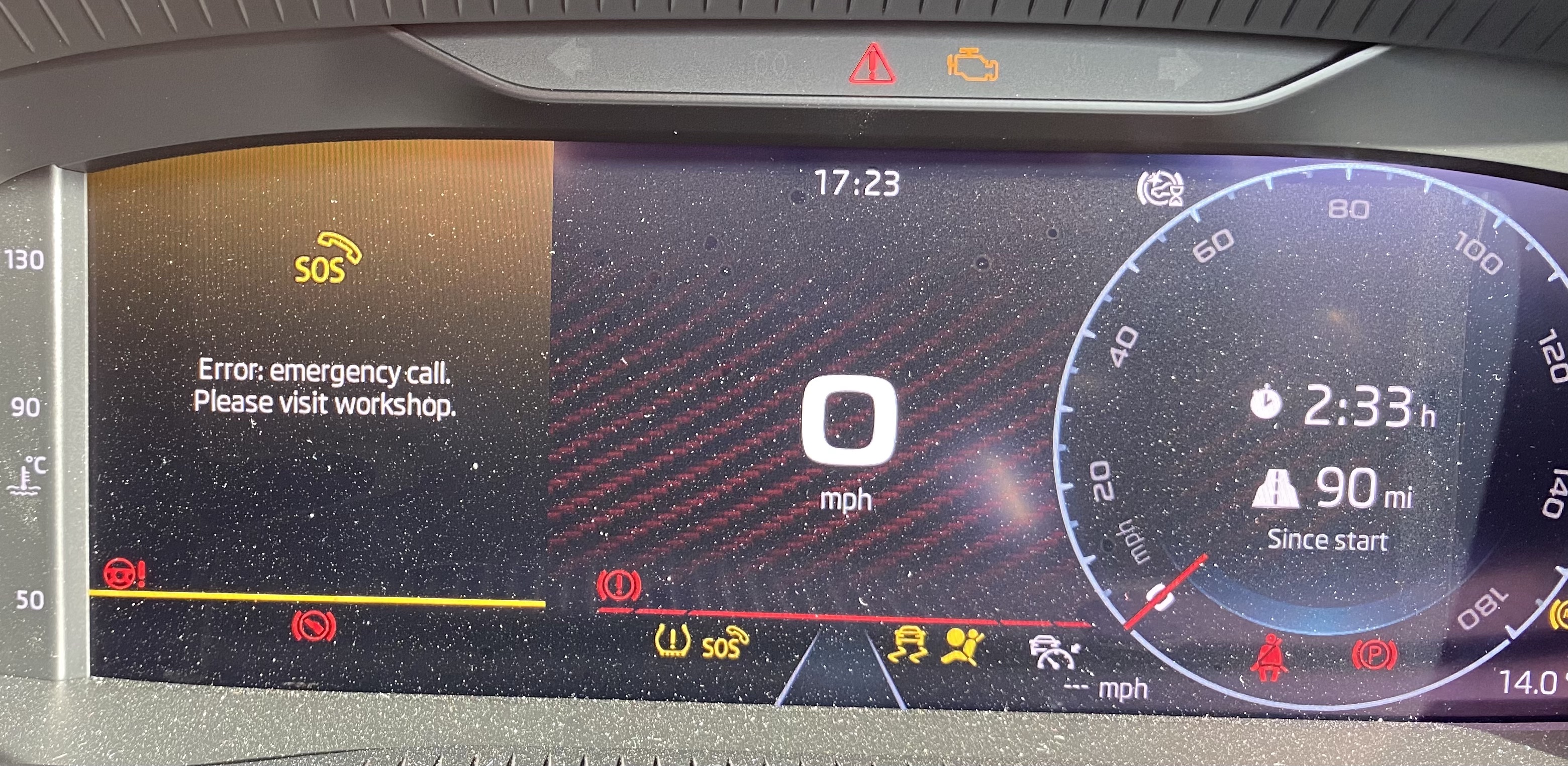
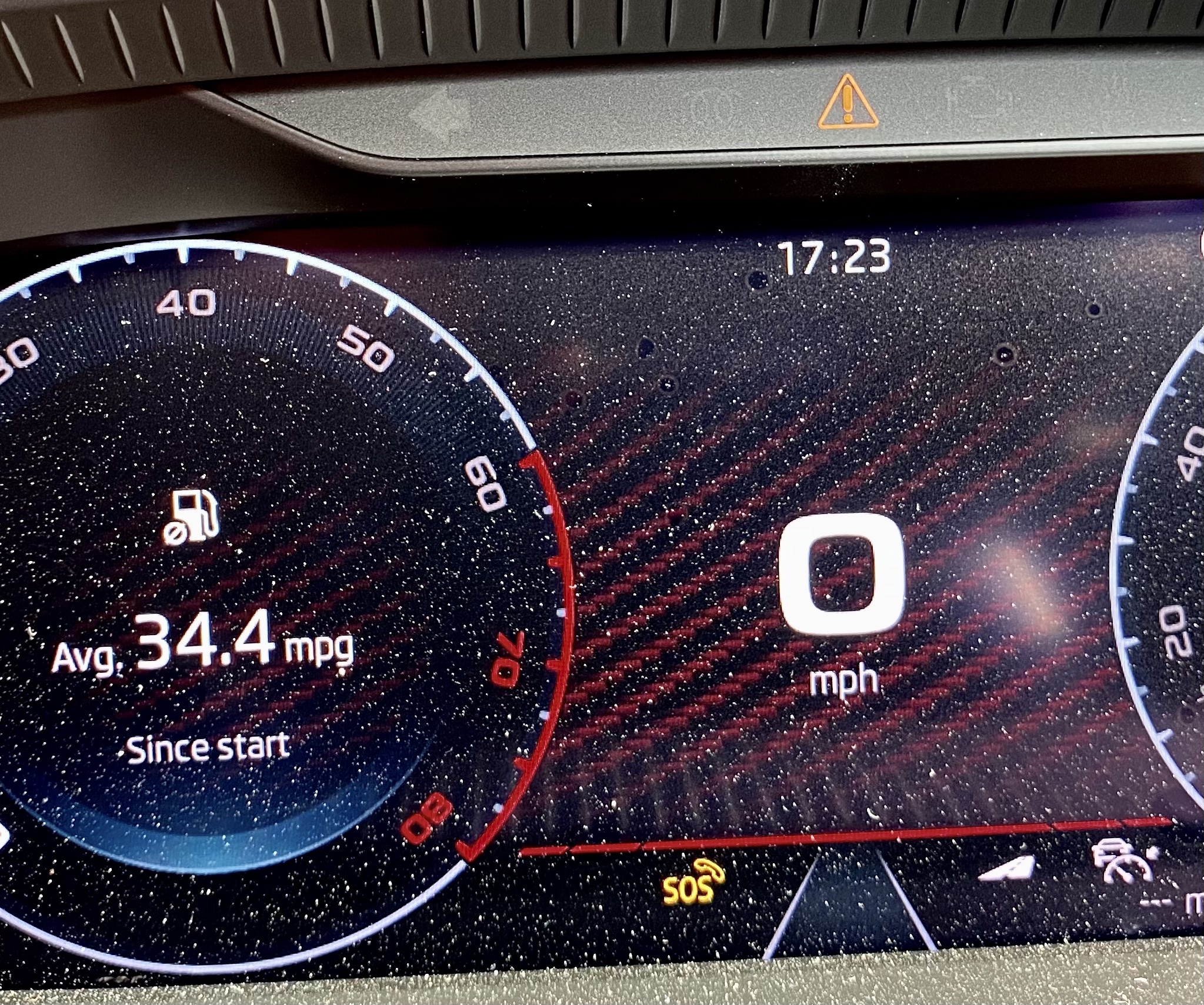
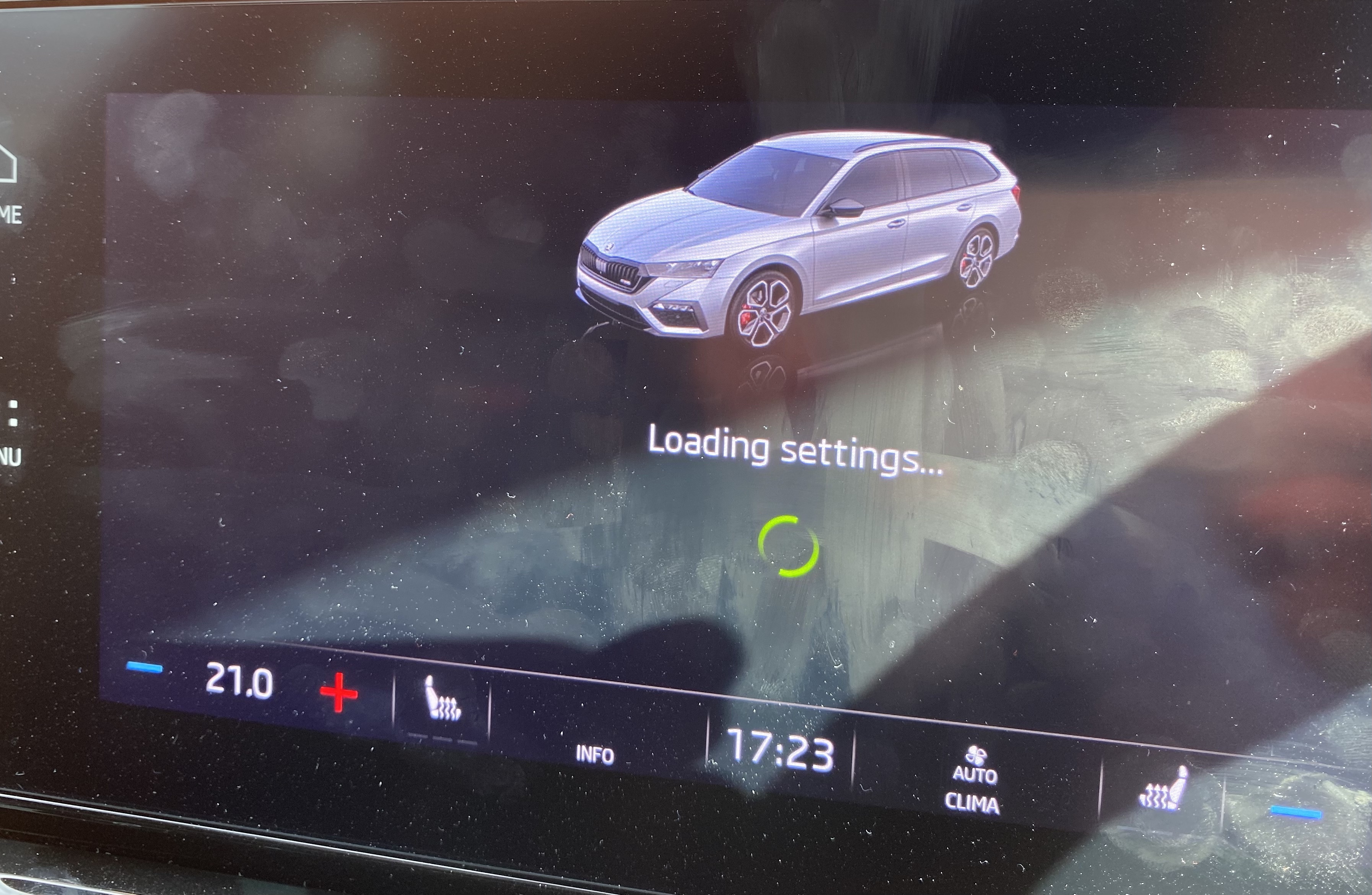
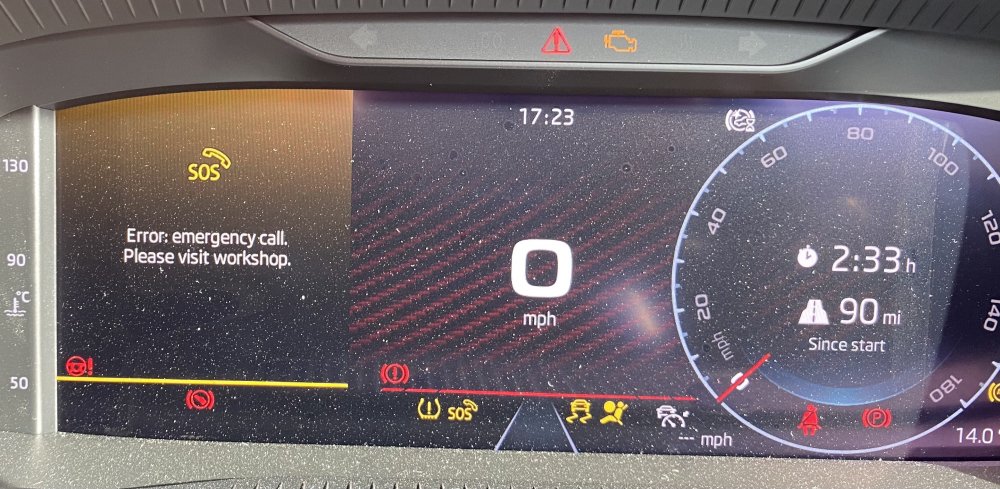
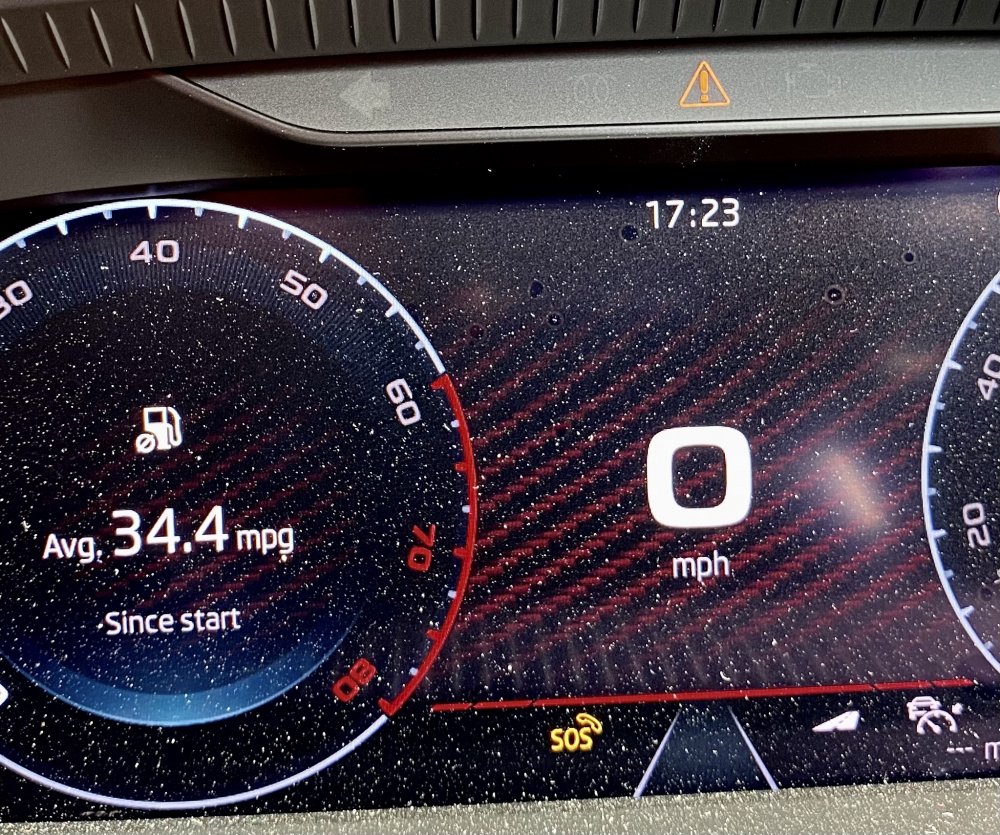
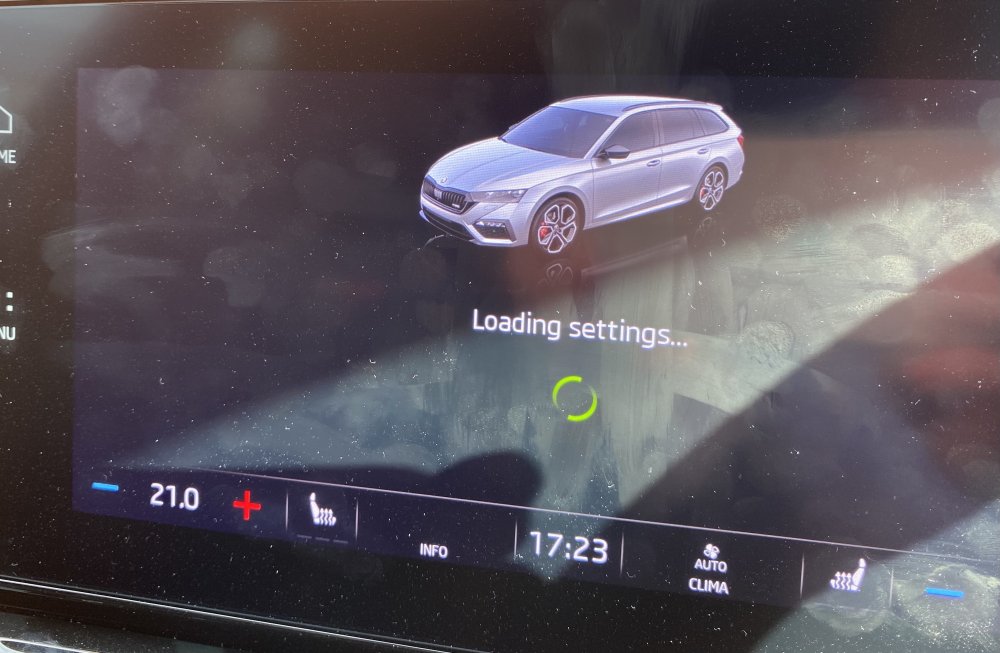
I'm still enjoying my new VRS despite all the annoyances related to the Infotainment system, which in opinion (and that of many others it seems) is badly designed, slow and unreliable. I thought I'd perhaps share my latest problem and the solution I found - in case it helps anyone else. We were out yesterday and it was all working fine, until I stopped for petrol just before we got back home. When I re-started the engine after that, I saw several unusual things: A big message in the left hand dial saying "Error: Emergency call. Please visit workshop.", which disappeared after a few seconds. A small warning sign showing the letters SOS and a phone symbol. Interestingly, when I looked this up in the PDF handbook, it didn't seem to be listed, so I could only guess what it meant A small orange warning triangle at the top of the display in front of me The Infotainment screen displaying the message "Loading settings..." for ever. After I got home I attempted to investigate these symptoms which were all consistently the same. The "Loading settings" message remained indefinitely. I also noticed, when I looked at the Skoda Connect app that it wasn't receiving data from the car so the mileage etc. was showing for an earlier trip and the car was showing as unlocked, even though I knew it was locked. I tried a soft-reset of the Infotainment but it came back exactly the same after restarting. There seem to be many reports of similar - though not identical - problems on both Skoda and VW related sites and in some cases the solutions have been drastic, involving replacing hardware. However, I did read one report that suggested that pressing the emergency call button could reset it. So, I tried this. I pressed the button and nothing happened. But I then tried resetting the Infotainment system again and this time - as soon as it had restarted - a loud voice announce that an emergency call was in progress and I could cancel it by pressing the button again, which I did. Then - and only then - the whole system seemed to sort itself out and it's all working normally again now. And the car is communicating with the Skoda connect app too. So, I thought I'd describe this in case it helps anyone else. But of course the whole experience has further dented my positive feelings for a car that I otherwise really like a lot.
-
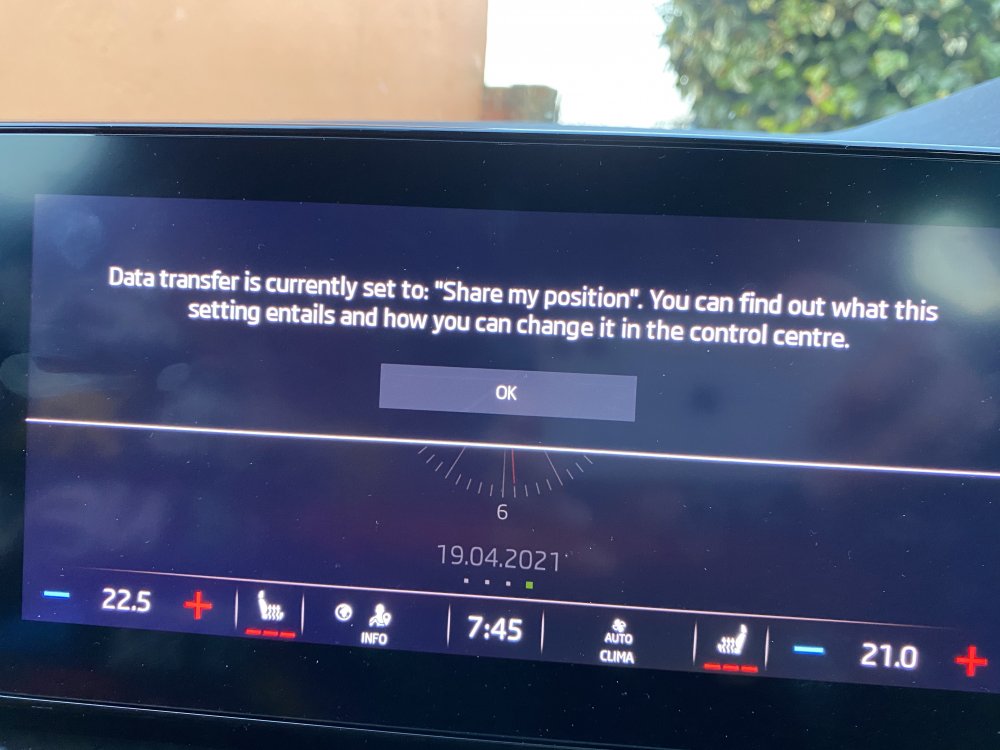
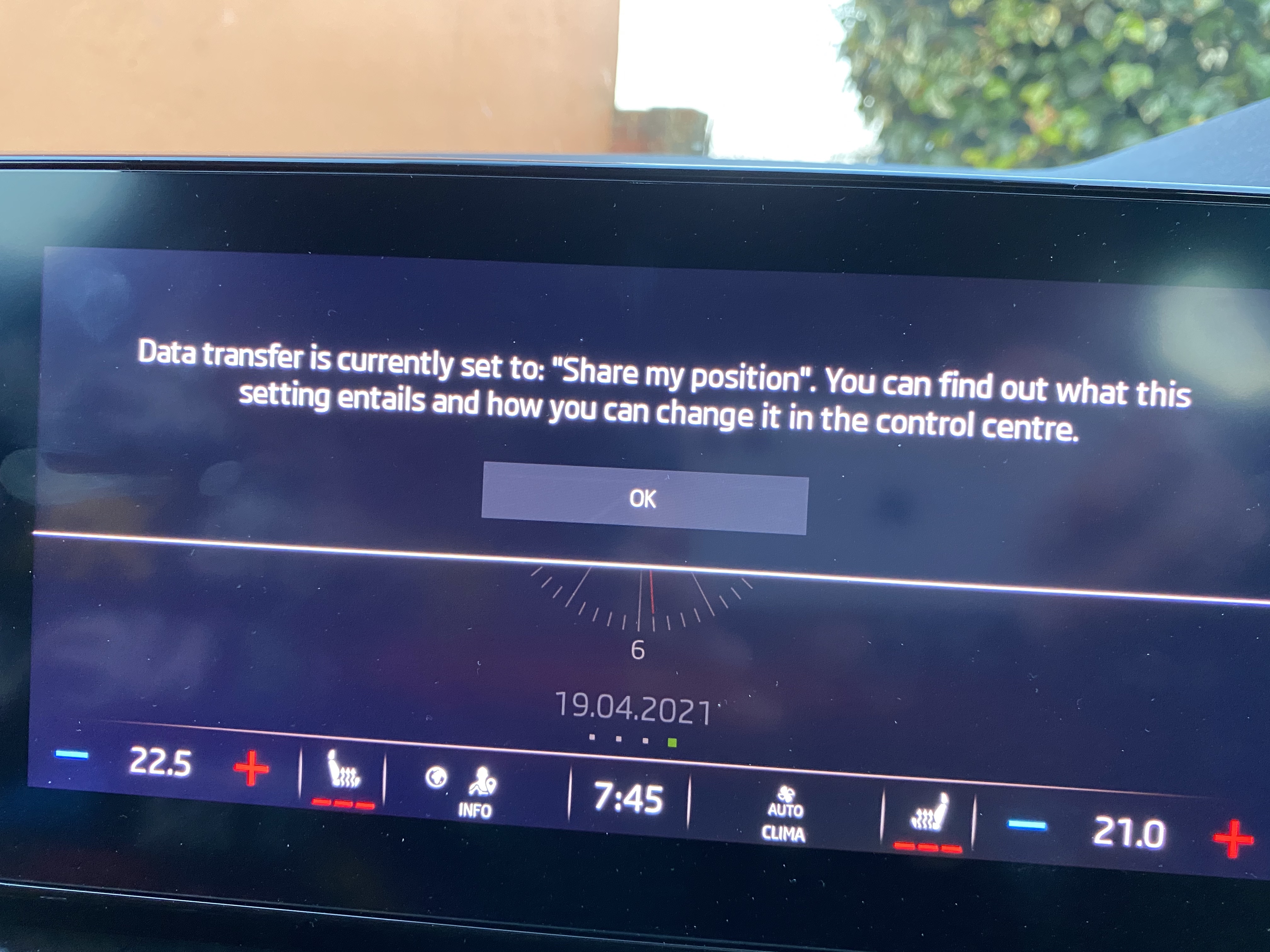
In the last few days, every time I've used the car this message (see picture) has popped up on the Infotainment screen and I don't know what it means or what I can do to stop it appearing. It says I should go to the control centre to find out "what it entails" but I can't find anything there that helps explain it or stop it happening. I know others have complained about this kind of thing but it really is very bad user interface design that messages like this can appear while driving. Reading the message while on the move is difficult and potentially dangerous as is pressing an OK button in the middle of the screen to clear it, and yet it covers up everything else (like satnav) so sometimes you can't just ignore it until the next time you've stopped at a junction or similar. This is on a recently bought VRS TSI estate - a really lovely car to drive but with a lot of irritations related to the Infotainment and assist systems, of which this is just the latest.