denigor777
Finding my way
-
Joined
-
Last visited
-
I bought Skoda's own batteries for my keyless fob (Skoda Reading). With a multimeter I see they are at 3.4V at new. They work fine. Other brands are giving me 3 1V at new. They don't work well for me. The Skoda own batteries are also failing my keyless fob when they are old enough for their voltage to drop to 3 1V. (Kodiaq '19' plate.)
-
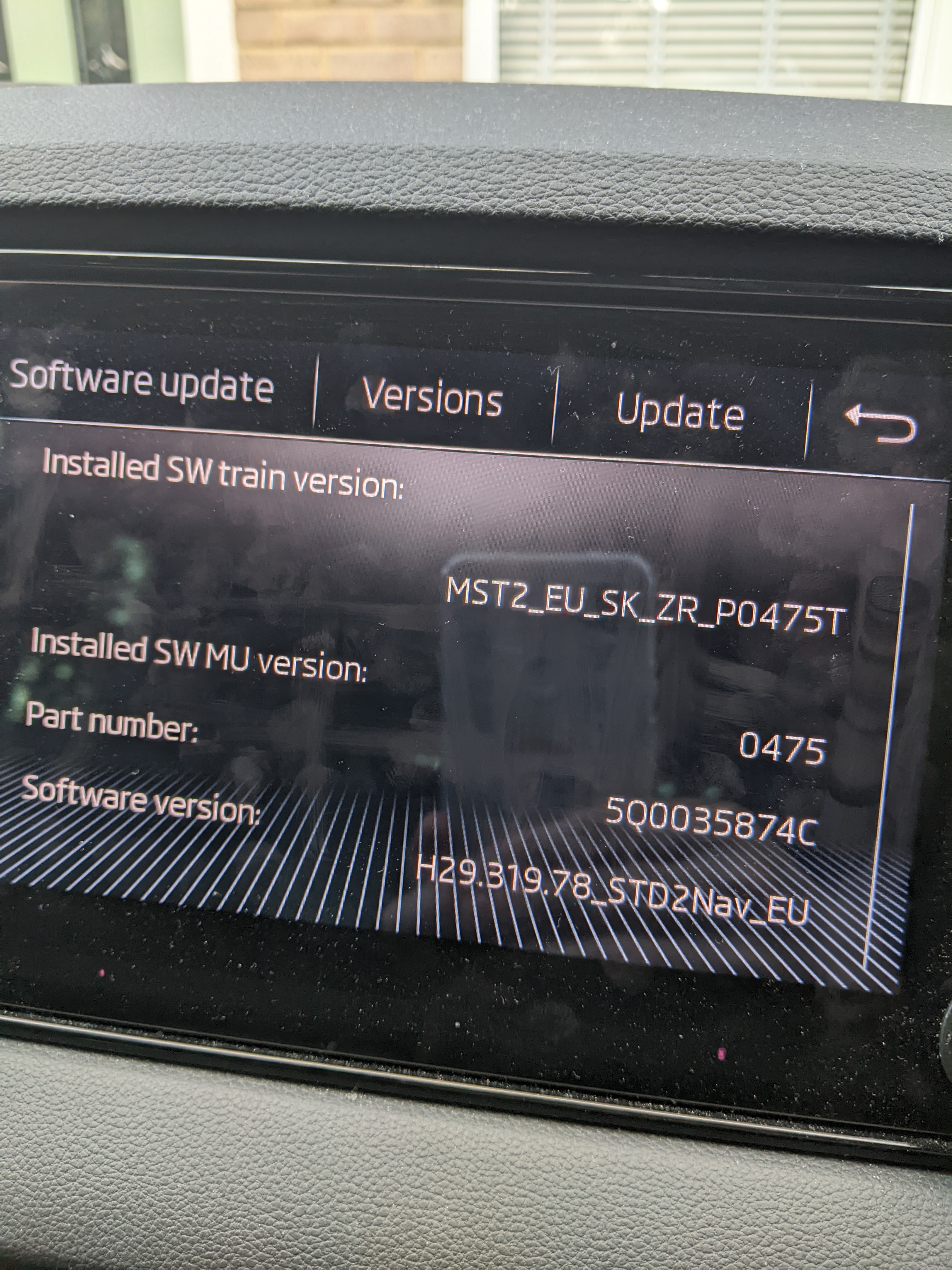
To close this topic off. I updated the infotainment software to the 0480 release, upgrading from 0475. This has resolved the problem, DAB radio fine now!
-
Updated to 0480. Took a while to get the right SD card format, but then got it ok. Huge success! I drove the same route as yesterday ...and had zero DAB dropouts! Thanks!! Now I'm conflicted. I'm very happy this worked. But at the same time I'm annoyed that Skoda sold me this car (second hand) with a '19 number plate with such defective radio software in the first place!
-
-
Thanks! We found the Skoda dealer in Salisbury had higher car prices than the Reading one, but I don't know about their services. But if a dealer cannot find the fault, it is worrying. I wonder if I can get a separate dab aerial plugged in to test with. Or I could seek a car audio specialist place I guess.
-
Hi, We have a 2018 Fabia and a 2019 Karoq. The Fabia can drive around without losing the DAB signal at all (Capital radio, for example). Our Karoq, which seems to have the same infotainment system (bigger screen though), loses DAB signal a lot when driving on exactly the same routes (Berkshire, mainly,). The radio stations and settings on both cars are identical. The Fabia came with a longer roof aerial compared to the Karoqs 'stub' aerial. But it seems unlikely to be the cause. Has anyone else noticed such Karoq poor DAB reception?