




Orchid70
Members
-
Joined
-
Last visited
Everything posted by Orchid70
-
Me neigther =) Ill try to contact him/her and ask. The caar owner is picking up her car soon, so I will have try tyo figure this out later, anyhow. Thanks for you ideas!! Always nicer when you are not alone in, trying to resolve things =)
-
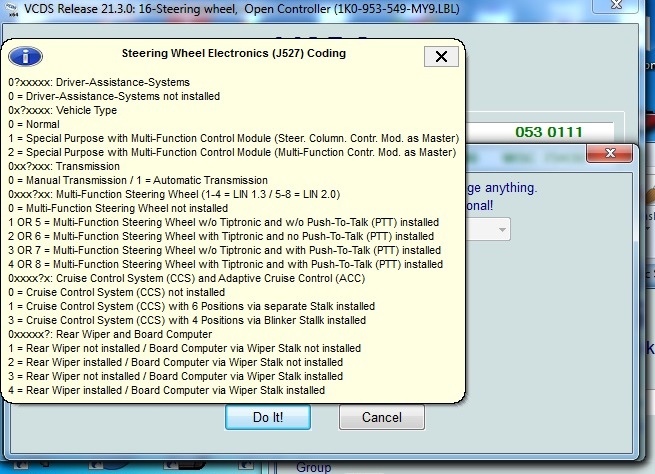
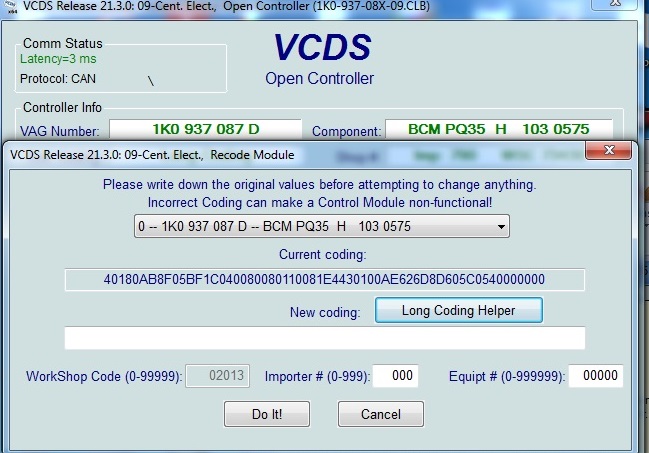
No - checked the coding too - its correct at 00034: I dont know if this looks correct - Long coding for Central Electric module:
-
Question 1: In module 09 Shoud I test in Module 16 also? Question 2: I do not know. Battery is not a original. Thank you!!
-
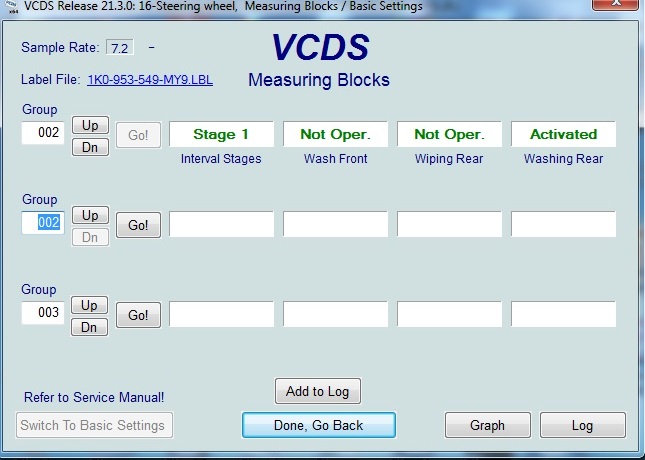
Checked out the measuring blocks.... This is really strange. There is still no fault codes - but I can see in the measuring blocks that the lever i operated.... but the rear wiper motor nor washer operates - only when I operate it with VCDS. Yes, I mean the unit under the steering wheel.
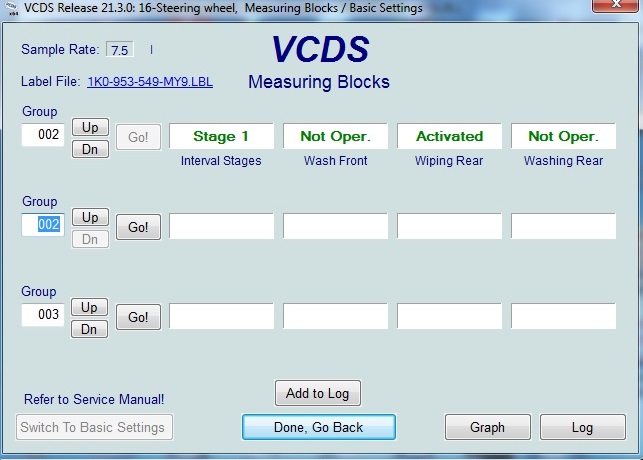
-
Hi I have changed the motor because the arm had lost its attachment to the motor. I can activate the washer and motor with VCDS. Not with the lever/switch. No fault codes. Took out the switch but couldnt see anything wrong in the board on it. Opened the Onboard power supply control unit when I had it in my hand - nothing obviously wrong there either. My question is - other people out there who have had same problem and solved it? The switch is very simple, so wonder what could go wrong with it?
-
Can you operate it with VCDS? If yes - then you have same issue as I do - dont know if its the lever itself or the Onboard Power Supply Control Unit (under the steering wheel).
